
On this page
How to create an addon domain in cPanel
An addon domain lets you host a completely separate website on your existing Kualo hosting account using its own domain name.
An addon domain lets you host a completely separate website on your existing Kualo hosting account using its own domain name. This guide explains what addon domains are, when to use them, and how to set one up in cPanel.
What is an addon domain?
Unlike subdomains, which are extensions of your main site (e.g. blog.example.com), addon domains use entirely different domain names (e.g. example2.com) and display their own unique content.
The key difference between an addon domain and an alias (sometimes called a parked domain) is that addon domains have their own document root. Aliases simply show the same content as your main domain.
Why use addon domains?
- Host multiple websites under one hosting account
- Save on hosting costs by managing multiple domains in one place
- Maintain separate content for each domain
Important considerations
Most Kualo hosting plans support addon domains, but there are a few things to keep in mind before you proceed.
Entry-level plans only support a single domain. If you are on one of these plans and need to host additional websites, you can:
- Upgrade your plan to support multiple websites.
- Purchase a separate plan for each additional website.
Addon domains are for personal use. They are designed for hosting websites you own. Hosting websites for third parties - whether for clients, friends, or unrelated businesses, for profit or for free - is not permitted. If you need to host websites for others:
- Use a reseller hosting plan, where each website is isolated in its own cPanel account.
- Consider a Virtual Private Server (VPS) or separate hosting plans for greater isolation and control.
Resource and security considerations. Hosting too many sites within a single cPanel account can lead to:
- Resource limitations - all sites share the same CPU, RAM, and other hosting resources, which may cause performance issues.
- Security risks - if one site is compromised, others in the same account may also be affected due to the shared environment.
Not sure if an addon domain is the right choice? Read when addon domains are a good idea, and when you should rethink them before creating one.
How to create an addon domain in cPanel
Your domain must be registered with a valid registrar and configured to point to our nameservers - ns1.kualo.net, ns2.kualo.net, ns3.kualo.net, ns4.kualo.net - before it can be used as an addon domain.
-
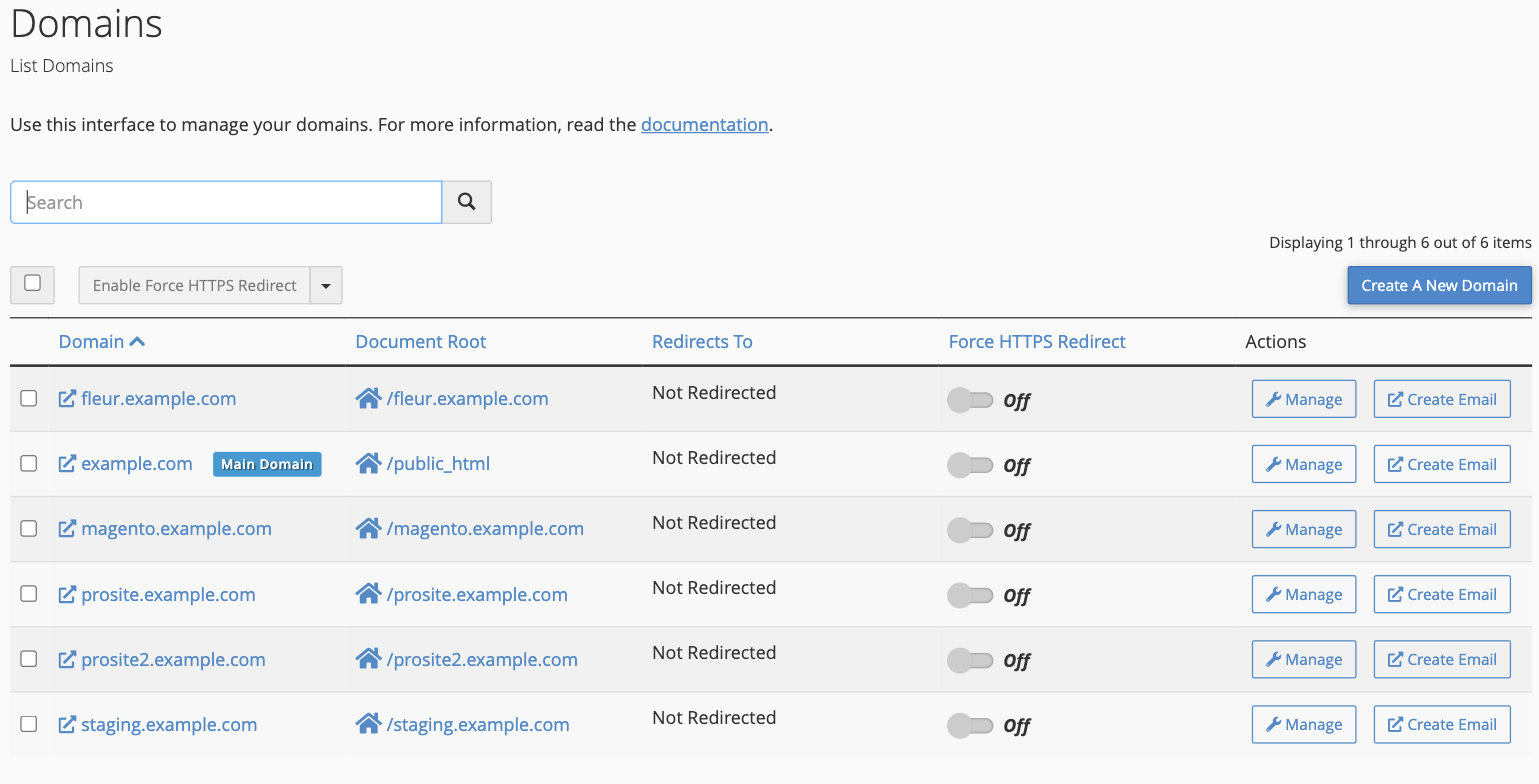
Log in to cPanel and open the Domains tool from the Domains section.
-
Click Create A New Domain.
-
In the Domain field, type the full domain name you want to add - for example example2.com.
-
Untick Share document root. A Document Root field then appears, pre-filled with a folder named after your domain (for example
example2.com). This is where the addon domain's files will live - keep the suggested folder or set your own.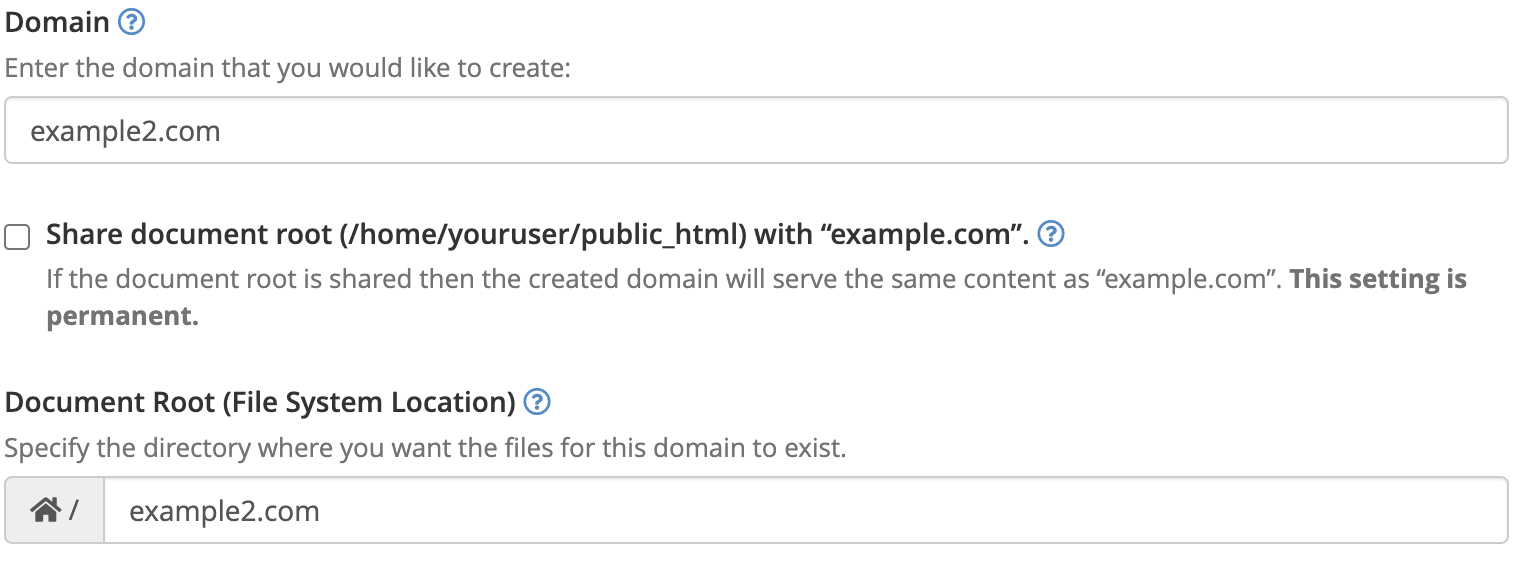
-
Click Submit.
cPanel automatically links a subdomain on your primary domain to support the addon domain. This is normal - you can leave it exactly as it is.
What happens next?
After you create your addon domain:
- If the folder does not already exist: cPanel creates a new folder where you can upload files for your addon domain.
- If the folder already exists: the addon domain uses that folder and displays any content already in it.
- If your domain points to our nameservers: the addon domain will usually start working within a few minutes.
- If your domain does not point to our nameservers: you will need to update the DNS settings with your domain registrar. If you are unsure, contact us and we will help you set it up.
Adding content to your addon domain
Your addon domain is ready - here are the most common ways to get content on it:
- Upload files: use cPanel's File Manager or an FTP client to upload files to the document root folder.
- Install WordPress: use WP Toolkit to install and manage a WordPress site.
- Install another application: use Softaculous to install other apps such as Joomla, Drupal or phpBB.
- Clone an existing site: duplicate a site you already have using Softaculous's clone tool.
- Use our site builder: build your site from scratch with ProSite, or import a backup of an existing ProSite website.