
On this page
How to use Resource Boosts in cPanel
The Resource Boost plugin in cPanel lets you instantly scale up server resources for up to 72 hours per month, free of charge.
The Resource Boost plugin in cPanel gives you a quick, free way to increase your server resources on demand - no permanent plan upgrade required. Whether you are handling a sudden traffic spike or running a resource-heavy task, Boost lets you scale up and then step back down when you are done.
Key benefits
- Traffic spikes: Scale up instantly during viral posts, flash sales, or any unexpected surge, so your site keeps performing when it matters most.
- Project work: Give resource-heavy tasks - testing new features, processing large datasets - the headroom they need without paying for capacity you rarely use.
- No cost: Boost is free and available for up to 72 hours per month.
- Inode relief: Boost raises your inode limit alongside CPU, RAM, and I/O, giving you breathing room to reduce your file count while you consider a permanent upgrade.
How to activate Boost
- Log in to cPanel and open the Resource Boost plugin.
- Review the dashboard, which shows your current resource limits alongside the enhanced limits available with Boost.
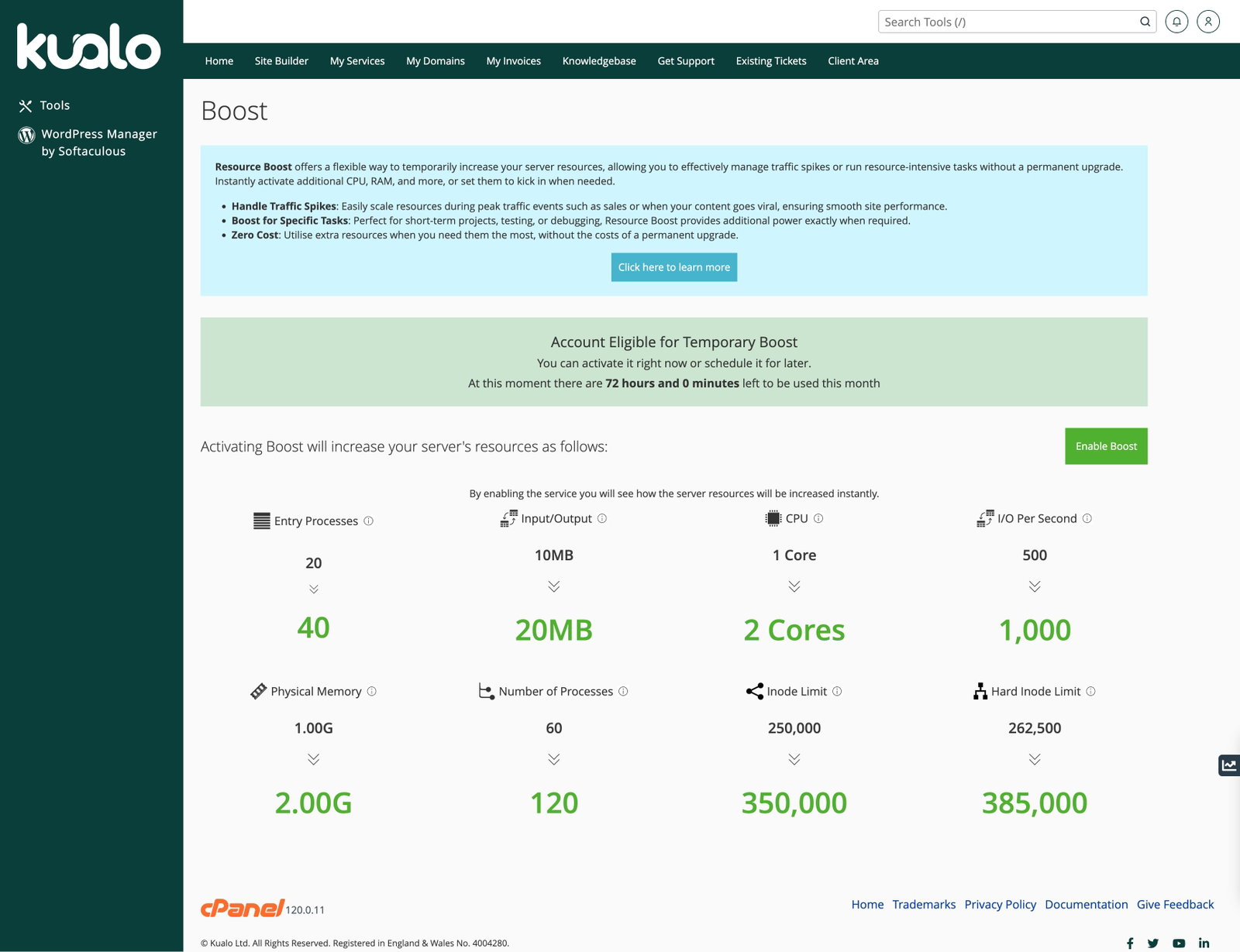
- Click Enable Boost.
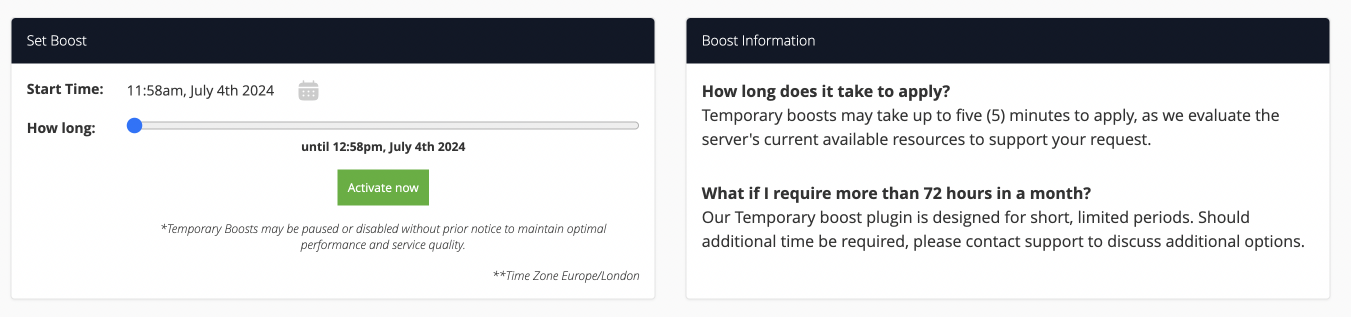
- Use the slider to set how long you want the boost to run, then click Activate Now.
Turning off Boost early
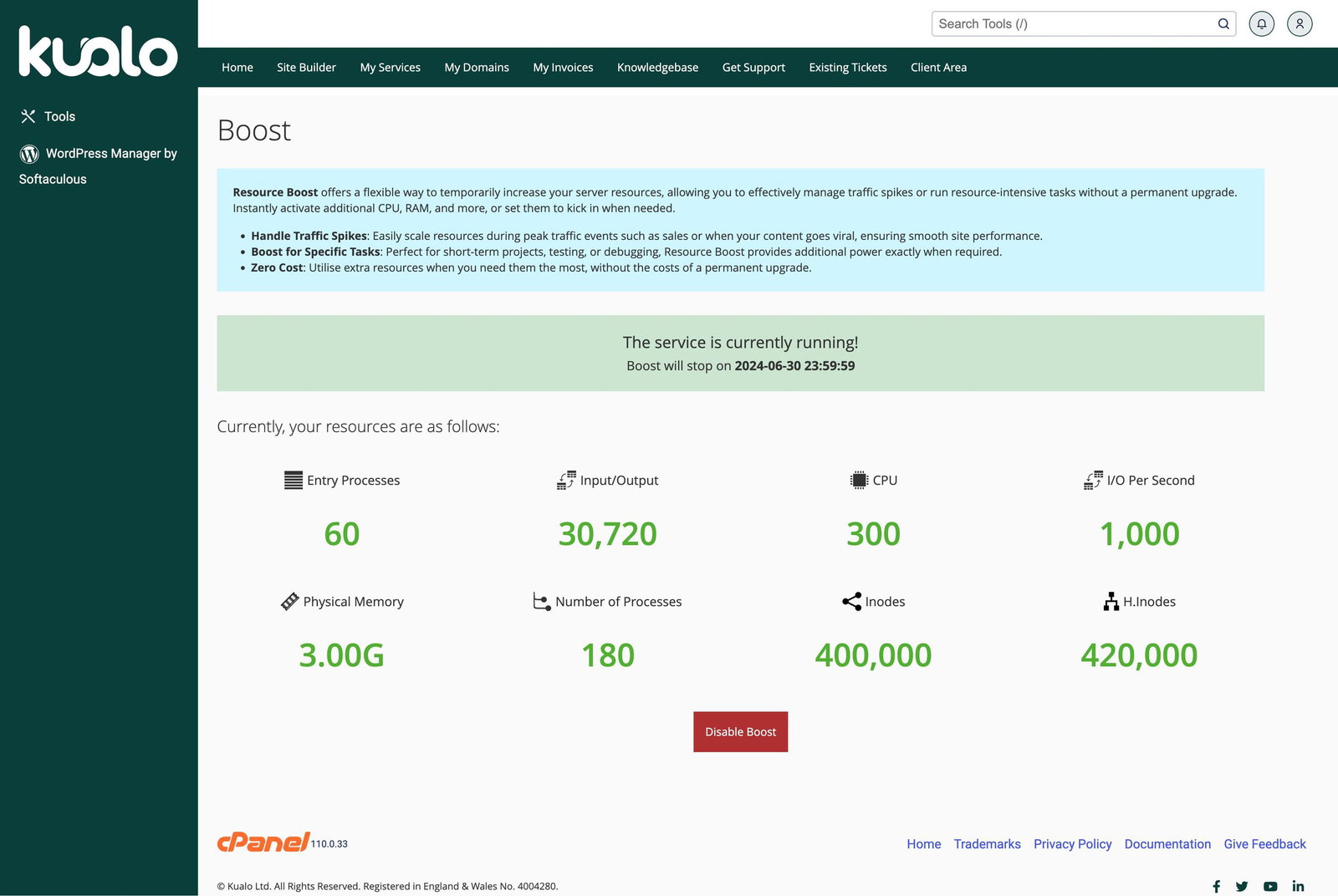
If you no longer need the extra resources, click Disable Boost at any time. Your settings return to normal immediately.
When to consider a permanent upgrade
Boost is designed as a short-term measure. If you are regularly hitting your resource limits, it is worth talking to our support team about upgrading your plan for sustained performance and peace of mind.
Optimising your resource usage
- Use caching: LiteSpeed Cache or Redis can significantly reduce the load on your server resources.
- Tidy your site: Remove unused plugins and optimise scripts to cut unnecessary overhead.
- Monitor regularly: Understand and monitor your resource usage in cPanel so you can spot trends before they become problems.
Boost works best as a stopgap - use it to handle temporary demand or to buy time while you implement longer-term optimisations. If you find yourself activating it frequently, that is a good signal to review your plan.