
On this page
Restoring a database backup in cPanel
Restore a MySQL database from a JetBackup backup taken in the last 30 days, or download a copy to your computer.
JetBackup in cPanel lets you restore any of your MySQL databases from a backup taken in the last 30 days, or download a backup file to your computer.
Restore a database backup
- Log in to cPanel and, in the Files section, open JetBackup 5.
- On the Restore & Download screen, click the Databases tab. Your database backups are listed, each showing the database name and how many backups are available.
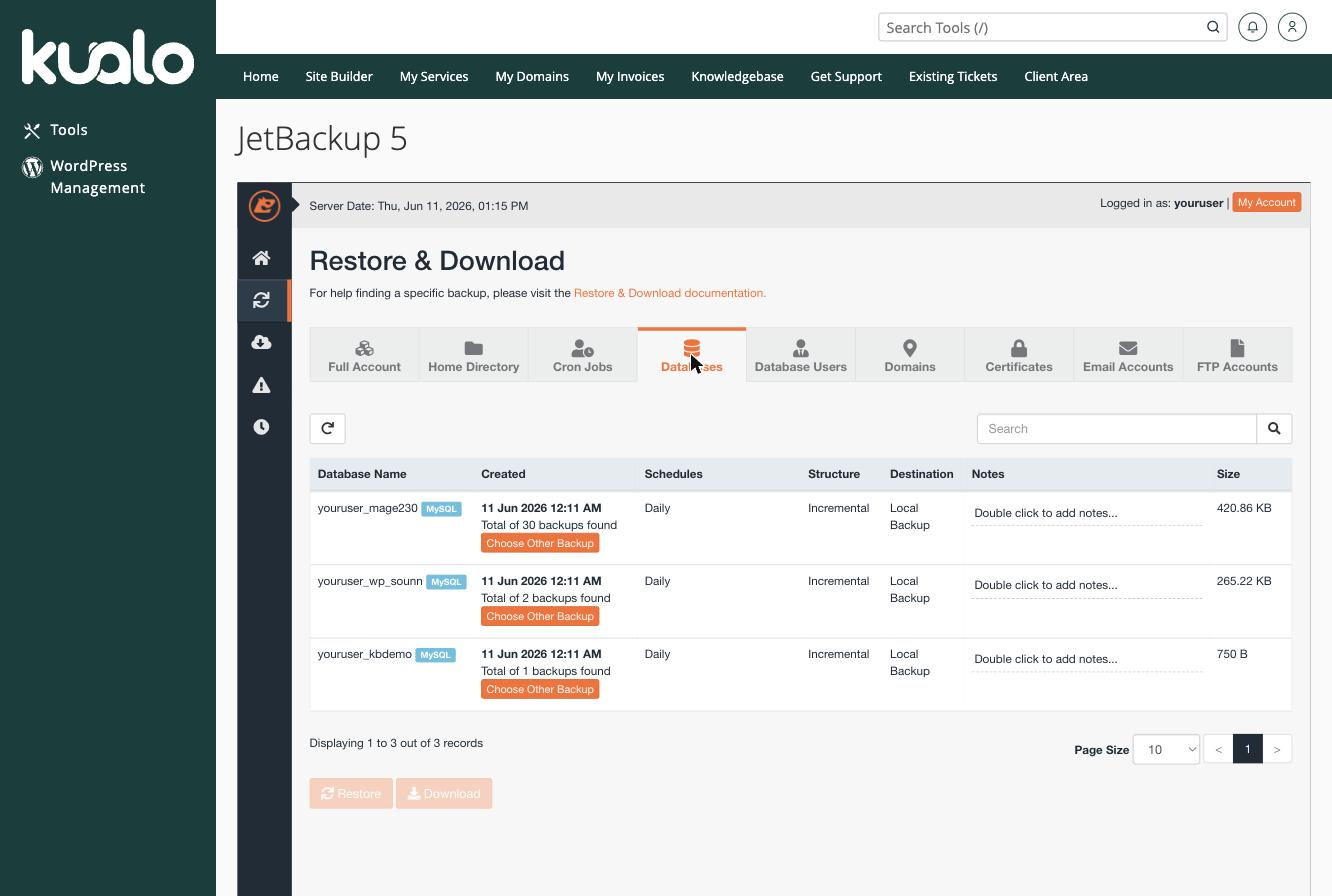
- Find the database you want and select the backup date (use Choose Other Backup to pick an earlier one).
- Click Restore.
The restore runs in the background and overwrites the current database with the selected backup.
Download a database backup
If you would rather keep a local copy than restore directly, select the backup and click Download instead.
Backups are kept for the last 30 days. Only the most recently generated download is held on the server at a time - older downloads are removed automatically, so save your file once it is ready.
If you need a hand, our support team is available 24/7 - just open a support ticket.
Was this helpful?
Your feedback helps us find gaps in the docs.
Thanks for the feedback!
Related articles
Backups & restores
Understanding your backup options: which one should you use?
Kualo gives you several ways to back up your site - here is how each one works and when to...
Backups & restores
Creating a full account backup/snapshot in cPanel
Create an on-demand full backup of your entire cPanel account with JetBackup, and learn th...
Backups & restores
How to download a full account backup in cPanel
Download a complete backup of your cPanel account from JetBackup, which keeps backups from...
Backups & restores
Restoring file backups in cPanel
Restore your website files or folders from a JetBackup backup taken in the last 30 days, o...
Still need a hand?
Real people, around the clock - start a chat or open a ticket and we'll help you put it right.