
On this page
How to use Apache Handlers in cPanel
Apache Handlers tell your web server how to process particular file types, letting you control what happens when certain files are requested.
An Apache Handler tells the web server how to treat a particular type of file when someone requests it. Most file types already have a handler built in, but you can add your own - for example, to make the server run a certain extension as a CGI script. This is an advanced tool; most websites never need to change it.
Open Apache Handlers
Log in to cPanel and, in the Advanced section, click Apache Handlers.
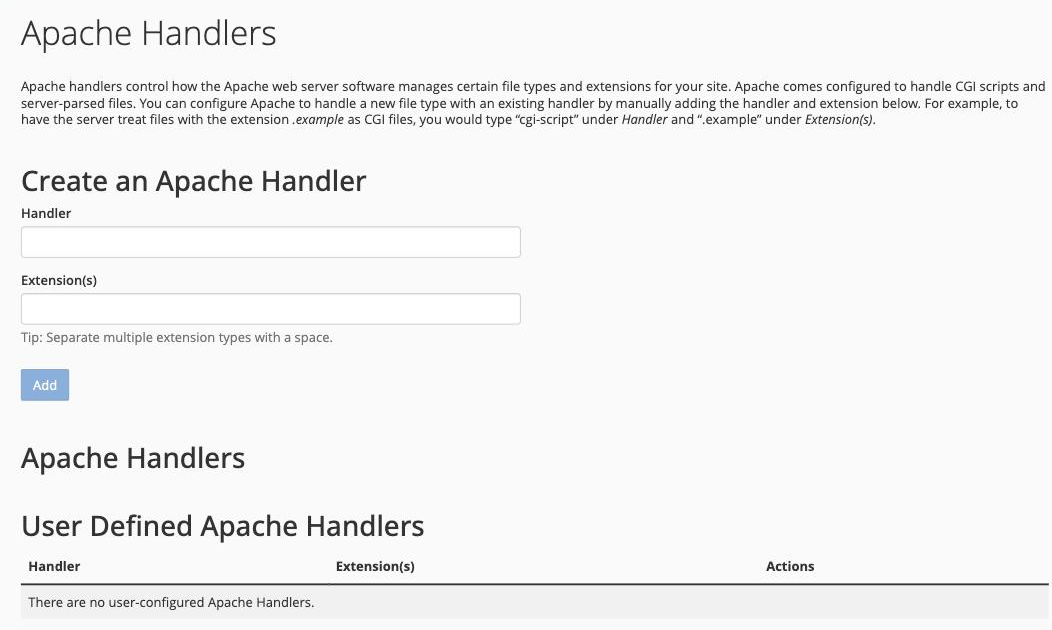
Create a handler
In the Create an Apache Handler section:
- In the Handler box, enter the name of the handler you want to use (for example
cgi-script). - In the Extension(s) box, enter the file extension or extensions it should apply to (for example
.cgi). Separate multiple extensions with a space. - Click Add.
Your new handler appears in the User Defined Apache Handlers table, where you can remove it later from the Actions column.
Built-in handlers
The System Apache Handlers table further down the page lists the handlers Apache already applies by default - for example cgi-script for .cgi, .pl and .perl files, and server-parsed for .shtml files. These are shown for reference and cannot be edited.
Setting the wrong handler for a file type can stop those files working. If you are not sure you need a custom handler, it is safest to leave this tool alone.