
On this page
How to create custom error pages in cPanel
Custom error pages let you replace generic browser errors with branded, helpful pages that match your website.
Custom error pages replace the generic browser defaults with something that matches your site's design and helps visitors when something goes wrong. You can customise several error codes, though the 404 (page not found) is the most commonly updated.
What are error pages?
When a visitor hits a broken link or tries to access a restricted area, the server returns an HTTP error code. By default, the browser shows a plain, unstyled message. A custom error page lets you control what the visitor sees - you can include your site's navigation, a helpful message, or a search box.
All accounts come with standard error pages preset, so customising them is optional.
How to create a custom error page
-
Log in to cPanel and open Error Pages (in the Advanced section).
-
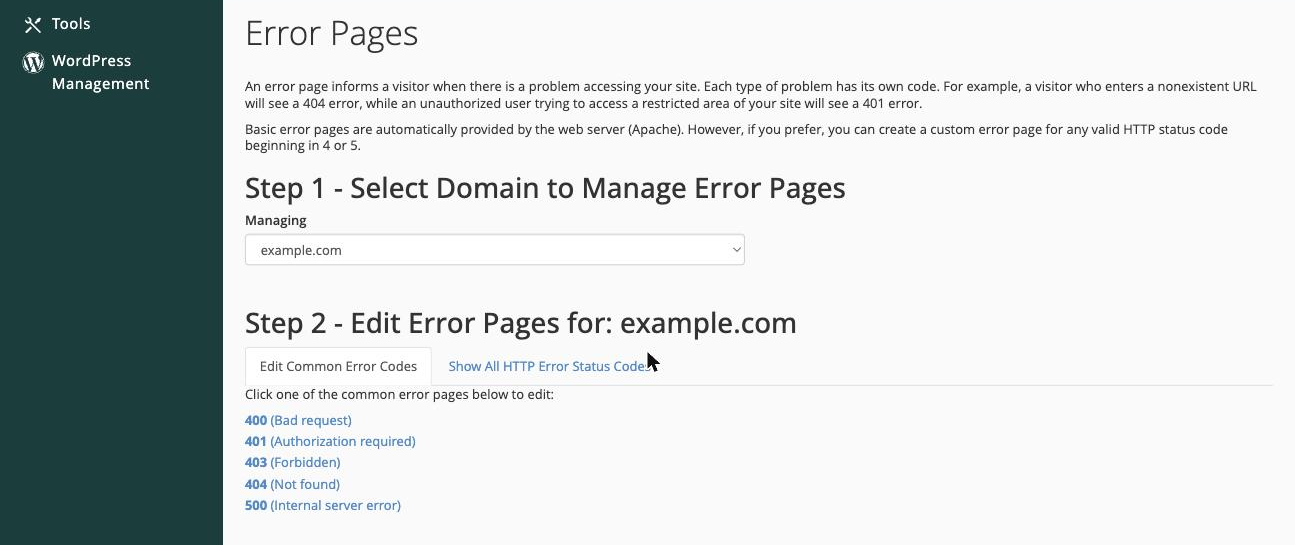
If prompted, select the domain you want to edit, then choose the error code you want to customise. This example uses 404.
-
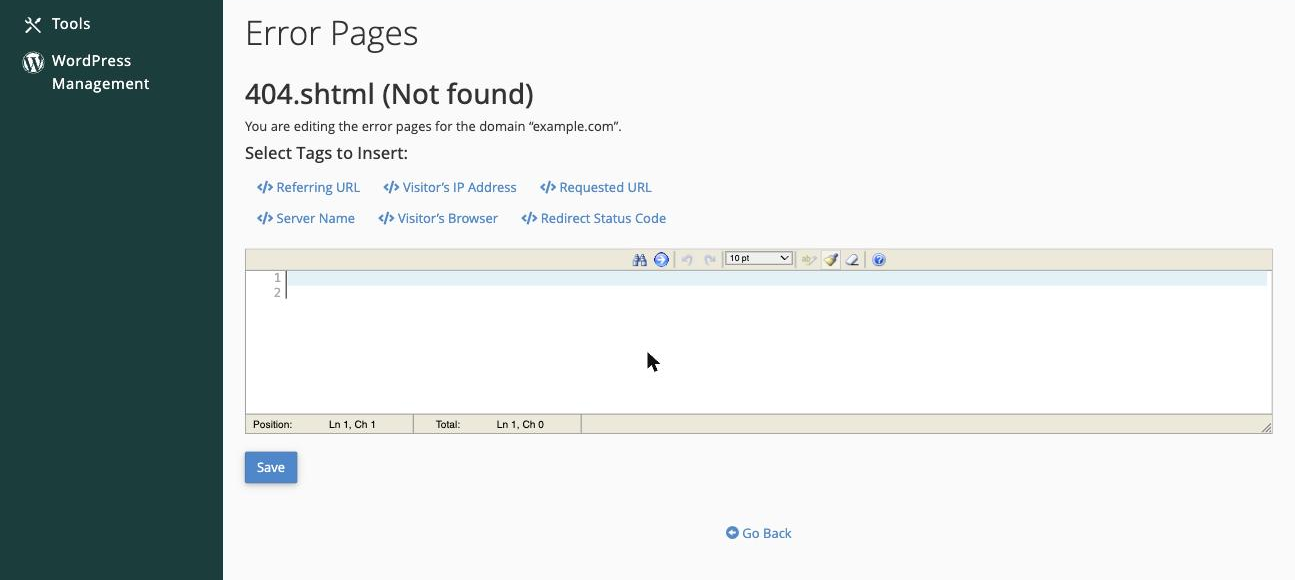
Write your custom page content in the editor. You can use standard HTML to match the look of your site, and insert dynamic tags (such as the requested URL or the visitor's IP address) using the tag buttons above the editor.
-
Click Save when you are done.
The custom error page is now live. Repeat the process for any other error codes you want to customise.
Common error codes worth customising include 403 (forbidden), 404 (not found), and 500 (internal server error). Each one has its own editor in the Error Pages tool.
Using dynamic tags
The editor provides a set of tags you can insert to display information about the error dynamically - for example, the URL that was requested or the visitor's browser details. Click the tag buttons above the editor to insert them at the cursor position.