
On this page
How to use MIME Types in cPanel
MIME Types tell browsers how to handle the different file types your website serves, so they are displayed or downloaded correctly.
A MIME type tells a web browser what kind of file it is receiving, so it knows whether to display it, play it, or offer it as a download. Common types are already defined, but you can add your own if your site serves an unusual file type that browsers do not recognise. Like Apache Handlers, this is an advanced tool that most websites never need.
Open MIME Types
Log in to cPanel and, in the Advanced section, click MIME Types.
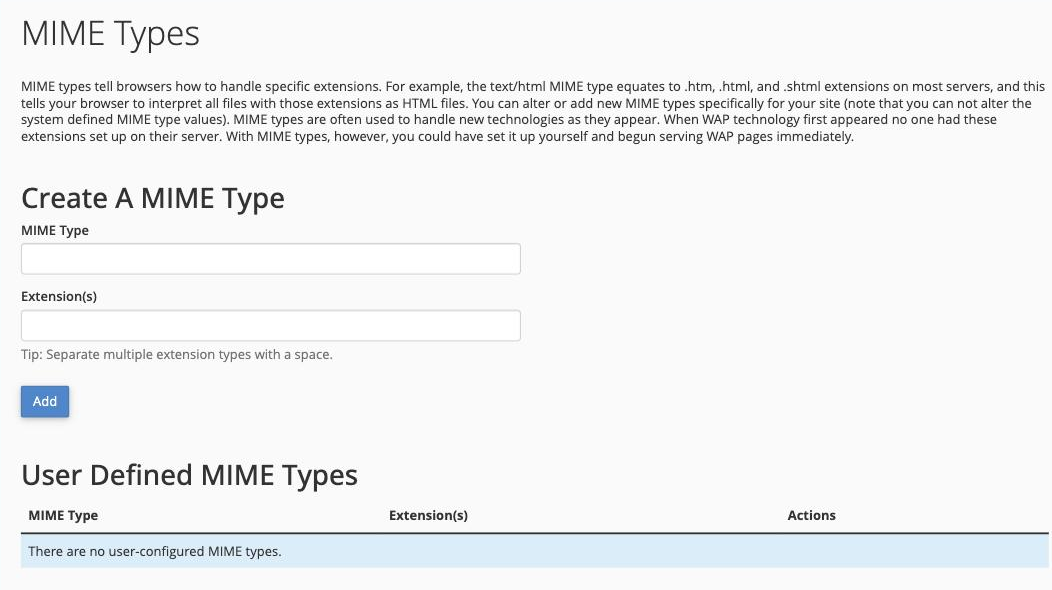
Create a MIME type
In the Create A MIME Type section:
- In the MIME Type box, enter the type (for example
text/html). - In the Extension(s) box, enter the file extension or extensions it applies to. Separate multiple extensions with a space.
- Click Add.
Your entry appears in the User Defined MIME Types table, where you can remove it later from the Actions column.
Built-in MIME types
The System MIME Types table lists the many types the server already recognises. These are provided for reference and cannot be changed.
Adding a MIME type is occasionally useful when a new file format will not download or open correctly. If your site is working normally, you do not need to add anything here.