
On this page
How to login to cPanel
Log in to cPanel using the credentials from your Kualo welcome email and your domain's /cpanel URL.
Your cPanel username, password, and login URL are included in the welcome email Kualo sent when you opened your account.
Logging in
- Open your browser and go to
http://www.your-domain.com/cpanel, replacingyour-domain.comwith your actual domain name. - Enter your Username and Password.
- Click Log in.
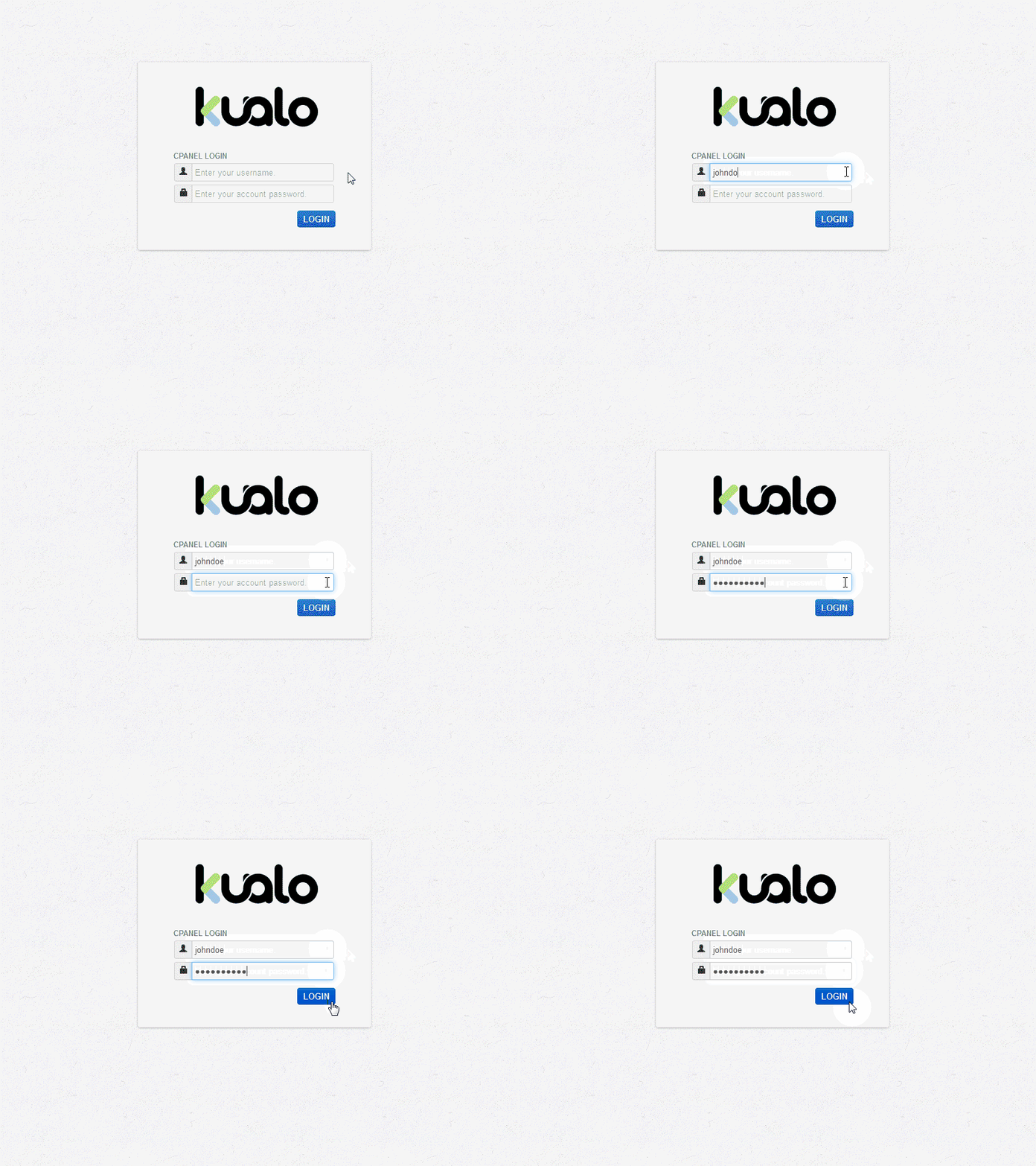
Once logged in, you can set up email addresses, parked domains, databases, and dozens of other features.
If you cannot remember your cPanel password, you can reset it from the Kualo client area.
Logging out
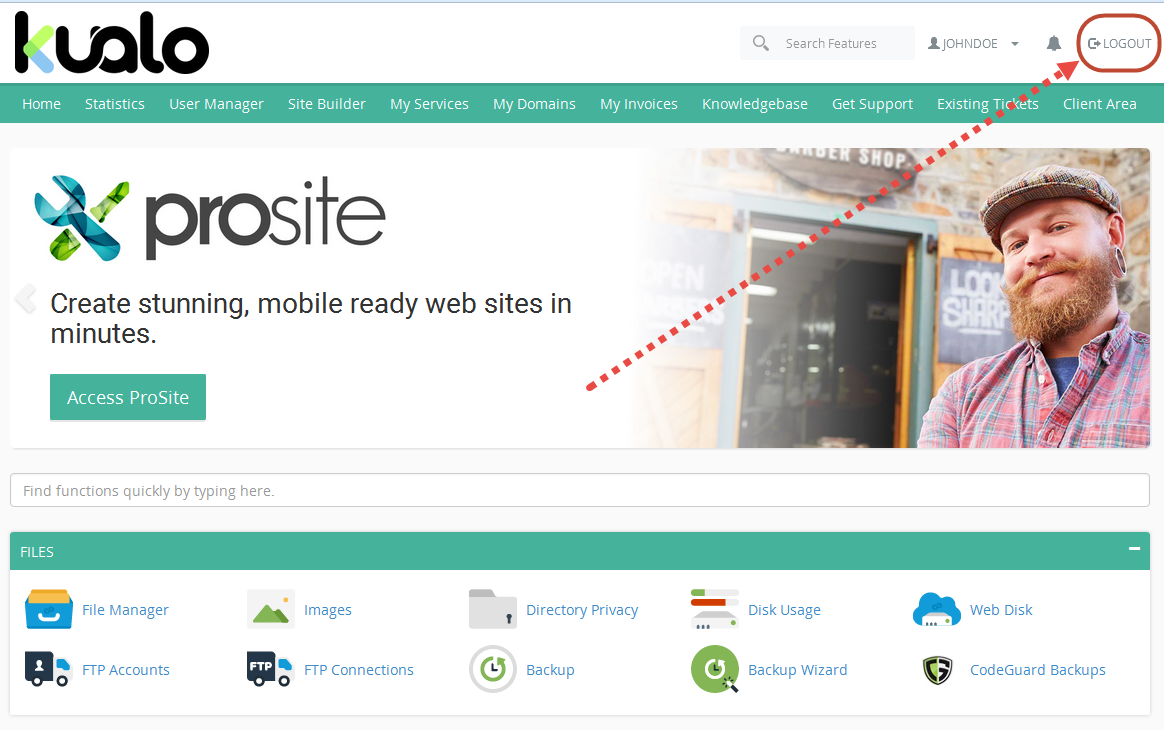
When you have finished, always log out - especially on a shared computer. Click the Logout icon in the top-right corner of cPanel.
Was this helpful?
Your feedback helps us find gaps in the docs.
Thanks for the feedback!
Related articles
Getting started
Getting started with cPanel
cPanel is the graphical dashboard that lets you manage every aspect of your Kualo hosting...
Getting started
How to change your cPanel password
Set or change your cPanel password through MyKualo or the Password & Security tool, and ke...
Getting started
How to reset your cPanel password
There are three ways to reset your cPanel password, depending on your hosting type and whe...
Getting started
How do I change my cPanel username?
You can request a cPanel username change via a support ticket, but there are a few importa...
Still need a hand?
Real people, around the clock - start a chat or open a ticket and we'll help you put it right.