
On this page
How to set up Leech Protection in cPanel
Leech Protection in cPanel watches password-protected directories and steps in when a username and password are being shared too widely.
Leech Protection guards the password-protected areas of your website against "leeching" - where a valid username and password get shared around (or stolen) and used by many people at once. If too many logins happen in a short time, cPanel can redirect the offenders, alert you, and even suspend the account automatically.
It works on directories you have already protected with a password - see how to password protect a folder in cPanel.
Open Leech Protection
Log in to cPanel and, in the Security section, click Leech Protection.
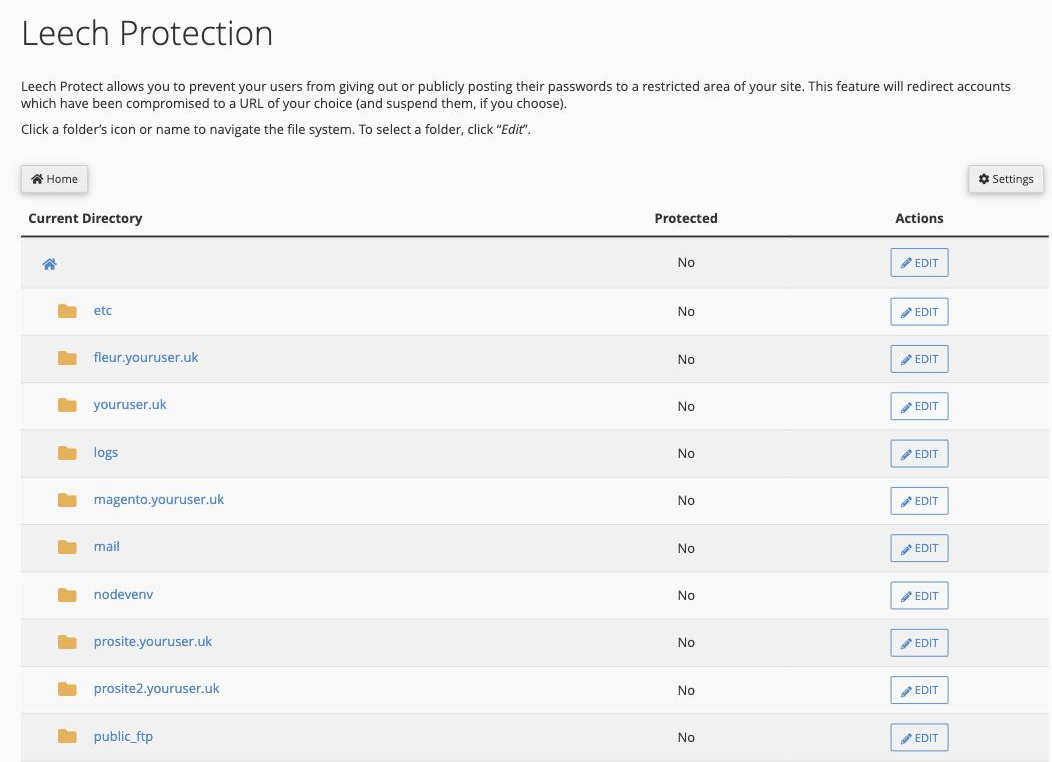
Choose a directory
The tool shows the folders in your account. Click a folder's name or icon to move through your file system, and when you reach the directory you want to protect, click Edit next to it.
Set the protection options
On the settings screen you can:
- Set the maximum number of logins allowed within a two-hour period before the tool acts.
- Enter a URL to redirect leech users to once that limit is passed.
- Choose to send an email alert to an address of your choice.
- Optionally suspend the compromised account entirely, rather than only redirecting it.
Save the settings to switch protection on for that directory.
Leech Protection only applies to directories that already have password protection. Set up the password first, then add Leech Protection on top.