
On this page
How to access MySQL remotely
Kualo blocks direct external MySQL connections, but you can access MySQL remotely using an SSH tunnel.
For PCI compliance and security, Kualo does not allow direct external MySQL connections. To connect remotely, you need to route your connection through an SSH tunnel.
Two ways to set up an SSH tunnel
- Built-in SSH tunnelling - many MySQL clients (such as MySQL Workbench) have SSH tunnel support built in. See our guide on setting up a secure remote MySQL connection for details.
- PuTTY with port forwarding - if your client does not have built-in SSH tunnelling, use PuTTY to forward a local port to the remote MySQL port, as described below.
Port forwarding with PuTTY
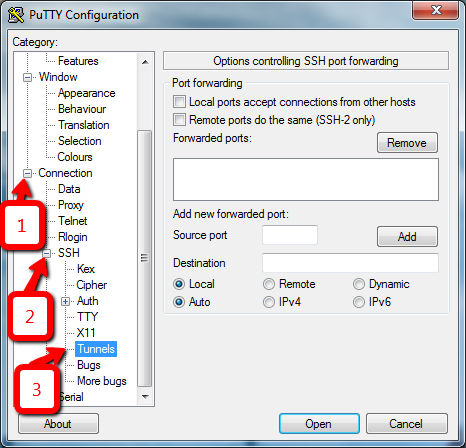
Step 1 - configure the tunnel
- Open PuTTY.
- In the Category pane on the left, expand Connection, expand SSH, then click Tunnels.
Step 2 - add the port forwarding rule
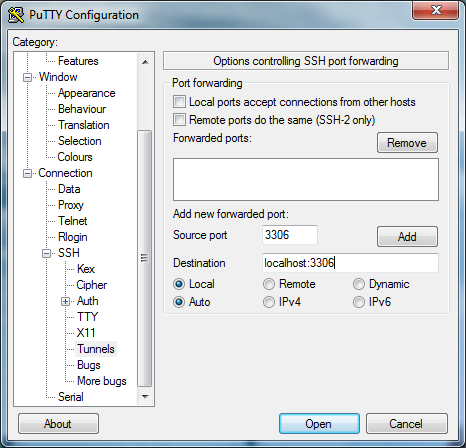
- In the Source port field, type
3306. This is the local port that will be forwarded. - In the Destination field, type
localhost:3306. - Confirm that the Local and Auto radio buttons are selected.
- Click Add.
Step 3 - open the SSH session
- In the Category pane, click Session.
- In the Host Name (or IP address) field, enter your domain name or server IP address.
- In the Port field, enter the SSH port for your account.
- Confirm that the Connection type is set to SSH.
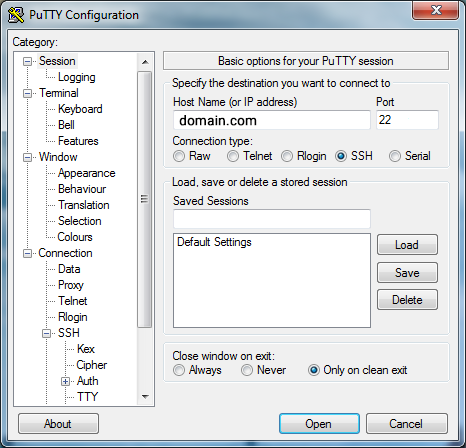
- Click Open.
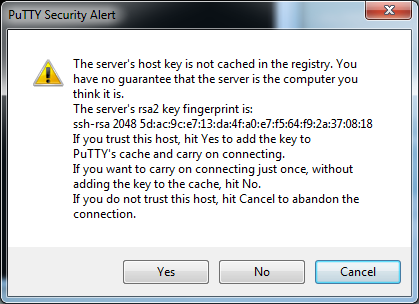
- If a PuTTY security alert about the server host key appears, click Yes to accept it.
- When prompted, enter your cPanel username and password.
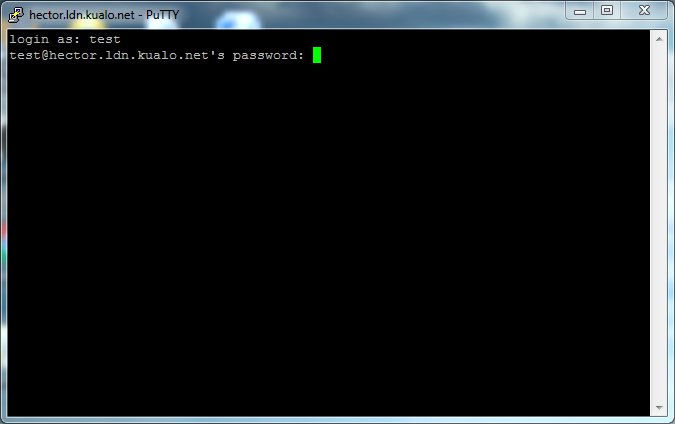
Once the command prompt appears, the SSH tunnel is active. Your MySQL client can now connect to 127.0.0.1 on port 3306 as if MySQL were running locally.
If SSH is not yet enabled on your account, please contact us via live chat or a support ticket and we will enable it for you.
Was this helpful?
Your feedback helps us find gaps in the docs.
Thanks for the feedback!
Related articles
Databases
How to create a MySQL database in cPanel
Use the Database Wizard in cPanel to create a MySQL database, add a user, and grant privil...
Databases
Becoming familiar with databases in phpMyAdmin
A quick guide to the main features of phpMyAdmin and how to work with your databases and t...
Databases
Creating tables in a database with phpMyAdmin
Learn how to create a new table inside a MySQL database using phpMyAdmin in cPanel.
Databases
Deleting tables from a database with phpMyAdmin
Learn how to permanently delete a table from your database using phpMyAdmin in cPanel.
Still need a hand?
Real people, around the clock - start a chat or open a ticket and we'll help you put it right.