
On this page
How to change your cPanel password
Set or change your cPanel password through MyKualo or the Password & Security tool, and keep your hosting account secure.
By default, Kualo does not email your cPanel password. You normally log in to cPanel through MyKualo, so you may not have a separate cPanel password set. If you prefer to log in directly at yourdomain.com/cpanel, you can set or change your cPanel password using one of the two methods below.
Two ways to change your cPanel password
Option 1: reset via MyKualo
Use this method if you have never set a direct login password, or if you have forgotten your current one.
- Log in to MyKualo.
- Go to My Services.
- Find your hosting account and click View Details.
- Open the Password tab.
- Enter and save a new secure password.
You can then log in directly at yourdomain.com/cpanel using your cPanel username and the new password.
Option 2: change it within cPanel
Use this method if you already know your current cPanel password and are logged in.
- In cPanel, open Password & Security (in the Preferences section).
- Enter your Old Password, then your New Password and New Password (Again). Aim for a strong score on the Strength meter, or click Password Generator to create a strong password automatically.
- Click Change your password now!
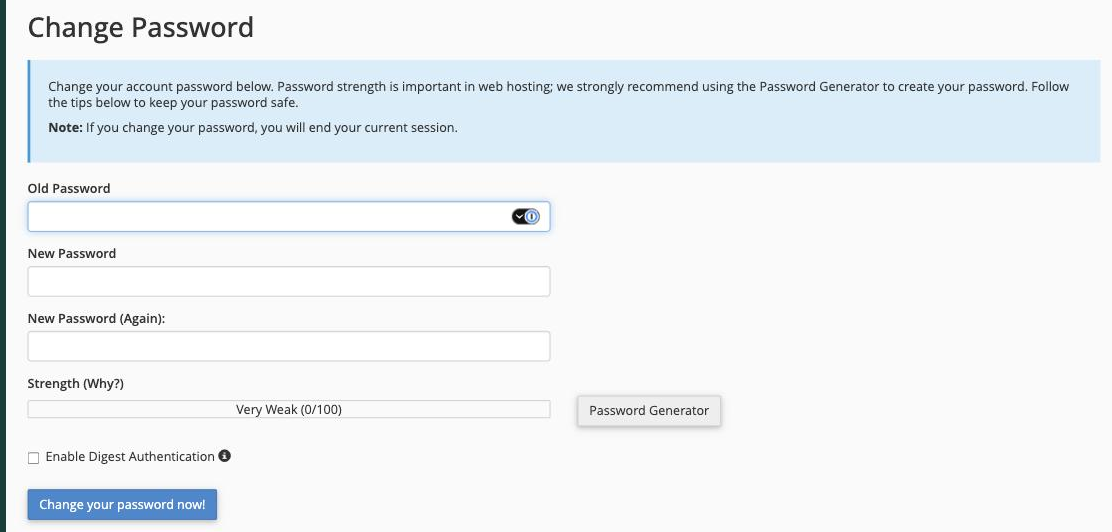
Changing your password here ends your current session, so you will be logged out and can sign back in with the new password.
Keeping your account secure
Your cPanel password controls access to your entire hosting account, so it is worth protecting carefully. A few straightforward habits make a real difference:
- Use a strong, unique password. Our safe passwords guide explains what makes a password strong, and how to use a password manager to generate and store complex passwords securely.
- Never store passwords in plain text. A password manager is far safer than a spreadsheet or a sticky note.
- Do not share passwords by email. Email is not encrypted and is an easy target.
Giving a developer access to cPanel
If a web developer or other third party needs access to your cPanel, the best approach is to add them as a sub-user in MyKualo rather than changing and sharing your cPanel password. Sub-users can be granted permission to access cPanel, contact support, and manage services - all without knowing your credentials, and you can limit or revoke their access at any time.
Learn how to add contacts and sub-accounts in MyKualo.
Adding a sub-user is generally better practice than sharing your cPanel password. It keeps your credentials private and gives you full control over what the sub-user can and cannot do.
If you have forgotten your password and cannot log in, you can also reset it from the client area.
If you need a hand, our support team is available 24/7 - just open a support ticket.