
On this page
How to set up hotlink protection in cPanel
Stop other sites from linking directly to your images and files with cPanel's Hotlink Protection.
Hotlink protection stops other websites from linking directly to files on your site - most commonly images. Without it, another site can embed your images using their own pages, which displays your content on their site while using up your bandwidth. With hotlink protection on, those direct links are blocked or redirected, while your own pages keep working normally.
Turn on hotlink protection
- Log in to cPanel.
- In the Security section, click Hotlink Protection.
- If it shows as disabled, click Enable.
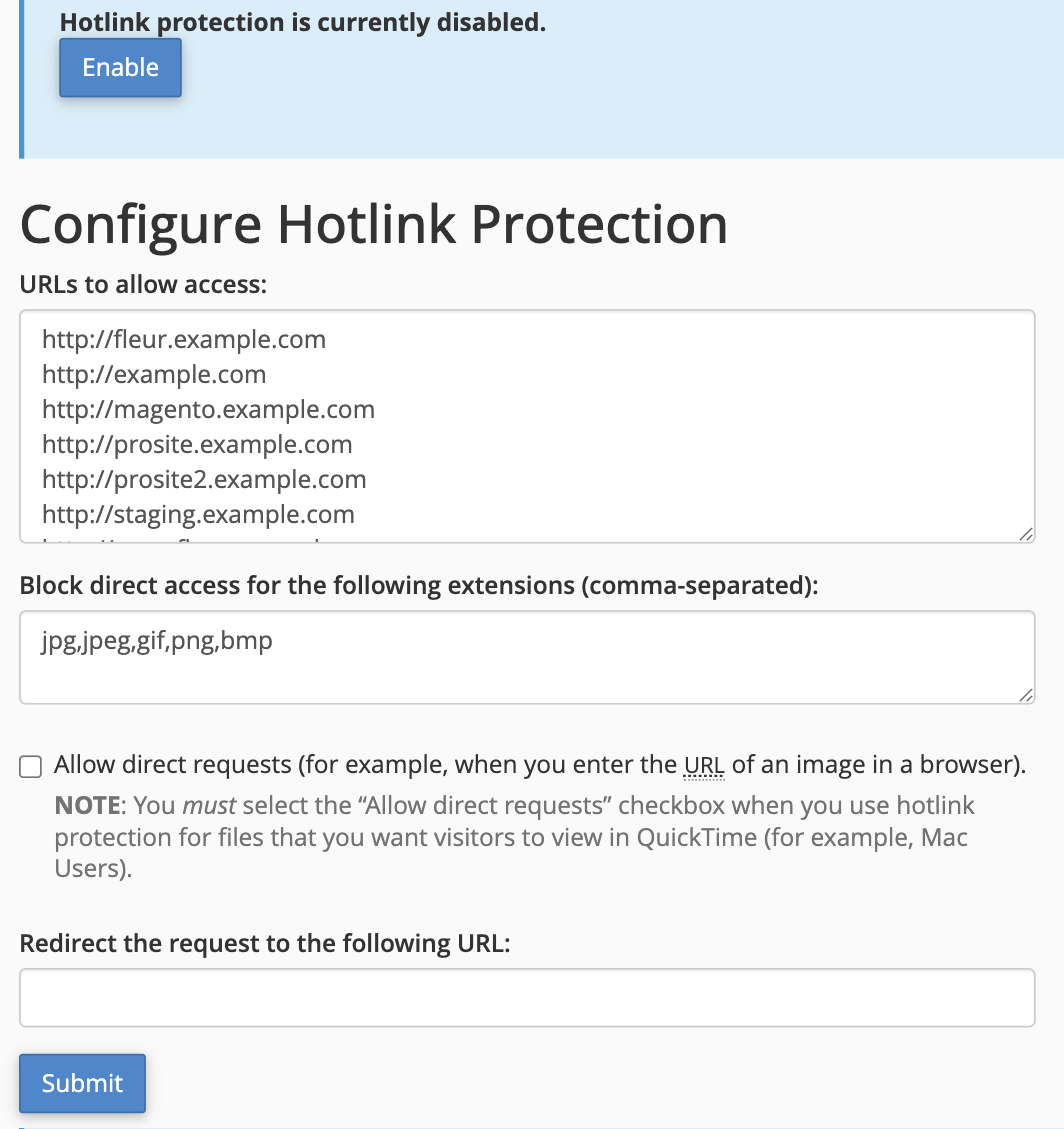
Configure the settings
- URLs to allow access - the sites that are allowed to link directly to your files. cPanel pre-fills this with your own domains; add any other sites you want to permit, one per line.
- Block direct access for the following extensions - the file types to protect, as a comma-separated list. The default
jpg,jpeg,gif,png,bmpcovers common image formats; add others (such aspdformp4) if you need to. - Allow direct requests - leave this unticked for the strongest protection. Tick it only if you need files to open when their URL is typed straight into a browser.
- Redirect the request to the following URL - optionally send blocked requests to another page (for example a "no hotlinking" image, or your home page) instead of simply failing.
When you have set the options, click Submit.
Hotlink protection only covers the file types you list. It is great for stopping image theft and bandwidth drain, but remember that anyone determined enough can still save and re-upload a file - it is a deterrent, not a lock.
To turn it off again, return to this page and click Disable.
If you need a hand, our support team is available 24/7 - just open a support ticket.