
On this page
How to change the primary language in cPanel
You can change the display language in cPanel at any time from the Preferences section.
You can change the display language in cPanel at any time. The change takes effect immediately and applies to all menus and labels throughout the interface.
Changing the language
-
Log in to cPanel.
-
In the Preferences section, click the Change Language icon.
-
Select your desired language from the list, then click Change.
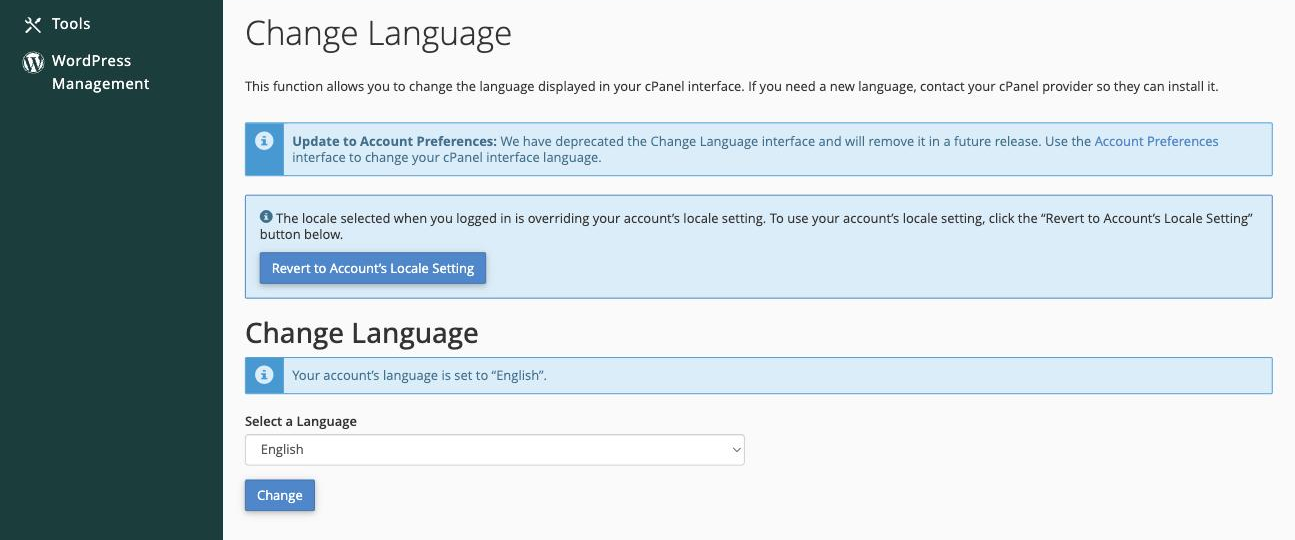
cPanel will reload and all interface text will appear in the language you selected.
cPanel is deprecating this standalone Change Language tool. Going forward you can also set your interface language under Account Preferences (also in the Preferences section), which will become the main place to manage it.
Changing the language back
To revert to your previous language, or to switch to a different one, simply repeat the steps above.
If you cannot read the current interface because it is already in an unfamiliar language, look for the Preferences section on the cPanel home screen and follow the same steps.