
On this page
How to password protect a folder in cPanel
Use cPanel's Directory Privacy tool to restrict access to any folder on your hosting account with a username and password.
The Directory Privacy tool in cPanel lets you restrict access to any folder on your account, so that visitors must enter a username and password before they can view pages inside it.
Enable password protection on a folder
-
Log in to cPanel and click Directory Privacy (in the Files section).
-
Browse the folder tree - click a folder's icon to open it, or click its Edit button to select it.
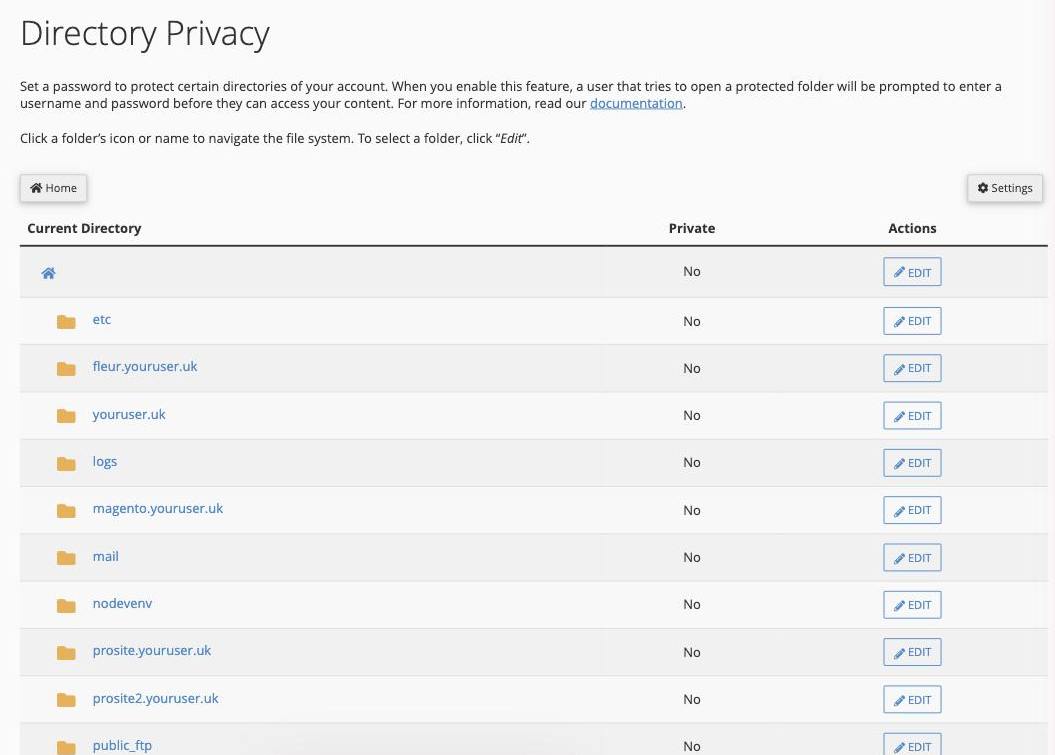
-
Tick Password protect this directory, enter a label in the Enter a name for the protected directory field, then click Save.
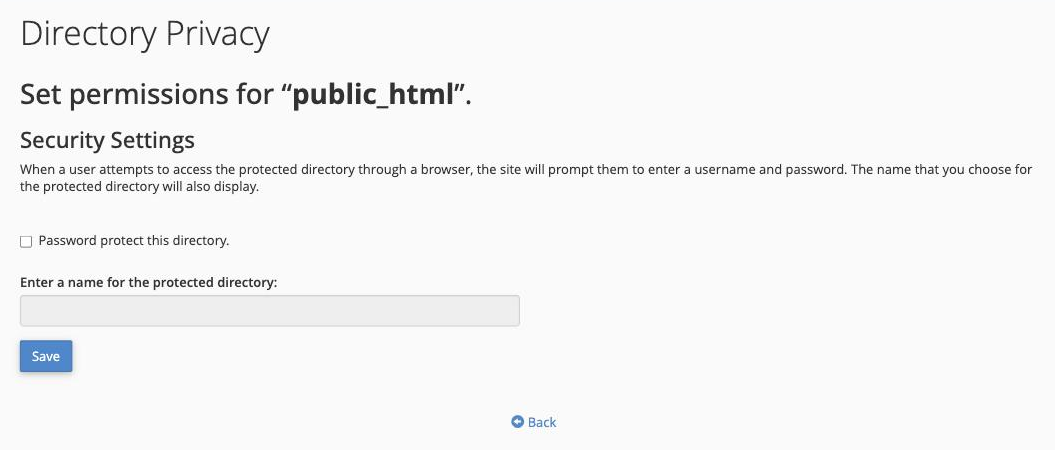
The folder is now protected. Anyone who opens it in a browser will be prompted for a username and password.
You must create at least one authorised user before anyone can actually log in to the protected folder.
Add an authorised user
- After saving, click Go Back to return to the page for that folder and scroll to the Create User section.
- Enter a username, then enter and confirm a password for that user.
- Click Add/modify authorized user.
The user can now log in to the protected folder. Repeat for any additional users. The same page lists all authorised users for the folder - to remove one, click Delete next to their name.