
On this page
How to use the Domains tool in cPanel
The cPanel Domains tool lets you create and manage addon domains, subdomains, and aliases from a single interface.
The Domains tool in cPanel lets you create and manage addon domains, subdomains, and alias domains all from one place, without switching between separate tools.
Opening the Domains tool
- Log in to cPanel.
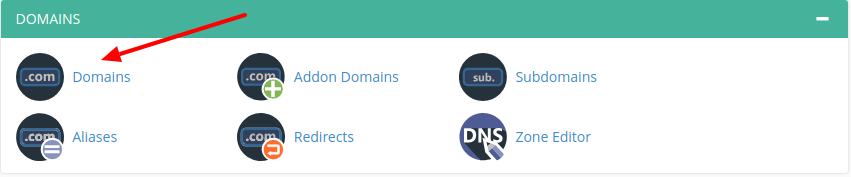
- Click the Domains icon.
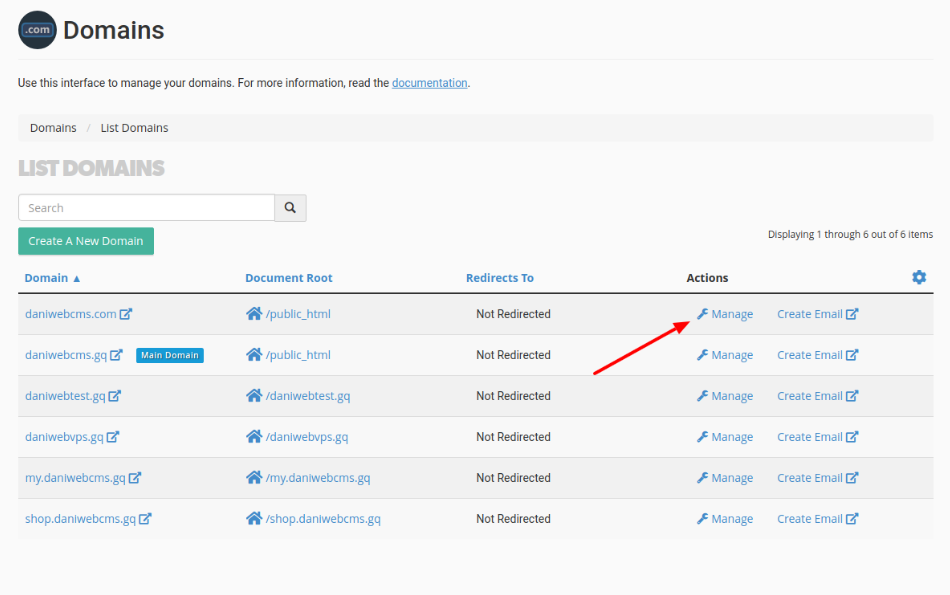
The Domains page lists all domains currently associated with your account.
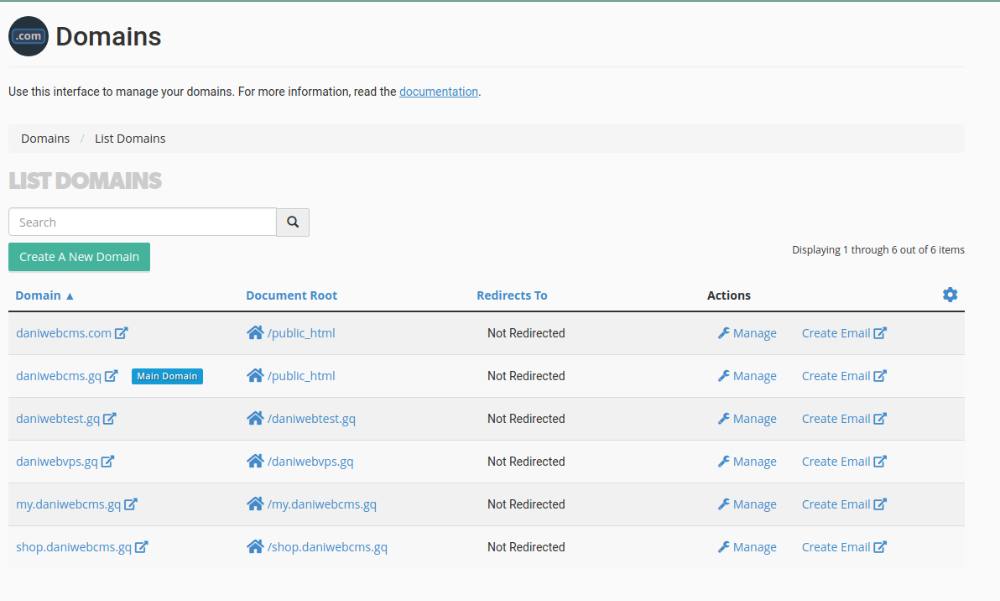
Creating a new domain, subdomain, or alias
- Click Create a new domain.
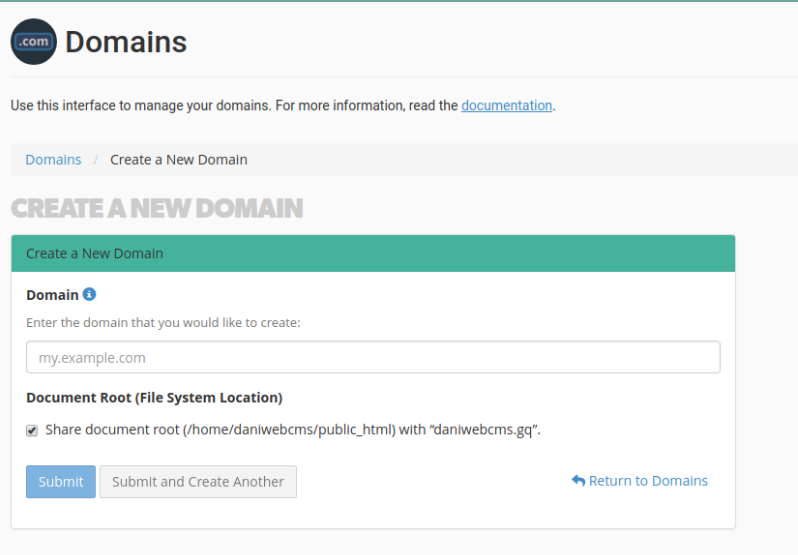
- Enter the domain name in the domain field.
- Choose how the domain should behave:
- Alias - leave the document root checkbox ticked. The domain will share the same document root as your primary domain, so visitors see the same content regardless of which domain name they use. For example,
www.example.netandwww.example.orgcan both show the content ofwww.example.com. See How to create a new Alias (park a domain) in cPanel for more detail. - Addon domain - untick the checkbox and enter a document root folder for the domain. If the folder does not already exist, cPanel will create it automatically. An addon domain links a new domain name to its own directory, keeping its files separate from your primary domain. See How to create an addon domain in cPanel for more detail.
- Alias - leave the document root checkbox ticked. The domain will share the same document root as your primary domain, so visitors see the same content regardless of which domain name they use. For example,
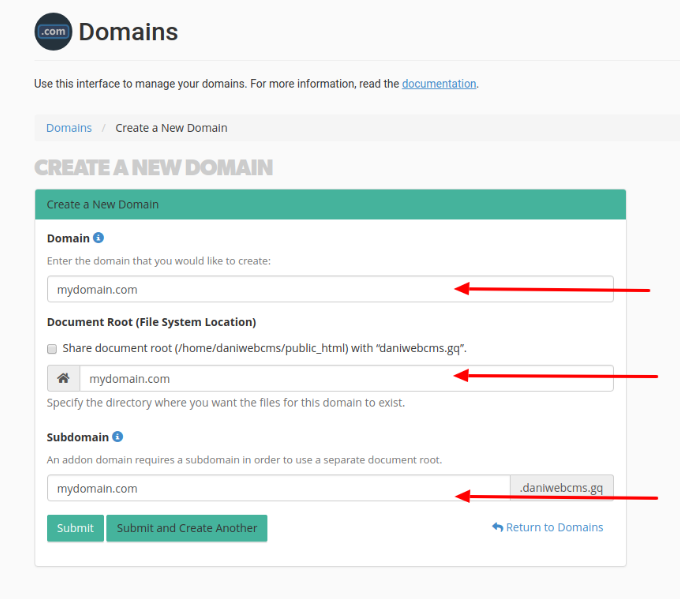
- Click Submit to create the domain.
Managing an existing domain
- On the Domains page, click Manage next to the domain you want to modify.
The Domain Management page opens.
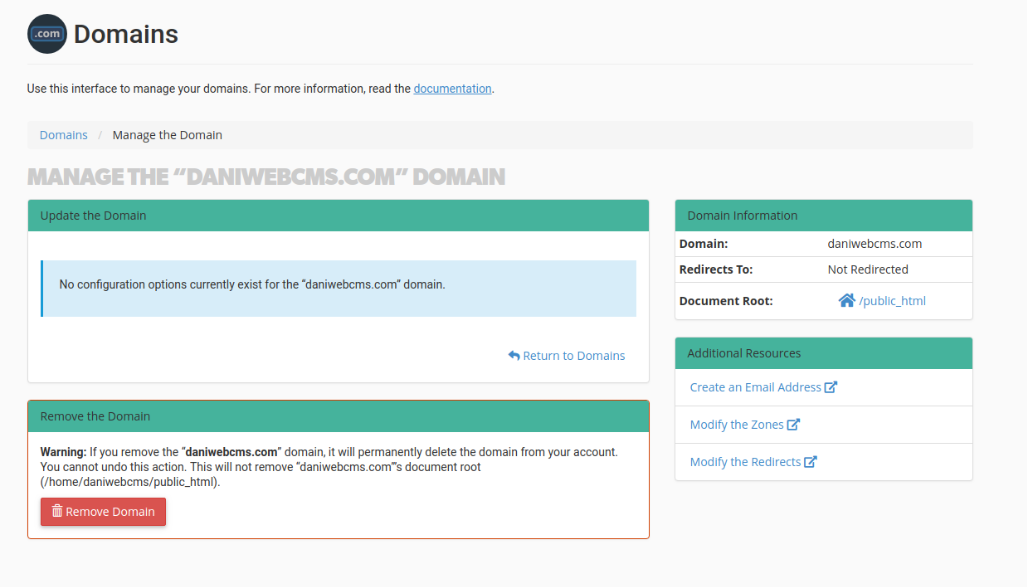
From here you can:
- View basic information about the domain.
- Change the document root folder.
- Delete the domain.
- Create an email account associated with the domain.
- Edit the domain's DNS zone.
- Set up or modify redirects for the domain.
If you run into any difficulties, raise a support ticket with our helpdesk and the technical team will be happy to help.
Was this helpful?
Your feedback helps us find gaps in the docs.
Thanks for the feedback!
Related articles
Domains & subdomains
How to create an addon domain in cPanel
An addon domain lets you host a completely separate website on your existing Kualo hosting...
Domains & subdomains
How to create a subdomain in cPanel
Create a subdomain in cPanel to organise your site into distinct sections or set up a sepa...
Domains & subdomains
How to create a new alias (park a domain) in cPanel
An alias domain lets you point extra domain names to your existing website without creatin...
Domains & subdomains
What is a wildcard subdomain and how to create it in cPanel?
A wildcard subdomain lets you point every subdomain of a domain to a single folder in your...
Still need a hand?
Real people, around the clock - start a chat or open a ticket and we'll help you put it right.