
On this page
How to download a full account backup in cPanel
Download a complete backup of your cPanel account from JetBackup, which keeps backups from the last 30 days.
You can download a complete backup of your cPanel account at any time using JetBackup, which keeps copies of your account from the last 30 days.
Download a full account backup
- Log in to cPanel and, in the Files section, open JetBackup 5.
- On the Restore & Download screen, click the Full Account tab. Every available full backup is listed by date.
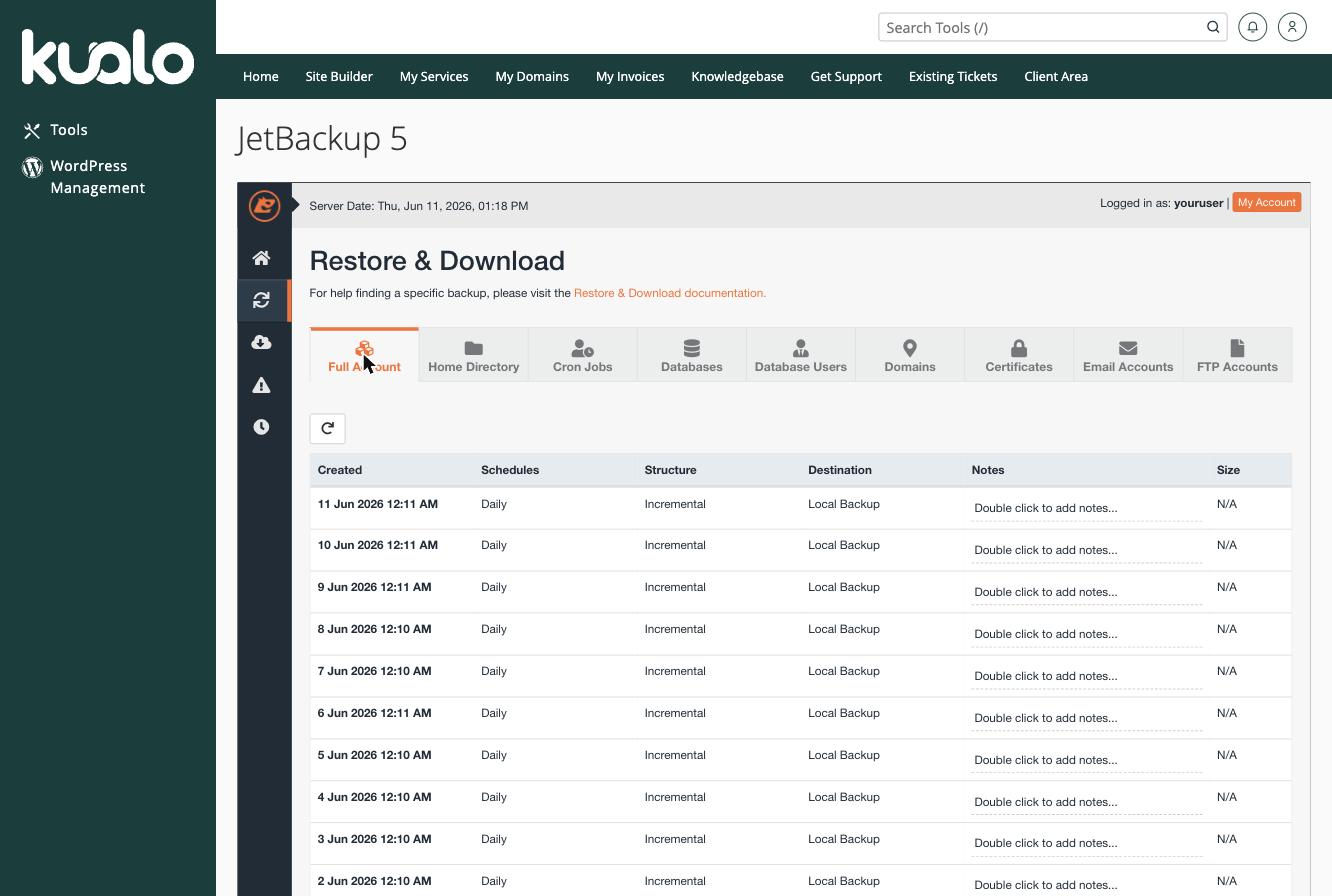
- Find the backup you want and click Download next to it. JetBackup prepares the download in the background.
- Once it is ready, the backup appears under Downloads (the download icon in the left-hand menu) - click Download there to save the file to your computer.
Only the most recently generated download is kept on the server. If you generate a new download, any previously generated one is removed, so save your file promptly.
A full account backup is a complete copy of everything - files, databases, email, and settings. If you only need part of your account back, a targeted restore is quicker - see restoring file backups or restoring a database backup.
If you need a hand, our support team is available 24/7 - just open a support ticket.
Was this helpful?
Your feedback helps us find gaps in the docs.
Thanks for the feedback!
Related articles
Backups & restores
Understanding your backup options: which one should you use?
Kualo gives you several ways to back up your site - here is how each one works and when to...
Backups & restores
Creating a full account backup/snapshot in cPanel
Create an on-demand full backup of your entire cPanel account with JetBackup, and learn th...
Backups & restores
Restoring file backups in cPanel
Restore your website files or folders from a JetBackup backup taken in the last 30 days, o...
Backups & restores
Restoring a database backup in cPanel
Restore a MySQL database from a JetBackup backup taken in the last 30 days, or download a...
Still need a hand?
Real people, around the clock - start a chat or open a ticket and we'll help you put it right.