
On this page
How to add contacts and sub-accounts in MyKualo
Add contacts and sub-accounts in MyKualo to control who can receive emails, call support, or log in and manage your account.
MyKualo lets you add contacts and sub-accounts so you can delegate tasks and share account access with colleagues or team members. This article explains the difference between the two roles and walks you through setting them up.
Security notice: Kualo can only assist someone if they are set up as a named contact or sub-account. The primary account holder should create contacts or sub-accounts for anyone who may need to contact us about the account.
Contacts vs sub-accounts
Contacts are people authorised to receive emails or call Kualo about specific account matters. They do not have a login to MyKualo.
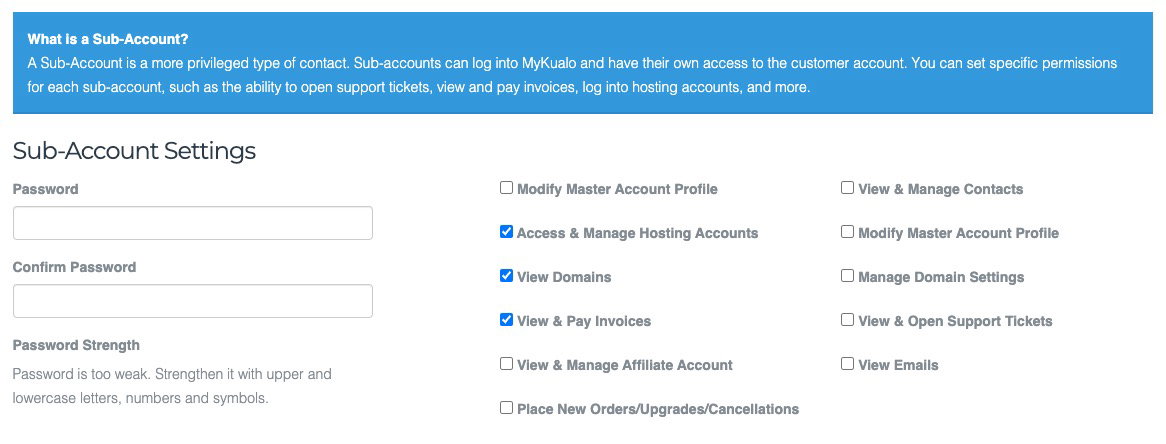
Sub-accounts are a more privileged type of contact. They get their own MyKualo login and you can grant them specific permissions, such as opening support tickets, viewing and paying invoices, or accessing hosting accounts.
Why add a contact?
- Communication - the contact receives important emails such as invoice notifications.
- Phone support - if you authorise them for Invoice & Billing Communications or Support Ticket Updates, they can also call Kualo for related queries.
How to add a contact or sub-account
Step 1: open the contacts section
- Log in to your MyKualo account.
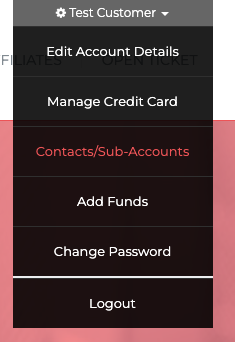
- Click your name in the dropdown menu at the top right.
- Select Contacts/Sub-Accounts.
Step 2: add a new contact
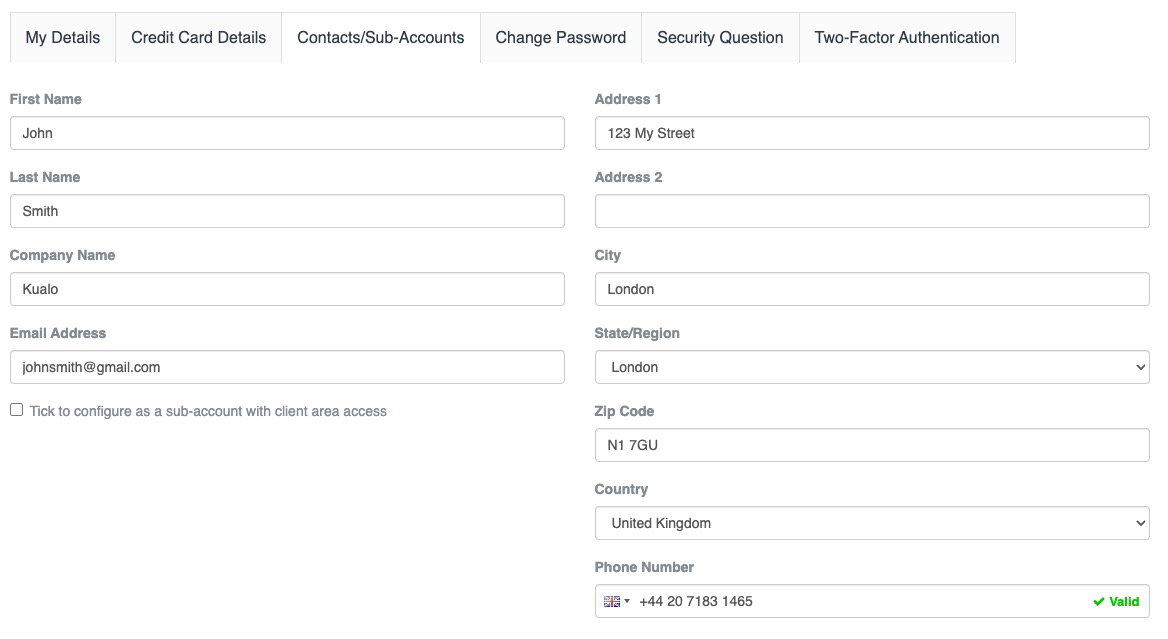
- Click Add New Contact.
- Fill in the contact details, including name, address, company, and telephone number.
Step 3: set email and phone permissions
Choose which types of emails the contact should receive. Some options also authorise them to call Kualo for related queries.
| Permission | What it covers | Authorises phone contact? |
|---|---|---|
| General Emails | General announcements | No |
| Product Emails | Order details, welcome emails, etc. | No |
| Domain Emails | Renewal notices, registration confirmations, etc. | No |
| Invoice & Billing Communication | Invoices, billing reminders | Yes - for billing queries |
| Support Ticket Updates | Updates on tickets raised on their behalf (does not allow them to open tickets) | Yes - for support queries |
Step 4: configure as a sub-account (optional)
- Tick the box labelled Tick to configure as a sub-account with client area access.
- An expanded section will appear. Select the privileges this sub-account should have:
- Modify master account profile
- View & manage contacts
- Access & manage hosting accounts
- View domains
- Manage domain settings
- View & pay invoices
- View & open support tickets
- View & manage affiliate account
- View emails
- Place new orders, upgrades, and cancellations
Selecting all privileges gives the sub-account complete access to your account, so only grant what is needed.
- Set a password for the sub-account.
Step 5: share the login details
Once the sub-account is saved, share the password with the person so they can log in at my.kualo.com.