
On this page
How to set up domain redirects in cPanel
Use the cPanel Redirects tool to forward one URL to another, either permanently or temporarily.
The cPanel Redirects tool lets you forward visitors from one URL to another - handy when you rename a page, move a site, or point an old domain at a new one.
Permanent vs temporary redirects
- Permanent (301) - the right choice when a page or site has moved for good. It tells browsers and search engines to update their records, so ranking signals pass to the new URL.
- Temporary (302) - use this for short-term redirects. It does not ask browsers or search engines to update their records.
Create a redirect
-
Log in to cPanel and open Redirects from the Domains section.
-
Fill in the form:
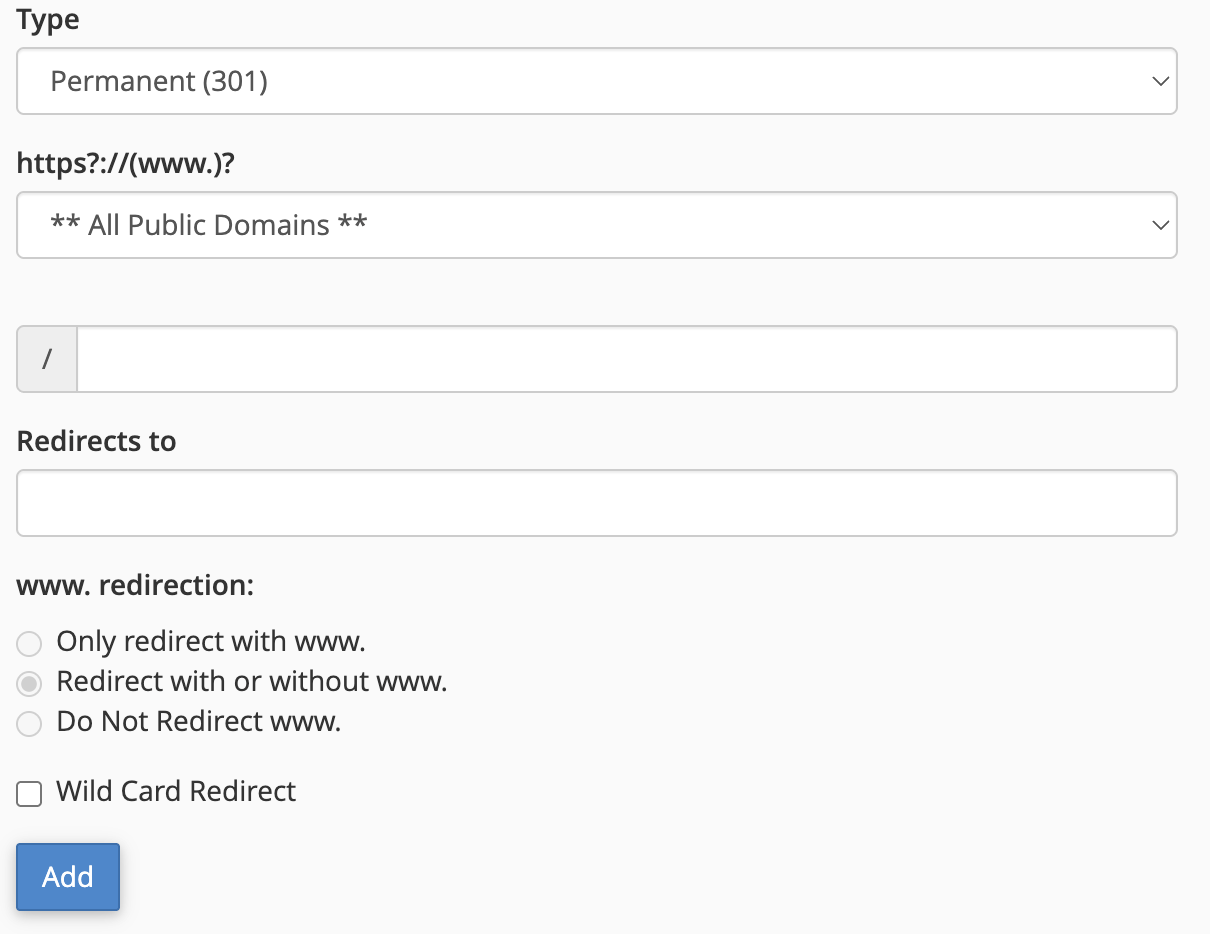
- Type - choose Permanent (301) or Temporary (302), as described above.
- https?://(www.)? - select the domain you want to redirect from. Choose All Public Domains to apply the redirect across every domain on your account.
- / - optionally enter a specific folder or page to redirect; leave it blank to redirect the whole domain.
- Redirects to - enter the full destination URL, including
https://. - www. redirection - choose whether the redirect applies to the
wwwversion of the address, the non-wwwversion, or both (the default). - Wild Card Redirect - tick this to forward every file in the source folder to the same filename at the destination. For example, with this enabled
example1.com/pic.jpgredirects toexample.com/pic.jpg. You cannot use a wild card redirect to send your main domain to a different folder on the same site.
-
Click Add.
The redirect takes effect immediately - visitors to the source URL are forwarded to the destination you set.
View or delete redirects
Your existing redirects are listed under Current Redirects at the bottom of the same page. To remove one, click Delete beside it and confirm. The forwarding stops straight away.
Deleting a permanent (301) redirect does not clear it from visitors' browsers or search-engine caches right away - they may keep following the old redirect for a while.
If you need a hand, our support team is available 24/7 - just open a support ticket.