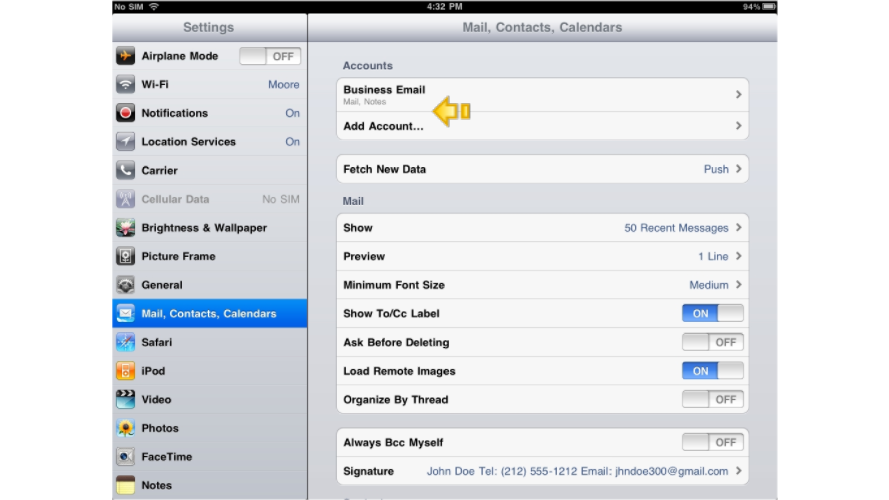
How to delete an email account on your iPad
Learn how to remove an email account from your iPad in a few quick steps.
Follow these steps to remove an email account from your iPad. Note that deleting an account also removes any messages stored locally on the device.
Deleting an email account from your iPad permanently removes all messages stored on the device for that account. Make sure you have copies of anything important before continuing.
-
Open the Settings app on your iPad. Its location on your home screen may differ from the screenshots below.
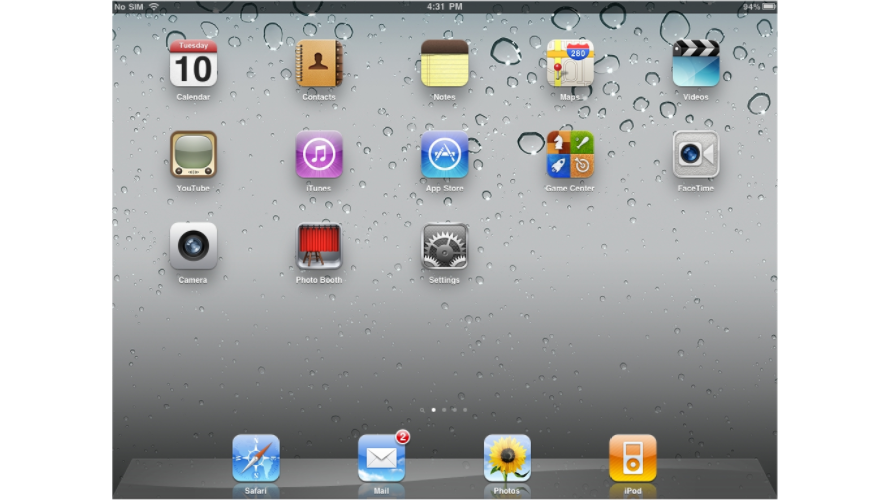
-
Go to Mail (on older versions of iPadOS this section was labelled Mail, Contacts, Calendars), then tap the email account you want to remove.
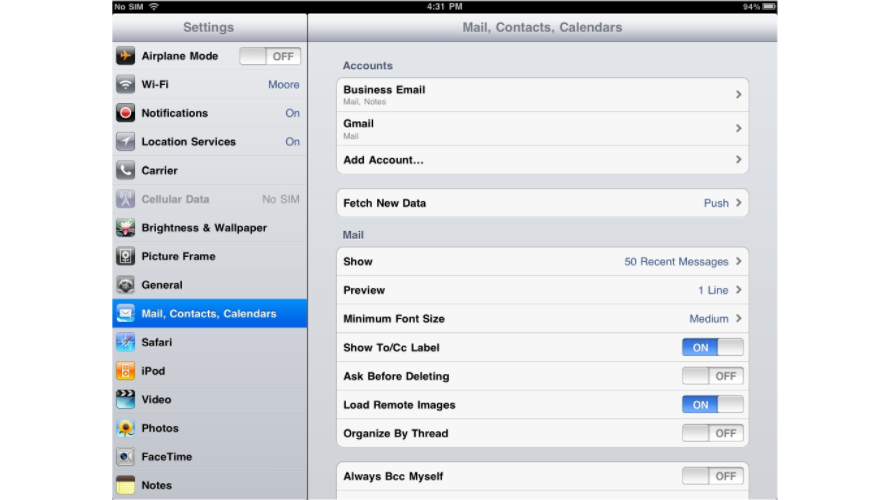
-
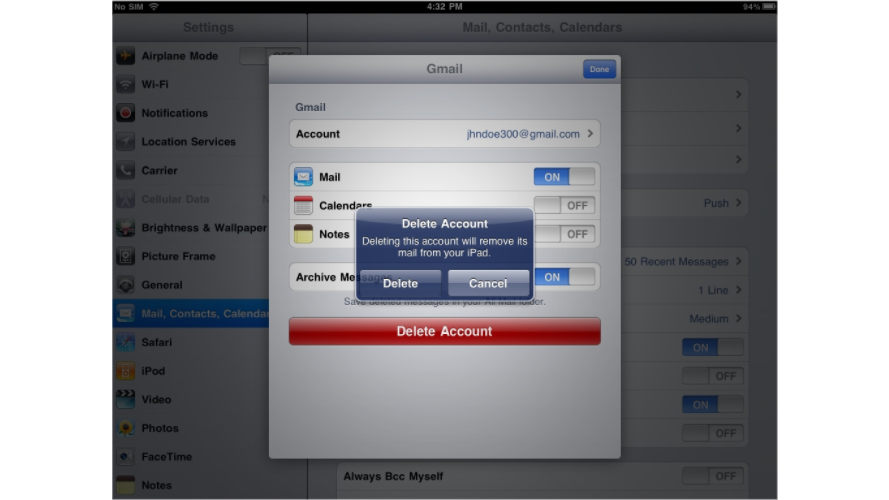
Scroll down and tap Delete Account.
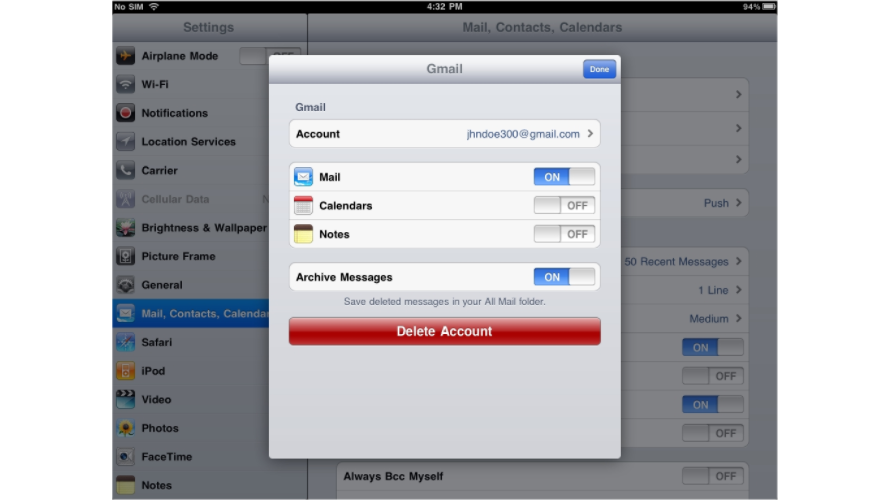
-
Tap Delete from My iPad to confirm.
-
The account is now removed and will no longer appear in your account list.