
On this page
How to set up calendars and contacts (CalDAV and CardDAV) in cPanel
Your hosting account includes a CalDAV and CardDAV server, so you can keep your calendars and contacts in sync across your phone, tablet, and computer.
Your hosting account includes a CalDAV and CardDAV server. This lets you keep your calendars and contacts in sync across your devices - your phone, tablet, and computer - hosted on your own account rather than a third-party service like Google or iCloud.
cPanel has three tools for this, all in the Email section:
- Calendars and Contacts Configuration - the settings you need to connect a device.
- Calendars and Contacts Management - create, edit, and delete calendars and address books.
- Calendars and Contacts Sharing - share a calendar or address book with other people.
Create a calendar or address book
Your account starts with a default calendar and address book, but you can add more.
-
In the Email section, open Calendars and Contacts Management.

-
Click Create, give the new item a Name, choose whether it is a calendar or an address book, add an optional description, and save it.
You can also edit or delete any calendar or address book from this list using the icons in the Actions column.
Connect a device
-
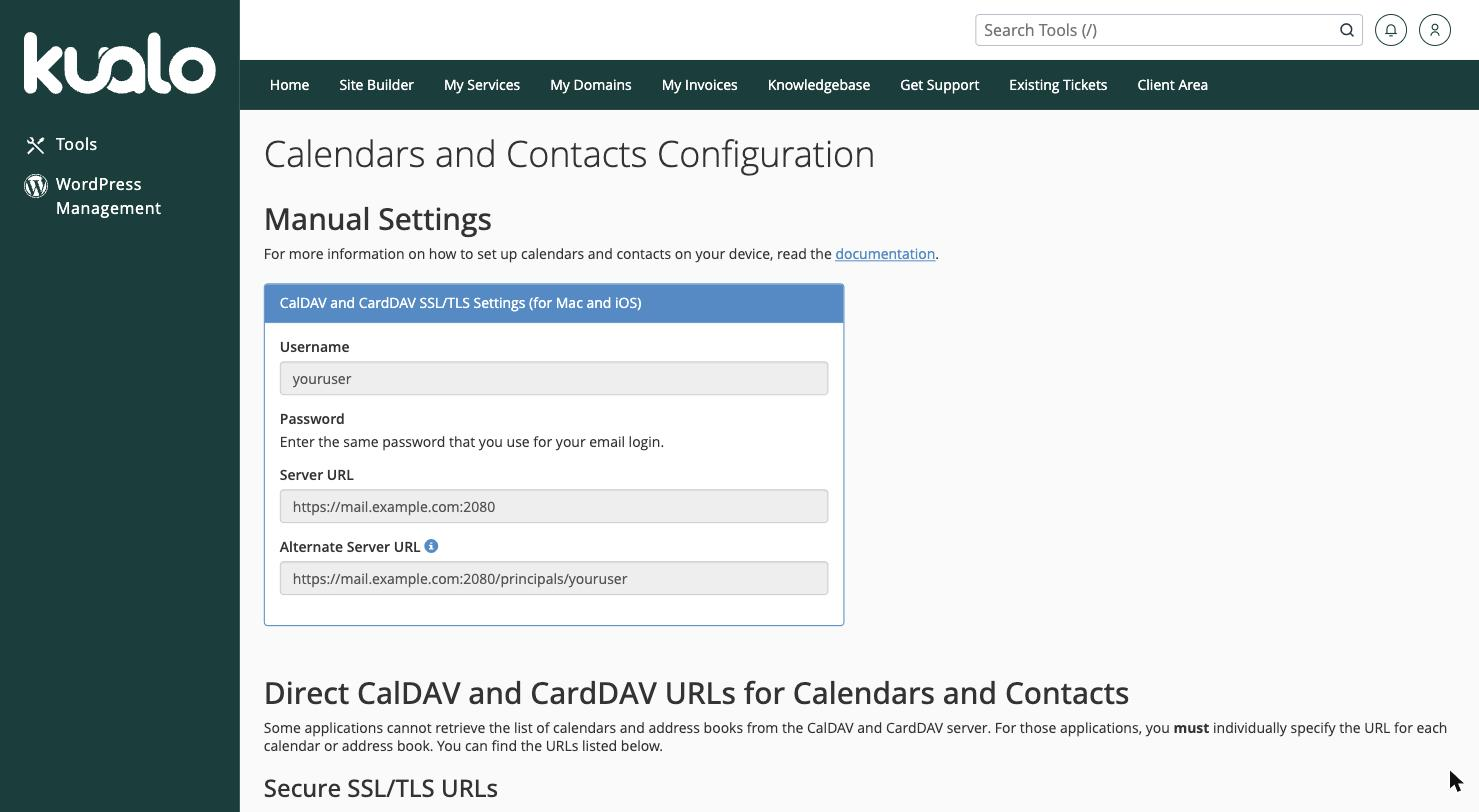
In the Email section, open Calendars and Contacts Configuration.
-
Under Manual Settings, you will find the details to add to your device:
- Username - your cPanel (email) username.
- Password - the password for your email account.
- Server URL - something like
https://mail.yourdomain.com:2080, using a secure SSL/TLS connection on port2080.
-
On your device, add a CalDAV account for calendars and a CardDAV account for contacts (most phones and computers have these options built in), and enter the username, password, and server URL above.
Apps that need a direct URL
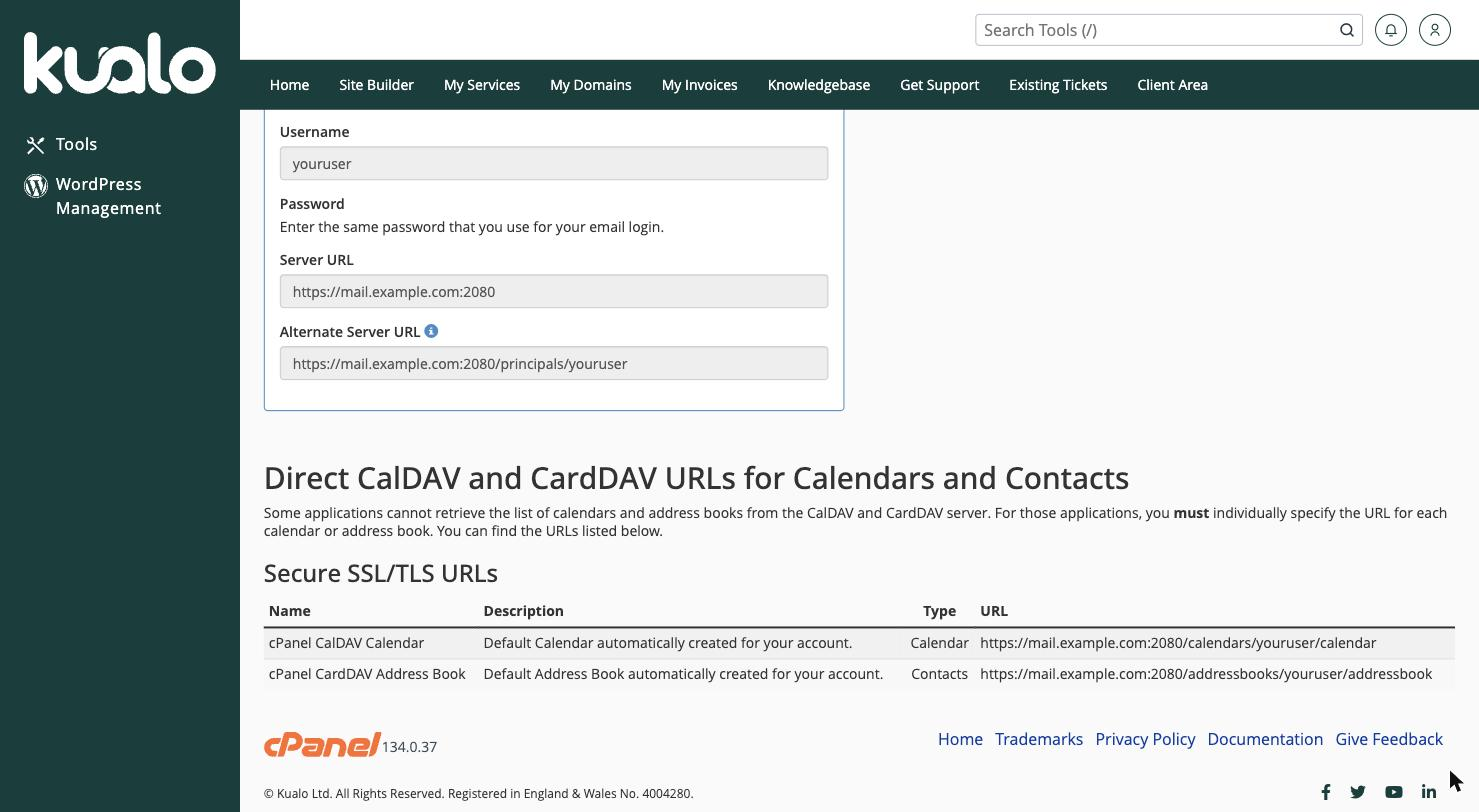
Some applications cannot automatically find your calendars and address books. For those, use the individual direct URL for each one, listed under Direct CalDAV and CardDAV URLs further down the Configuration page.
Share a calendar or address book
To let someone else see or edit one of your calendars or address books, open Calendars and Contacts Sharing and grant them access.
Always use the secure (SSL/TLS) settings shown on the Configuration page, so your calendar and contact data is encrypted as it syncs.