
On this page
How to use webmail from within cPanel
Open webmail straight from cPanel to read and send email from any browser, with no email app to set up.
Webmail lets you read and send email from any device with a browser and an internet connection - no email app required.
Accessing webmail
There are two ways to open webmail.
Option 1 - direct URL:
Visit https://your-domain.com/webmail in your browser, replacing your-domain.com with your actual domain name.
Option 2 - through cPanel:
- Log in to cPanel.
- Go to Email > Email Accounts.
- Find the account you want to access and click Check Email.
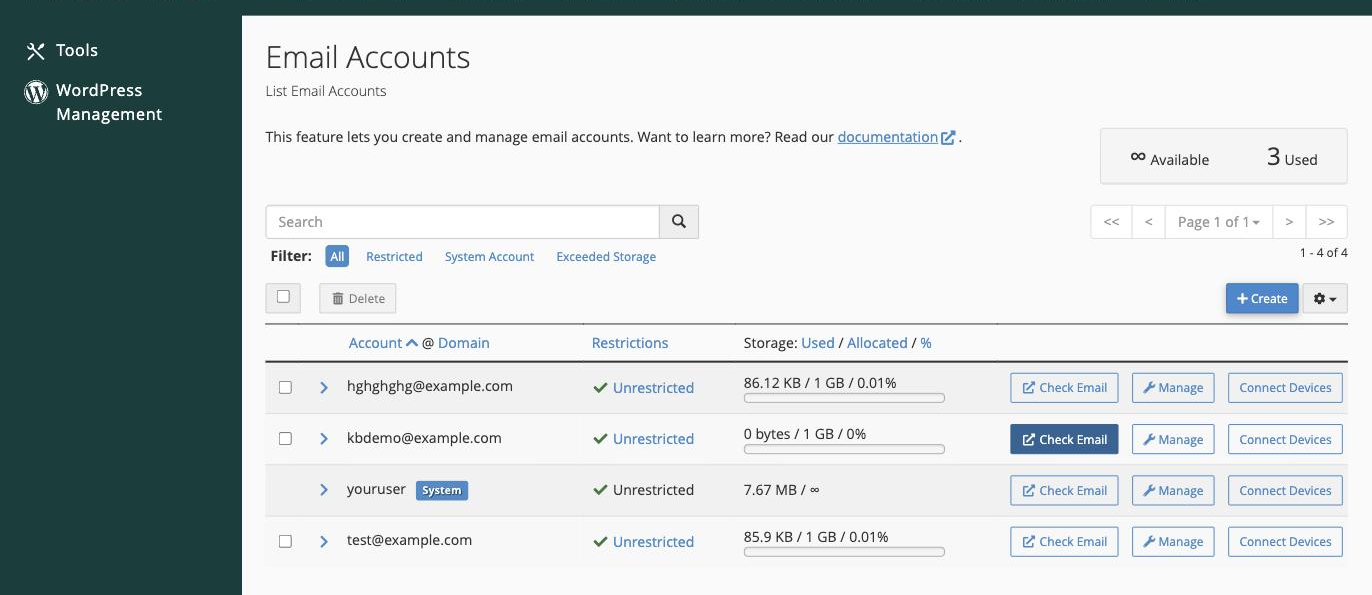
Accessing webmail this way logs you straight in to the selected account. Avoid using the default system account to send email - create a dedicated email account instead.
The webmail application
Kualo's webmail uses Roundcube - a clean, responsive interface that works well on a desktop or a phone.
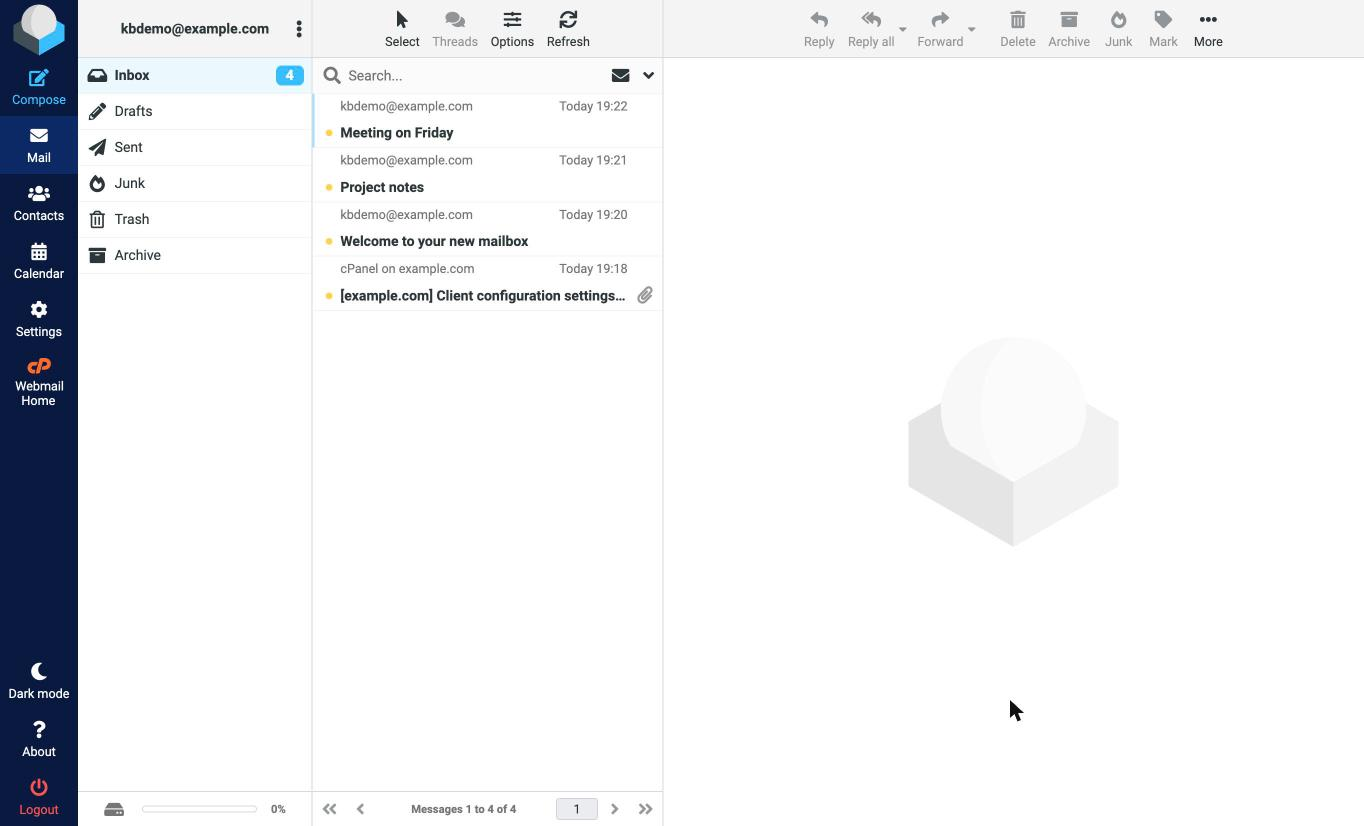
The icons down the left-hand side take you to the main areas:
- Compose - start a new message.
- Mail - your folders (Inbox, Drafts, Sent, Junk, Trash, Archive) and the message list.
- Contacts - your address book.
- Calendar - appointments and events.
- Settings - preferences, identities, folders, and filters.
Always log out of webmail when using a shared or public computer to prevent others from accessing your email.