
On this page
How to create a mailing list in cPanel
cPanel's Mailing Lists tool lets you send a single email to many subscribers at once, using the Mailman mailing list manager.
A mailing list lets you send one email to many subscribers at once - useful for newsletters, announcements, or team discussions. cPanel manages mailing lists with Mailman.
Create a mailing list
-
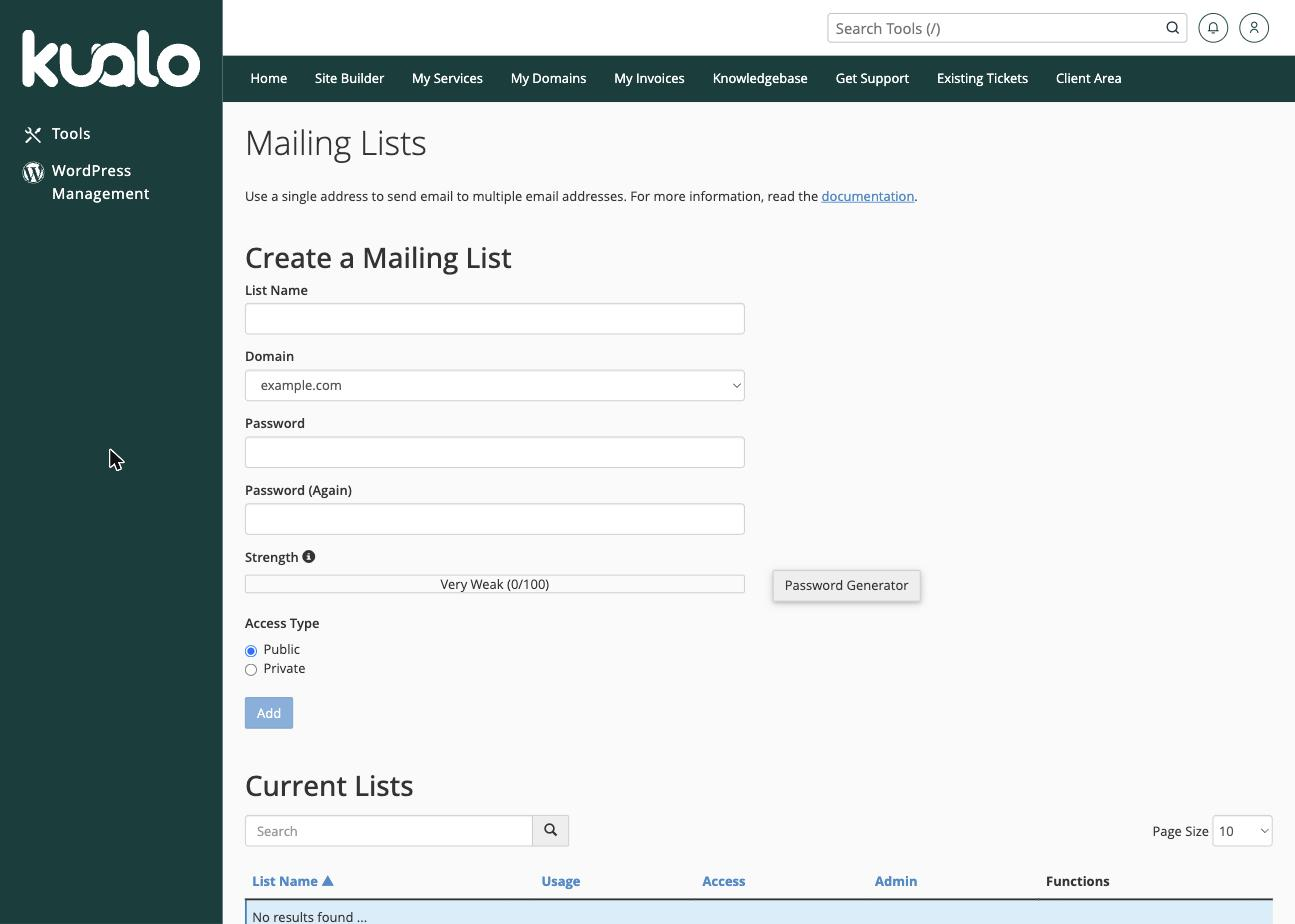
Log in to cPanel and, in the Email section, click Mailing Lists.
-
In the Create a Mailing List section, fill in:
- List Name - the name of the list (this becomes the start of the list's email address).
- Domain - the domain the list belongs to.
- Password - a password for managing the list.
- Access Type - Public (anyone can see the list of subscribers) or Private (only the administrator can).
-
Click Add.
Manage a mailing list
Your lists appear in the Current Lists section below. For each one you can:
- Manage - open the Mailman administration interface to change settings and configure the list.
- Delegate, Change Password, or Delete - hand over administration, reset the management password, or remove the list.
To add or remove subscribers and adjust how the list behaves, click Manage to open the Mailman admin panel, then use its Membership Management section.
Was this helpful?
Your feedback helps us find gaps in the docs.
Thanks for the feedback!
Related articles
Managing email in cPanel
How to create an email account in cPanel
Create as many email accounts as your hosting plan allows directly from cPanel, set sensib...
Managing email in cPanel
How to set up email forwarding in cPanel
Email forwarders in cPanel let you automatically send a copy of all mail arriving at one a...
Managing email in cPanel
How to set up email filters in cPanel
Email filters in cPanel let you automatically sort, redirect or delete incoming messages b...
Managing email in cPanel
How to set up an auto-responder in cPanel
Set up an email auto-responder in cPanel to send automatic replies to any incoming message...
Still need a hand?
Real people, around the clock - start a chat or open a ticket and we'll help you put it right.