
On this page
Getting started with webmail
Webmail lets you read and send email from any browser. Here is how to open it and find your way around the Roundcube interface.
Before using webmail, make sure you have already created an email account in cPanel. If you haven't done this yet, see our guide on creating email accounts in cPanel.
Accessing webmail
There are two ways to reach webmail:
- Direct access - go to
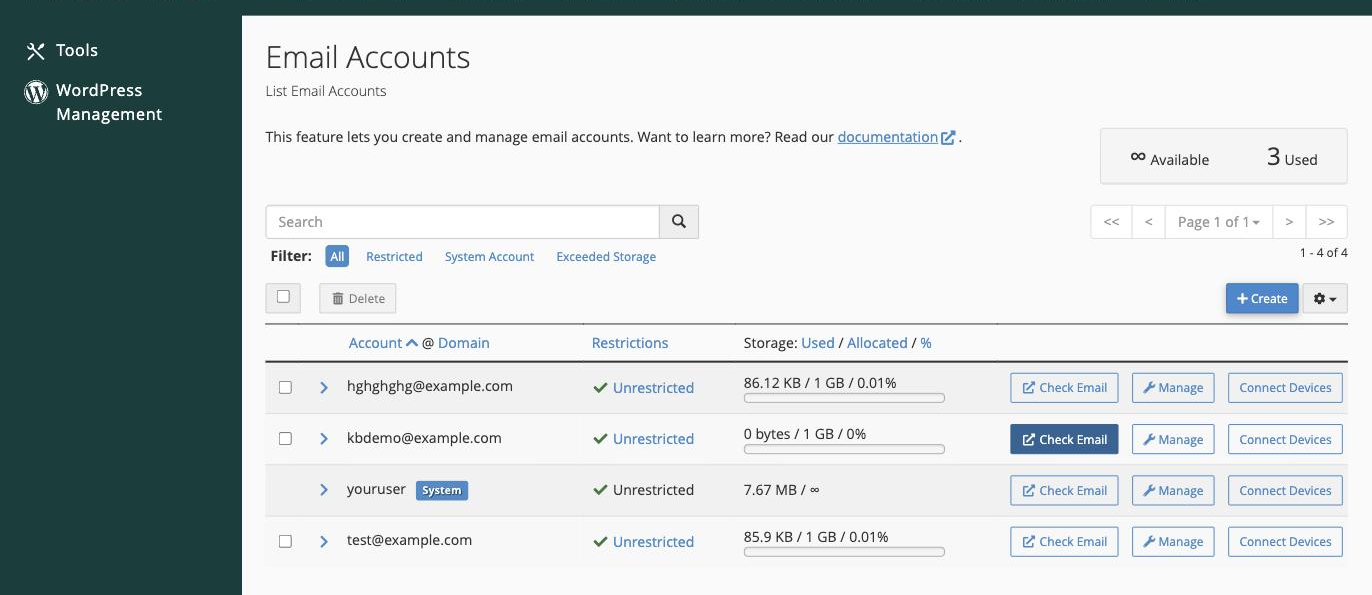
https://yourdomain.com/webmailin your browser, replacingyourdomain.comwith your own domain name, then log in with your full email address and password. - Via cPanel - log in to cPanel, go to Email > Email Accounts, and click Check Email next to the address you want to open.
The Roundcube interface
Kualo's webmail uses Roundcube, which gives you a desktop-like email experience right in your browser. It opens straight into your inbox.
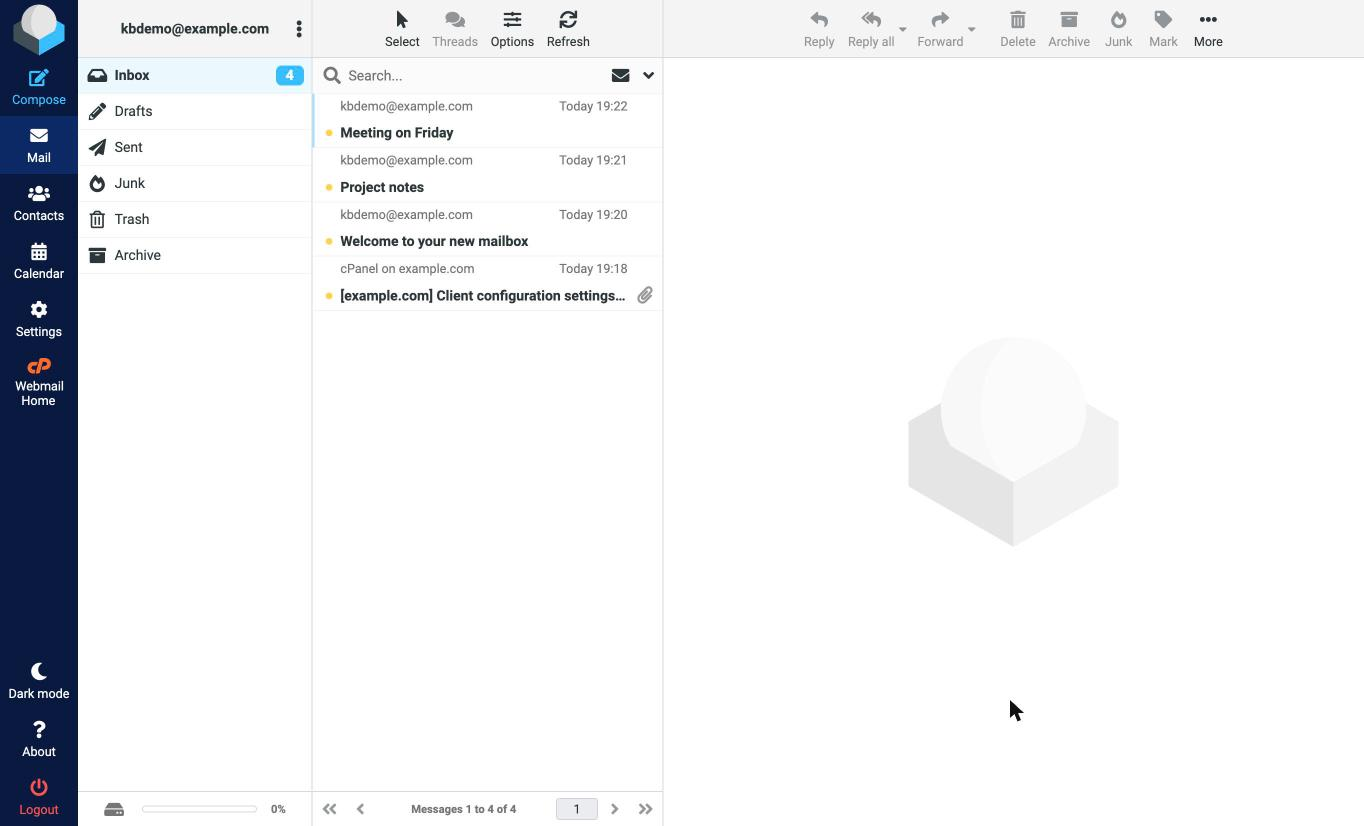
The icons down the left-hand side take you to the main areas - Compose a new message, your Mail folders, your Contacts (address book), the Calendar, and Settings. Your folders (Inbox, Drafts, Sent, Junk, Trash, Archive) sit alongside the message list.
Roundcube's key features include:
- Folder management - create, rename, and organise folders to keep your mailbox tidy.
- Rich text editing - format your messages with the built-in editor.
- Address book - store and manage your contacts.
- Search - quickly find messages by keyword, sender, or date.
- Attachments - send files with your messages, up to 50 MB each.