
On this page
Report spam
Help improve your spam filtering by reporting missed spam - through the Professional Spam Filter dashboard, or via an IMAP connection to the quarantine.
You can help improve your spam filtering by reporting messages that were missed (or wrongly caught). There are two ways to do this: through the Professional Spam Filter dashboard, or via an IMAP connection to the quarantine.
Via the Professional Spam Filter
-
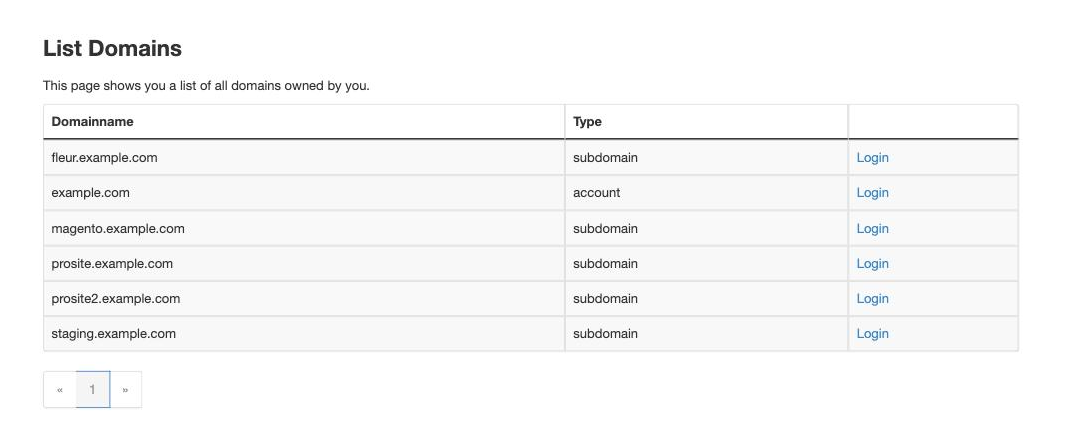
Log in to cPanel and, in the Email section, click Professional Spam Filter.
-
Click Login next to your domain to open its spam dashboard.
-
From the dashboard you can report missed spam, and release any genuine messages that were held by mistake.
For a full walkthrough of the dashboard, see how to use the SpamExperts spam filter.
Via an IMAP connection
You can also connect to the spam quarantine and training system directly from your mail client using IMAP. This is a separate connection, set up in addition to your normal email account.
There are two access levels:
- Domain user - access to the quarantine for your whole domain. Open a support ticket and we will provide the credentials.
- Email user - access to the quarantine for a single address, which you can set up yourself from the Professional Spam Filter dashboard.
Once you have your quarantine username and password, add a new IMAP account in your mail client with these settings:
| Setting | Value |
|---|---|
| Incoming server | quarantine.filteredmx.net |
| Incoming port | 143 |
| SSL | Disabled |
| Username | Your quarantine email user |
| Password | Its password |
This account must be configured as IMAP, not POP3.
The special folders
Once connected, you will see several special folders:
- Caught - incoming messages that were quarantined. These are already classified and expire automatically, so you do not need to report them again.
- Caught (Outgoing) - quarantined outgoing messages; again, no action needed.
- Training Requested - messages that were delivered but flagged as uncertain. Drag them into Not Spam or Spam to help fine-tune the filter.
- Release - a write-only folder. Drag a message here from Caught to deliver it and report it as a mistake.
- Not Spam - a write-only folder. Drag a message here to report it as wrongly caught (it will not be re-delivered).
- Spam - a write-only folder. Drag any message here to report it as spam that was not caught automatically.