
On this page
How to reply to or forward messages in RoundCube
Reply to or forward an email in RoundCube webmail using the buttons on the open-message toolbar.
RoundCube makes it straightforward to reply to a message or forward it to someone else.
Open the message
Click the message in your list to open it. The toolbar across the top of the message holds the reply and forward actions.
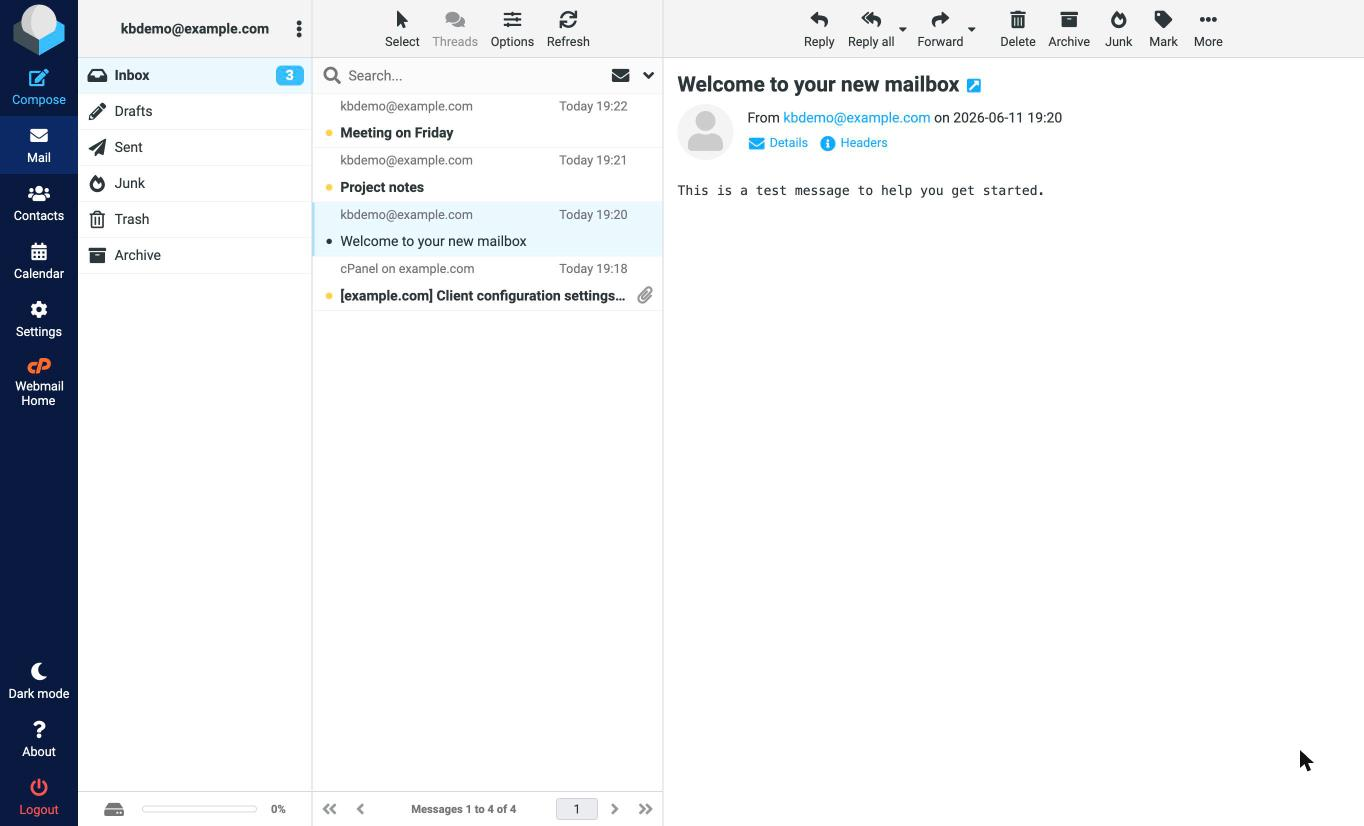
Reply or forward
- Reply - reply to the sender only.
- Reply all - reply to the sender and everyone else who was addressed or copied on the message.
- Forward - send the message on to a different address.
Click the action you want, and RoundCube opens the compose screen with the original message quoted (and, for a forward, attached).
Add recipients and send
Whether you are replying or forwarding, you can add more addresses in the To, Cc, or Bcc fields before you send. When you are ready, click Send.
Was this helpful?
Your feedback helps us find gaps in the docs.
Thanks for the feedback!
Related articles
Webmail (RoundCube)
How to write an email message in RoundCube
Compose and send an email in RoundCube webmail - add recipients, write your message, attac...
Webmail (RoundCube)
How to open an email message in RoundCube
Open and read your email in RoundCube webmail - from your inbox or any other folder.
Webmail (RoundCube)
How to search for messages in RoundCube
Find emails fast in RoundCube webmail using the search box, and narrow your search by subj...
Webmail (RoundCube)
How to create folders in RoundCube
Organise your email in RoundCube webmail by creating folders - here is how to add, manage,...
Still need a hand?
Real people, around the clock - start a chat or open a ticket and we'll help you put it right.