
On this page
How to edit your preferences in RoundCube
Personalise RoundCube webmail - change how messages are displayed, how you compose mail, your language, and more.
RoundCube lets you personalise your webmail experience through its preferences.
Edit your preferences
-
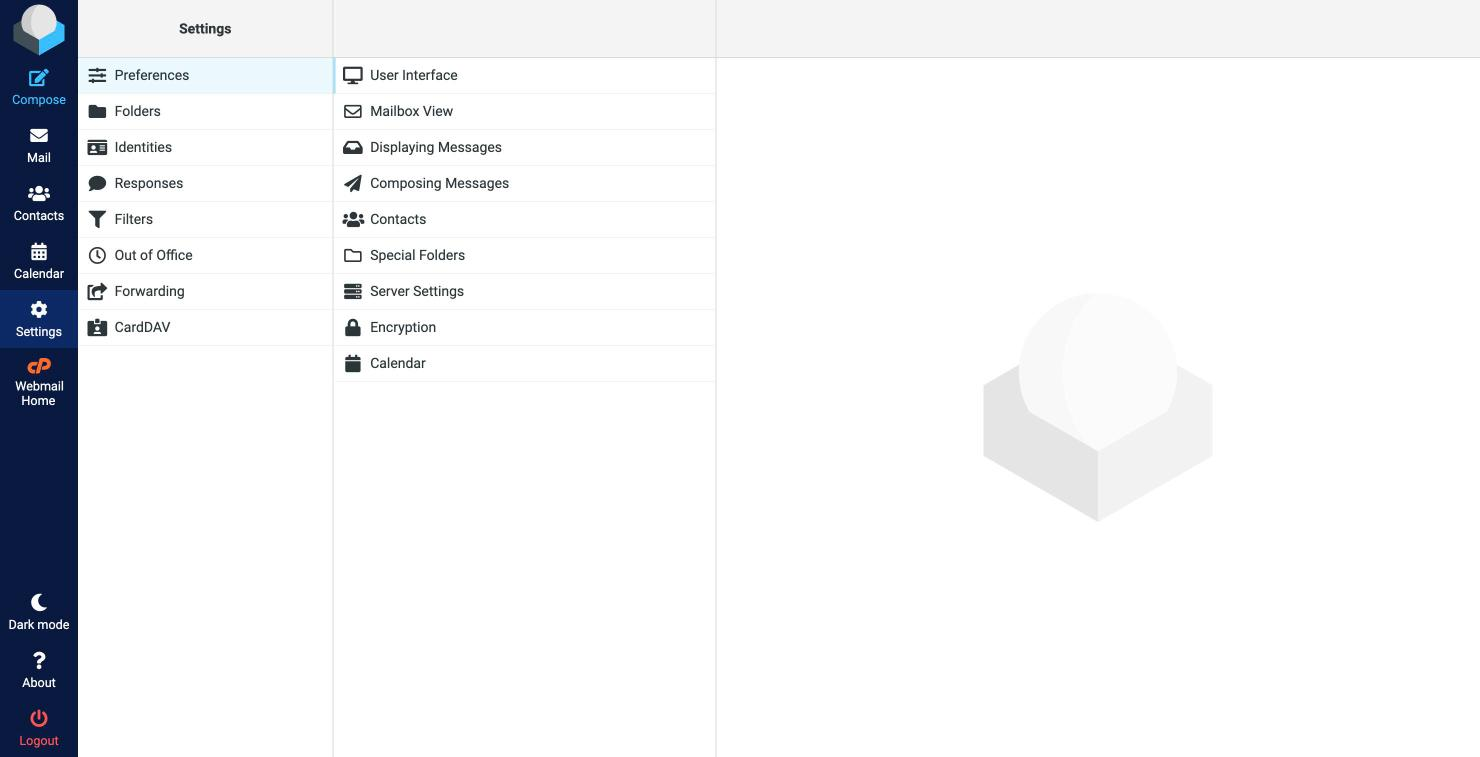
Click Settings in the toolbar on the left, then Preferences.
-
Choose a section to adjust:
- User Interface - language, time zone, and how the interface looks.
- Mailbox View - how your message list behaves, including how often it checks for new mail.
- Displaying Messages - how messages are shown when you open them.
- Composing Messages - defaults for writing email, such as whether to use the formatting editor.
- Contacts, Special Folders, and more.
-
Change the settings you want and click Save.
Was this helpful?
Your feedback helps us find gaps in the docs.
Thanks for the feedback!
Related articles
Webmail (RoundCube)
How to write an email message in RoundCube
Compose and send an email in RoundCube webmail - add recipients, write your message, attac...
Webmail (RoundCube)
How to open an email message in RoundCube
Open and read your email in RoundCube webmail - from your inbox or any other folder.
Webmail (RoundCube)
How to search for messages in RoundCube
Find emails fast in RoundCube webmail using the search box, and narrow your search by subj...
Webmail (RoundCube)
How to create folders in RoundCube
Organise your email in RoundCube webmail by creating folders - here is how to add, manage,...
Still need a hand?
Real people, around the clock - start a chat or open a ticket and we'll help you put it right.