
On this page
How to add a Facebook Like box
Add a Facebook Like Box to your ProSite website by dragging the Fans widget onto your page and entering your Facebook Profile URL.
You can add a Facebook Like Box to any page of your ProSite website using the Fans widget in the Site Builder tool.
Add the Fans widget to your page
-
Launch the Site Builder tool from your cPanel.
-
Navigate to the page where you want to add the Facebook Like Box.
-
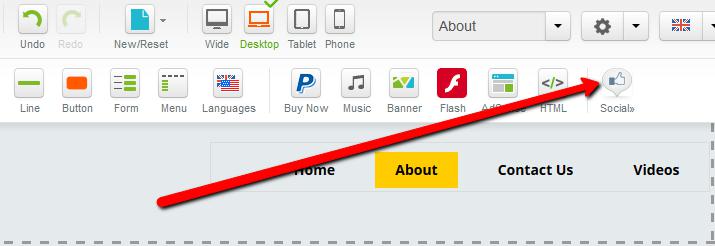
Click the Social button in the element panel.
-
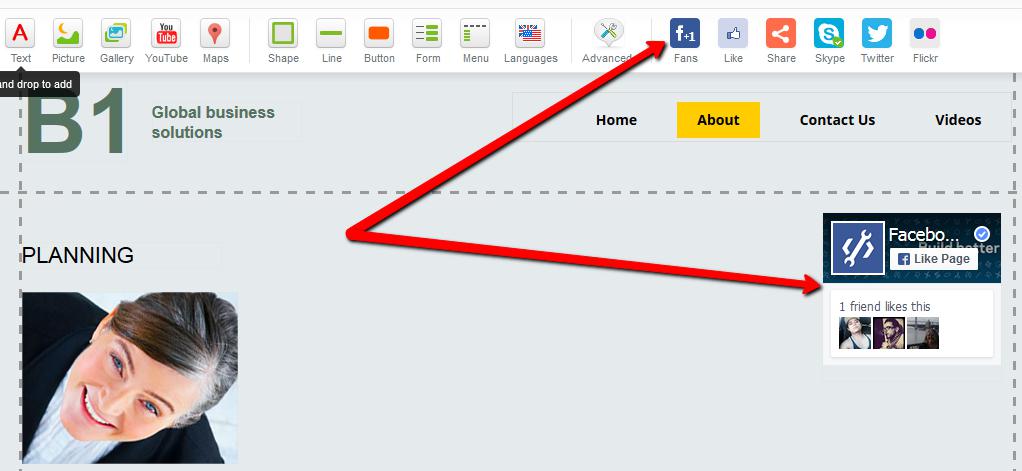
Hover over the Fans element, then drag and drop it onto your page.
Configure the widget settings
-
Double-click the newly added Fans widget, or click the Pencil icon and choose Properties.
-
In the Properties dialog, enter your Facebook Profile URL in the Profile URL (required) field.
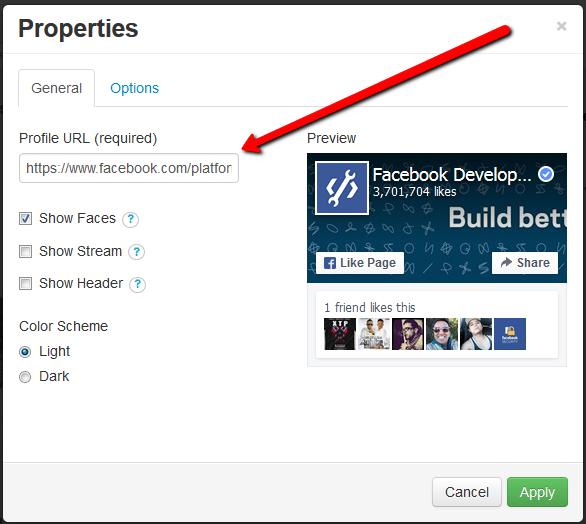
Under the General tab you can also enable the following options:
- Show Faces - displays profile pictures below the button.
- Show Stream - displays the public profile stream.
- Show Header - displays a "Find us on Facebook" bar at the top (only shown when stream or faces are enabled).
- Color Scheme - changes the colour scheme of the Like Box.
The Options tab lets you adjust the position of the widget and choose whether it appears on all pages or specific pages of your site.
- Click Apply to save your changes.