
On this page
How to insert custom HTML code
Use the HTML element in ProSite to embed third-party widgets and custom code anywhere on your page.
The HTML element in ProSite lets you drop custom code into any position on a page. It is particularly useful for embedding third-party widgets that extend your site's functionality and improve visitor engagement.
Widgets are small software components that perform a specific function - displaying social media feeds, weather updates, news articles, search bars, and much more. They add practical tools that help your audience navigate and interact with your content, making your site more dynamic and user-friendly.
Common uses for the HTML element include:
- Donation widgets for charities, such as those from Give Lively or DonorBox
- Reservation widgets, such as those from OpenTable
- Any of the widgets available from providers such as Elfsight or WidgetSquad
Adding custom HTML to a page
- Drag an Advanced element into the position on the page where you want to embed the HTML.
- Select HTML from the list of options.
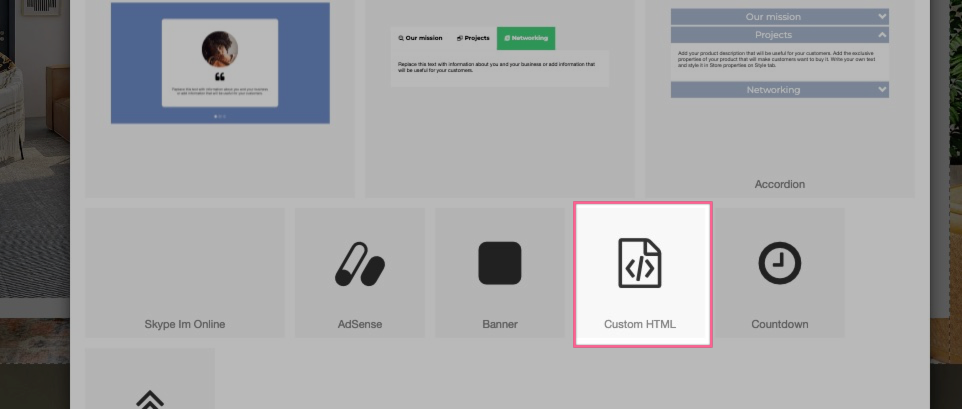
- With the HTML element selected, click the Pencil icon in the right-hand configuration panel to open the code editor and paste in your code.
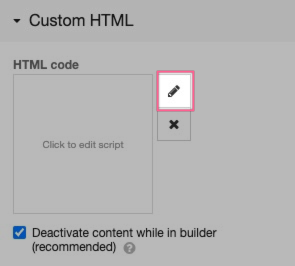
HTML content is disabled in the editor by default, but it will run on your published or previewed site. This prevents scripts from interfering with the editing interface. If you are confident the code is safe, you can uncheck this option to render the output directly inside the editor.