
On this page
How to reset your template and start over
Reset your ProSite template to its default state and start fresh using the Site Builder tool in cPanel.
If you want to start fresh with your ProSite website, you can reset your current template back to its default state. Be aware that this will permanently remove any content you have added and any changes you have made.
Steps to reset your template
-
Log in to cPanel and open the Site Builder tool.
-
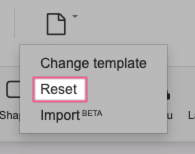
Hover over the New/Reset button, then choose Reset.
-
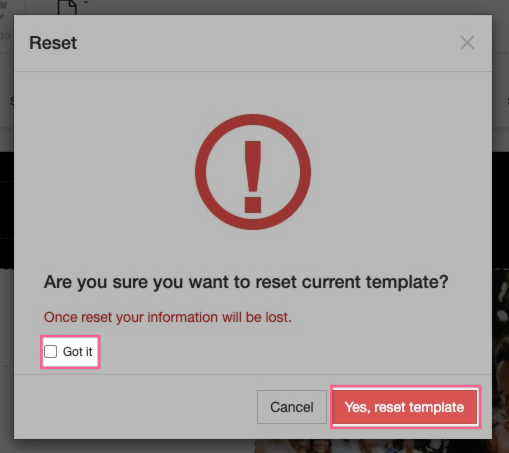
Read the warning message carefully. Tick the Got It checkbox to confirm you understand that all your content and modifications will be lost, then click Yes, reset template.
Resetting your template is irreversible. All content and customisations will be permanently deleted.
-
Wait for the system to finish resetting your template. Once complete, you can begin building your site from scratch.