
On this page
How to add a box to contain your text or pictures
Use nested layouts in ProSite's Site Builder to create styled boxes that contain images or text at a consistent size.
Use nested layouts in ProSite's Site Builder to create uniform, styled boxes - ideal for displaying images side by side at equal height and width.
Create the outer layout
- Launch the Site Builder tool from your cPanel.
- Go to the page where you want to insert your image box.
- Drag a single-column layout onto the page. Set it to Horizontal so that items sit next to one another along the horizontal axis.
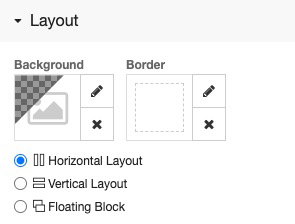
Add and size the inner layout
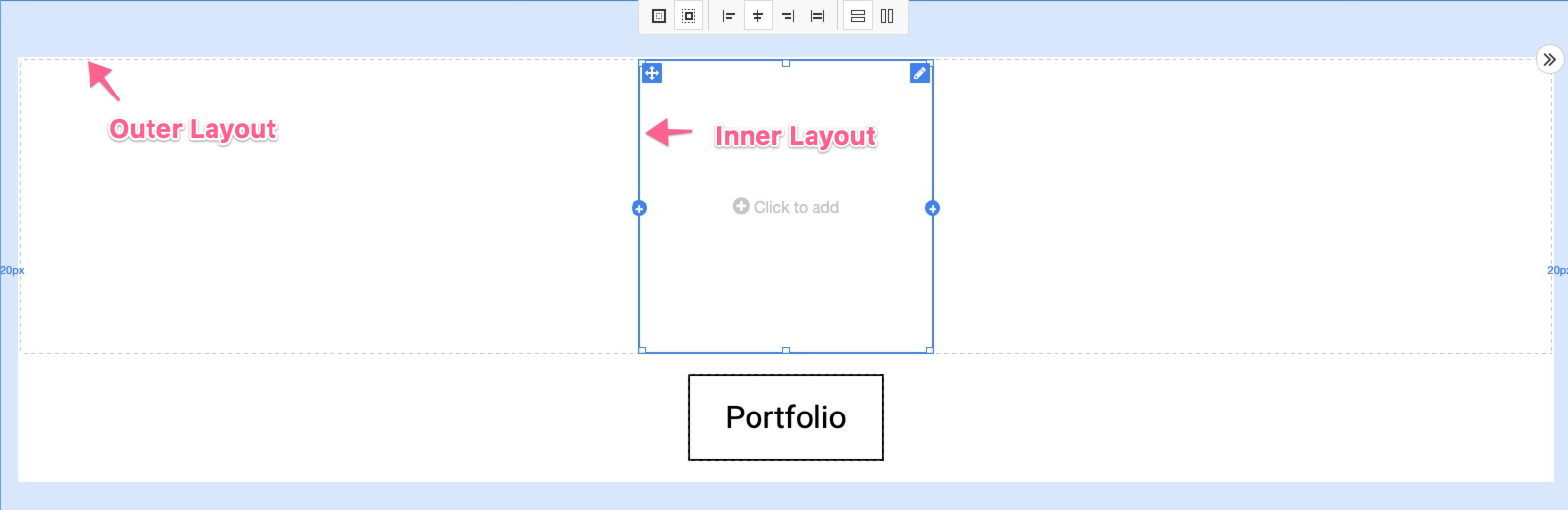
- Drag a second single-column layout onto the page and drop it inside the outer layout you just created.
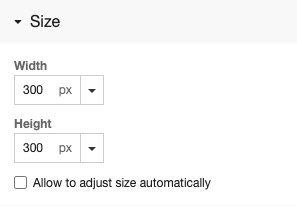
- Give this inner layout a fixed size - for example, 300px for both height and width.
You should now have an outer layout containing an inner layout at your specified dimensions. You will use this inner layout to hold a background image.
Set the background image
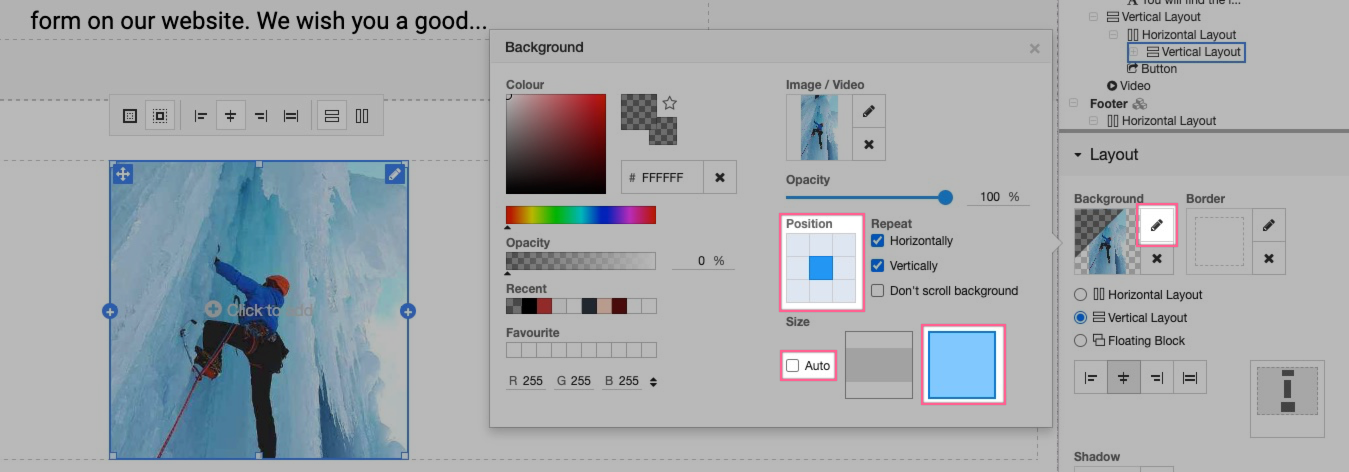
- Select the inner layout and add a background image. Centre the alignment, turn off auto-sizing, and set the image to fill the entire layout.
Style the box
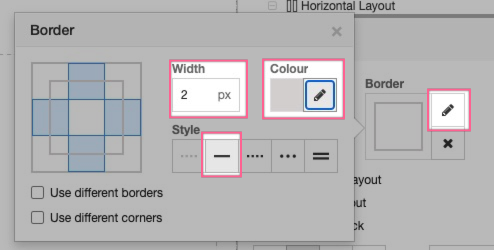
- Optionally, add a border to the layout. Set the border style, width, and colour.
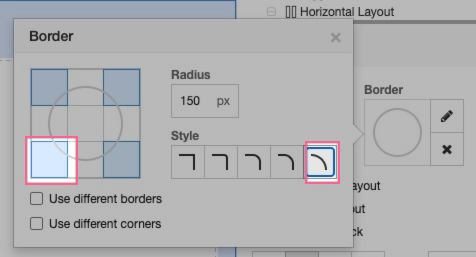
- Optionally, set a corner radius. If the layout is perfectly square, using the maximum radius will make it appear as a circle.
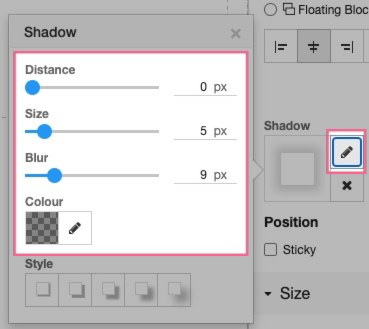
- Optionally, add a shadow to the layout. Adjust the Distance, Size, Blur, and Colour settings to your preference.
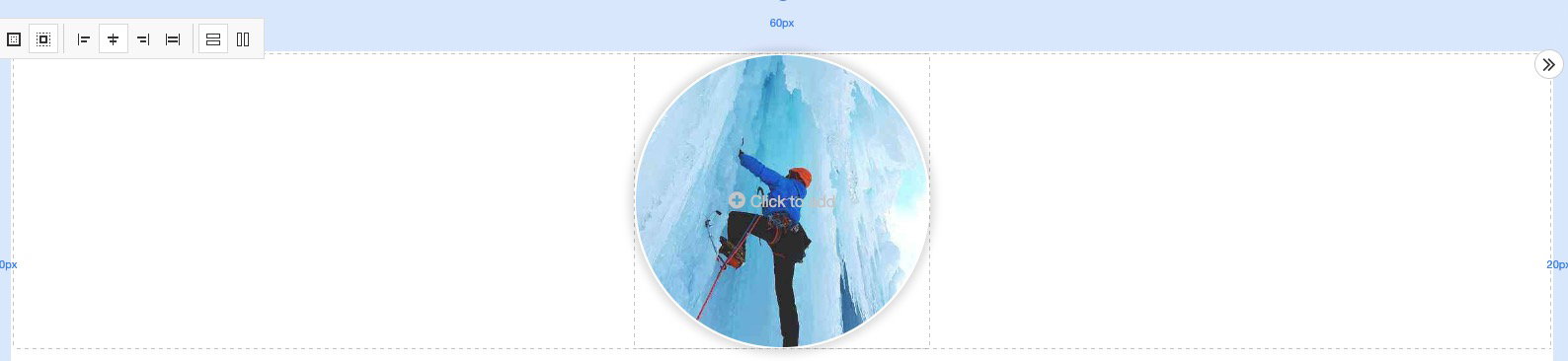
Your image is now contained within the styled layout box.
Add more images
To add a second image in the same style, duplicate the inner layout and replace the background image.
Was this helpful?
Your feedback helps us find gaps in the docs.
Thanks for the feedback!
Related articles
Building your pages
How to add a new page
Add a new page to your ProSite website in a few steps using the built-in Site Builder tool...
Building your pages
How to add / configure your website navigation
Add and configure a navigation menu on your ProSite site - horizontal or vertical, respons...
Building your pages
How to add a sub-menu
Add a drop-down sub-menu in ProSite by nesting menu items under a parent page in the Edit...
Building your pages
How to add tabs to your website
Tabs let you organise content into clearly labelled sections, keeping your pages tidy and...
Still need a hand?
Real people, around the clock - start a chat or open a ticket and we'll help you put it right.