
How to change your template
Follow these steps to change your ProSite template from within the Site Builder tool.
You can switch your ProSite template at any time from within the Site Builder tool. Be aware that changing your template will remove any content or customisations you have already made.
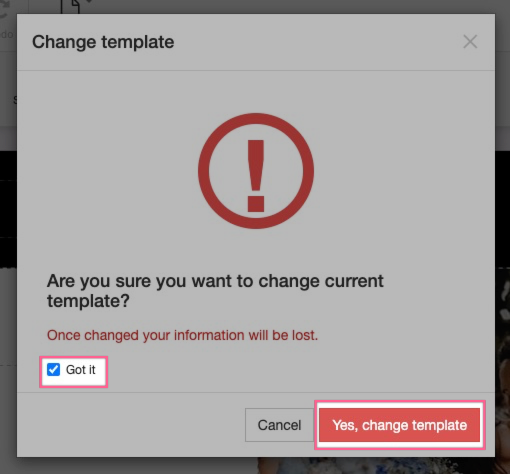
Changing your template is irreversible. All content and modifications you have added to your current template will be lost.
-
Log in to cPanel and launch the Site Builder tool.
-
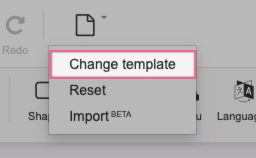
Hover over the New/Reset button and choose Change Template.
-
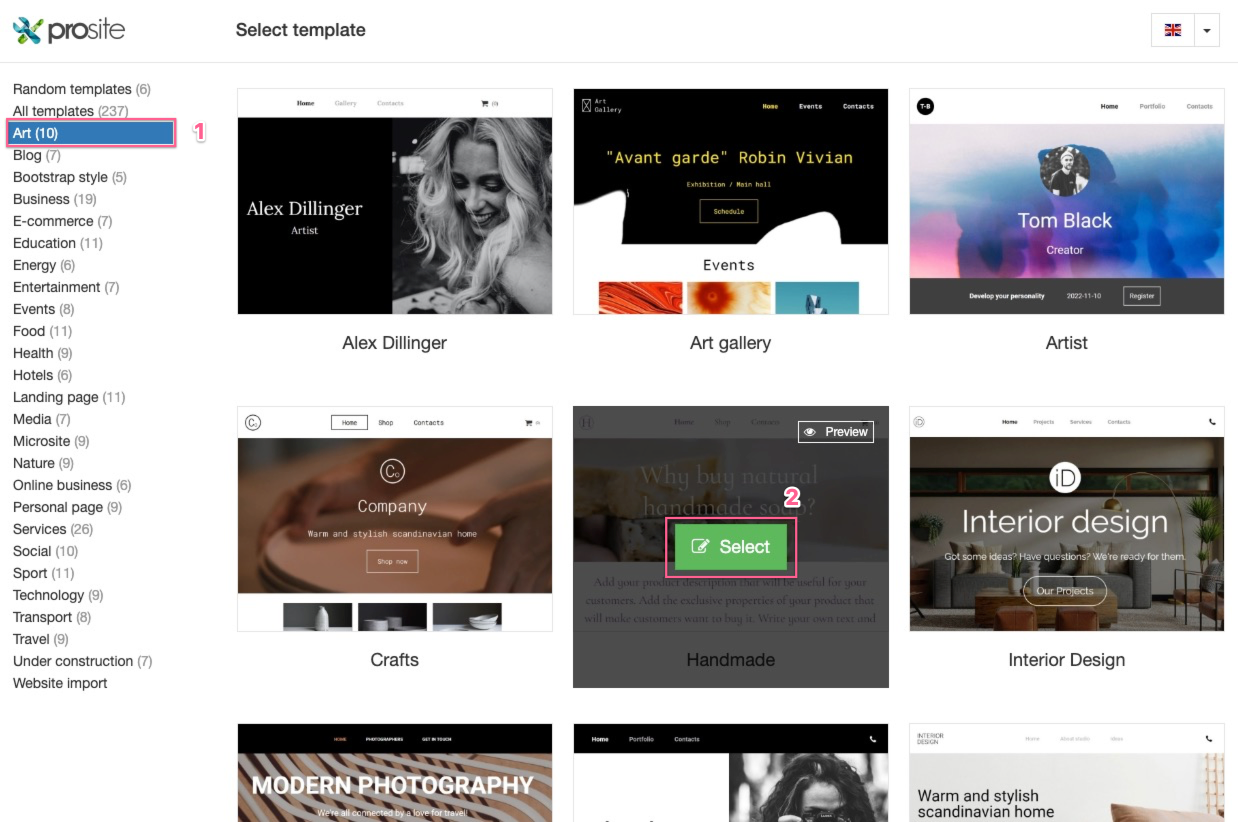
Browse the category templates and click Select on the template you want to use.
-
Read the warning message carefully, tick the Got It checkbox, then click Yes, change template to confirm.
Was this helpful?
Your feedback helps us find gaps in the docs.
Thanks for the feedback!
Related articles
Getting started
How to log into ProSite
ProSite is Kualo's website builder, accessible directly from your cPanel account. Follow t...
Getting started
Getting started with ProSite
ProSite is Kualo's drag-and-drop website builder, letting you create responsive, professio...
Getting started
Creating a website from scratch with ProSite
Learn how to build a website from scratch using the ProSite responsive editor with this th...
Getting started
Choosing a template
The first step in building your ProSite website is choosing a template that suits your nee...
Still need a hand?
Real people, around the clock - start a chat or open a ticket and we'll help you put it right.