
On this page
How to install Joomla from Softaculous
Install Joomla on your hosting account quickly using the Softaculous app installer in cPanel.
Softaculous makes it straightforward to install Joomla on your hosting account without any manual file uploads or database setup.
Finding Joomla in Softaculous
- Log in to cPanel and open Softaculous Apps Installer.
- Scroll through the menu or use the search bar to find Joomla.
- Click Joomla from the list.
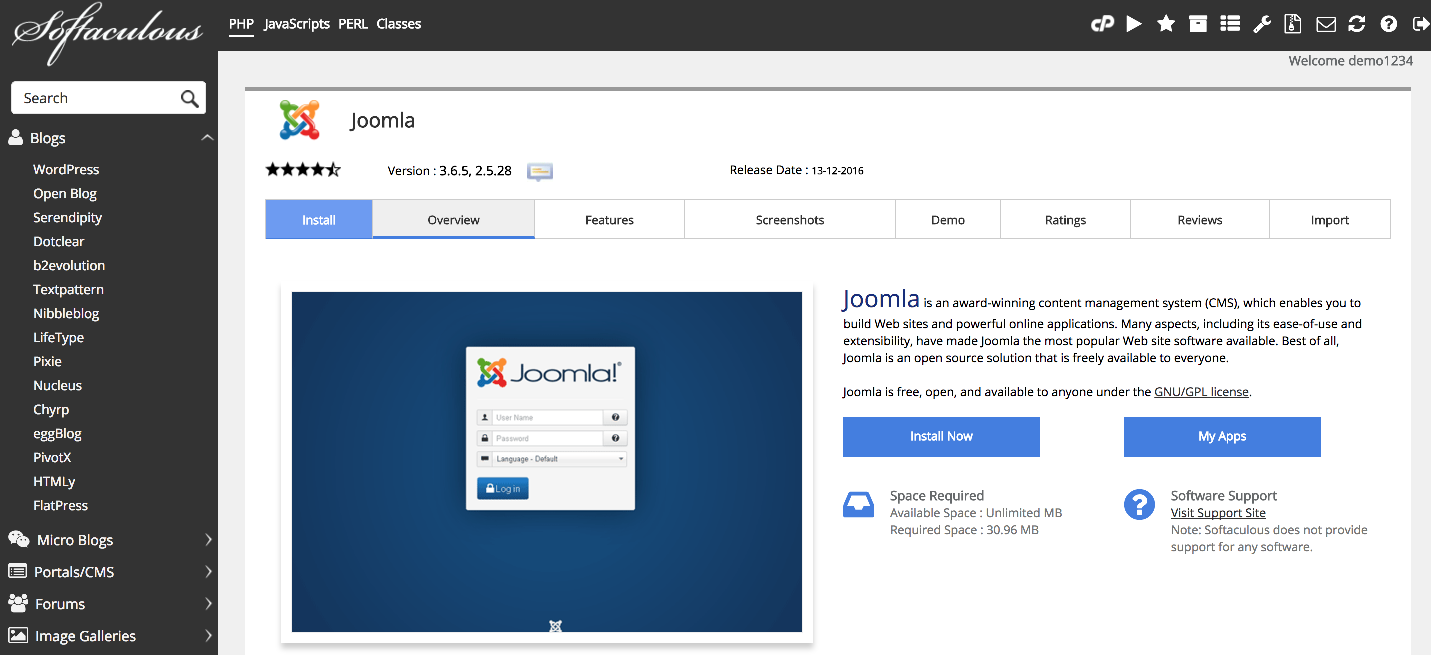
You will land on the Joomla overview page, where you can read more about the software before proceeding.
Installing Joomla
- Click the Install tab.
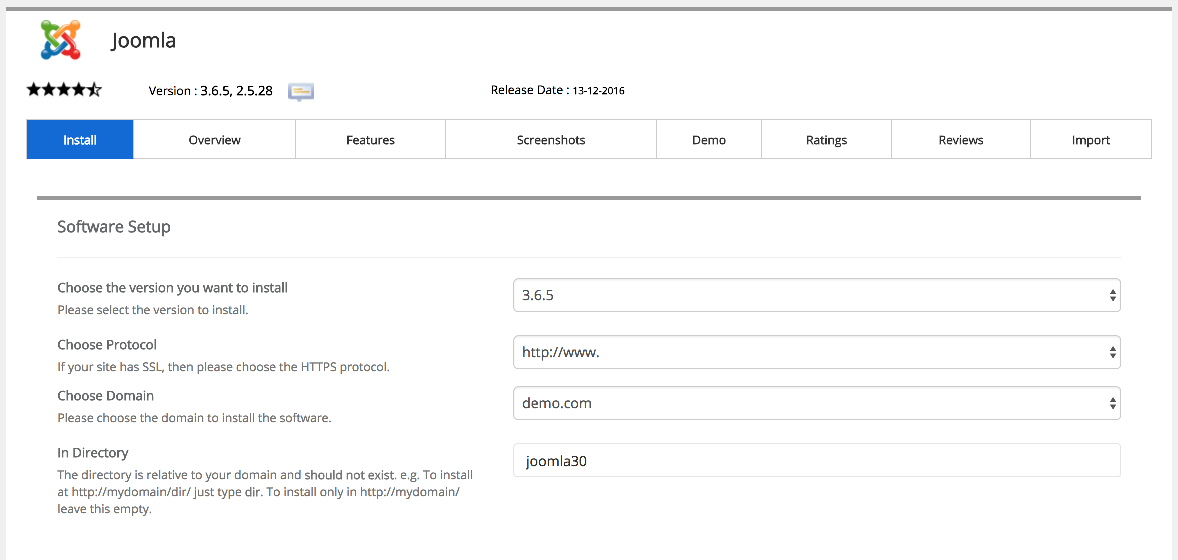
- Under Software Setup, choose the domain you want to install Joomla on. If you have multiple domains on the account, select the correct one from the dropdown.
- Enter a subdirectory in the In Directory field if you want Joomla in a subfolder (for example,
blog). Leave it blank to install at the root of the domain. - The installer will suggest a database name - leave the default unless you have a specific reason to change it, and make sure neither the directory nor the database already exists on the server.
- Under Site Settings, enter a Site Name and a brief Description. You can update both of these later from the Joomla admin panel.
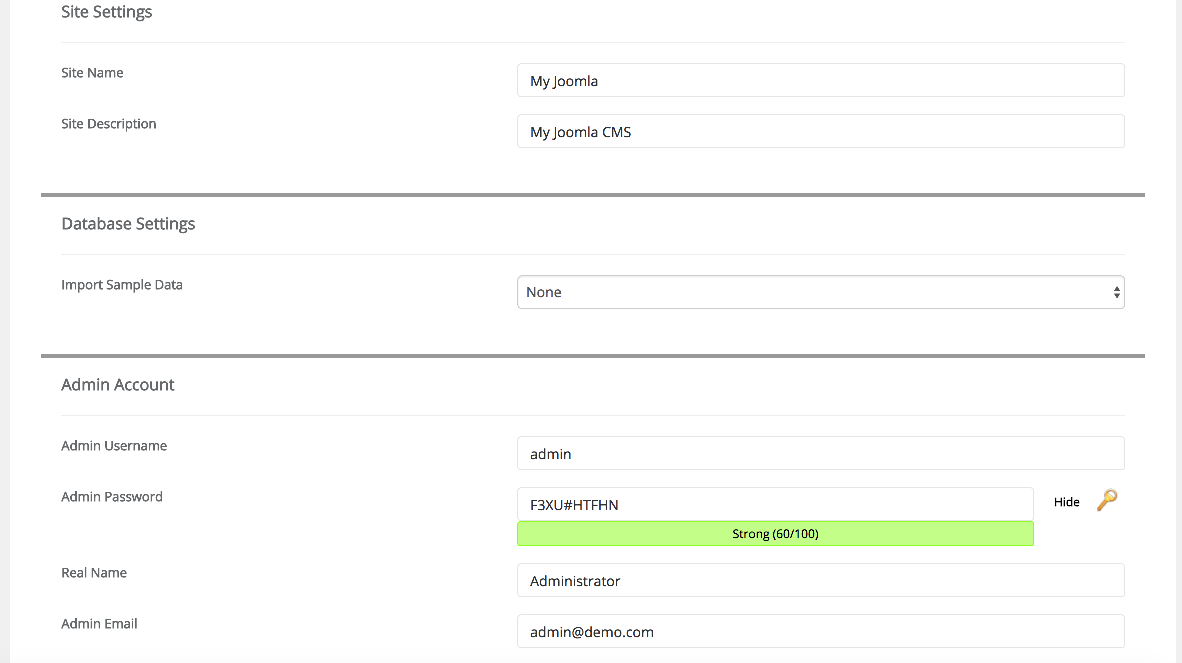
- Set your admin Username, Password, Full Name, and Admin Email. Choose a strong, unique password.
The default settings for the remaining options are suitable for most installations. You only need to change them if you have specific requirements.
- Click Install.
Softaculous will install Joomla in a few moments.
Accessing your new site
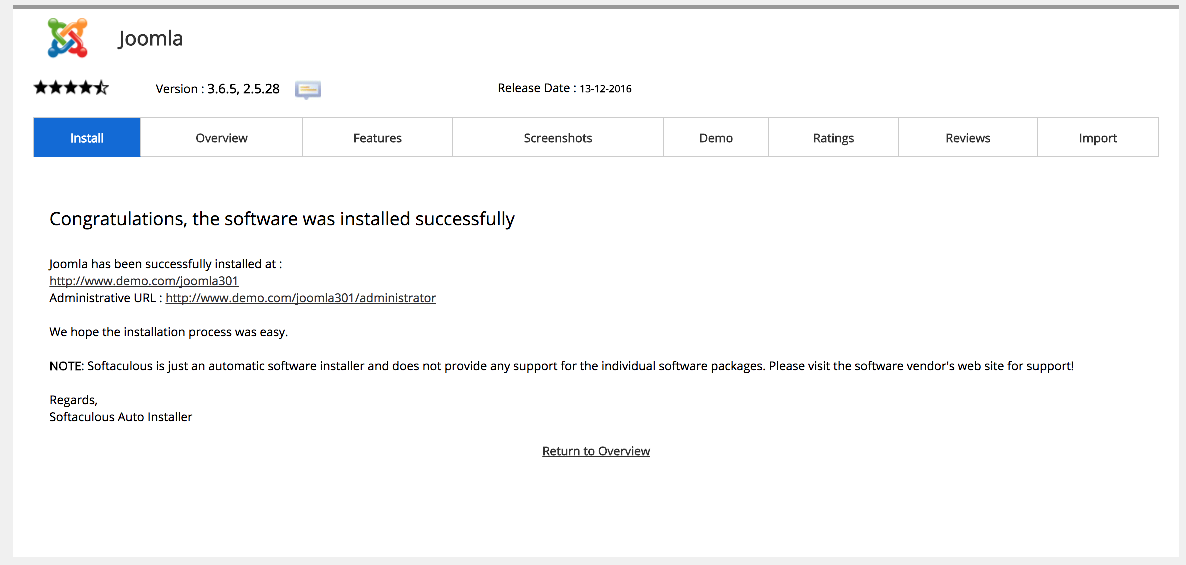
Once the installation is complete, Softaculous displays links to your new site and its admin panel. Click the site link to confirm everything is working.
Was this helpful?
Your feedback helps us find gaps in the docs.
Thanks for the feedback!
Related articles
Softaculous app installer
Getting started with Softaculous
Softaculous lets you install popular web applications such as WordPress, Joomla, and Drupa...
Softaculous app installer
How to find Softaculous in cPanel
Softaculous is built into cPanel and lets you install popular web applications in just a f...
Softaculous app installer
How to decide which script in Softaculous is right for you
Softaculous includes ratings, demos, and feature lists to help you pick the right script b...
Softaculous app installer
How to install a script using Softaculous
Softaculous lets you install hundreds of web applications in a few clicks directly from cP...
Still need a hand?
Real people, around the clock - start a chat or open a ticket and we'll help you put it right.