
On this page
How to import a script into Softaculous
If you have an existing script installed outside Softaculous, you can import it so it appears under Softaculous management.
If you already have a script such as WordPress installed on your hosting account, you can import it into Softaculous so it can be managed from there - including updates, backups, and cloning.
Steps to import a script
-
Log in to cPanel and open Softaculous Apps Installer.
-
Find and open the script you want to import - for example, WordPress.
-
Click the Import tab.
-
If you have multiple domains on your account, select the domain where the software is already installed.
-
Enter the directory path under that domain where the software is installed.
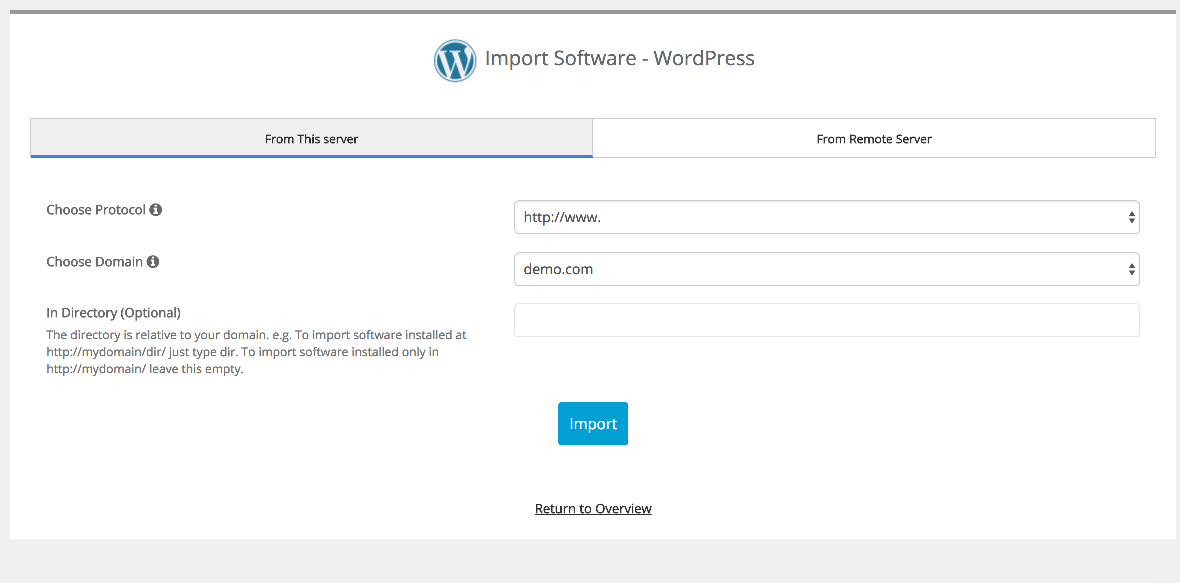
-
Click Import.
After a moment, Softaculous will detect the existing installation and add it to your list of managed installs. You can then click the link shown to view your newly imported site.
The directory field should be the folder path relative to the domain's root - for example, leave it blank if the software is installed directly in the domain root, or enter a subfolder name such as blog if it lives at yourdomain.com/blog.