
On this page
How to install Drupal from Softaculous
Install Drupal on your hosting account quickly using the Softaculous app installer in cPanel.
Drupal is a popular open-source content management system. You can install it in a few clicks using the Softaculous app installer in cPanel.
Finding Drupal in Softaculous
Drupal is listed under the CMS group in the Softaculous menu. Scroll down to that section and click Drupal.
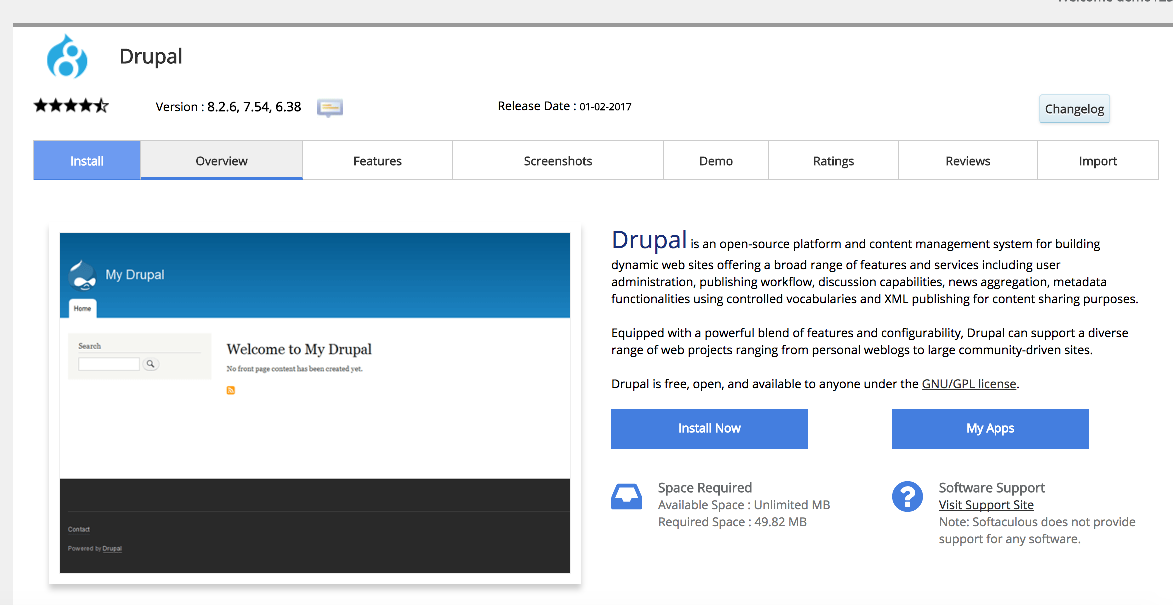
The overview page shows you information about the software, including the current version and ratings, before you commit to installing.
Installing Drupal
-
Click Install Now on the Drupal overview page.
-
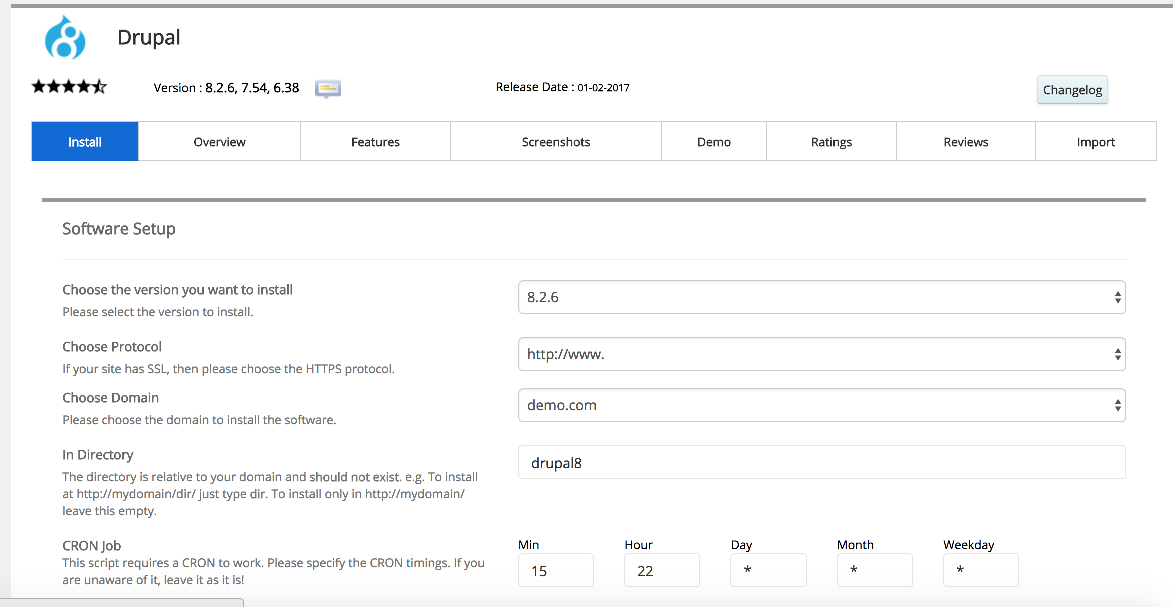
Under Software Setup, choose the domain you want to install Drupal on. If you have multiple domains on your account, use the dropdown to select the correct one.
-
Set the In Directory field if you want Drupal installed in a subdirectory (for example,
blog). Leave it blank to install at the root of the domain. -
The database name is generated automatically - you can leave the default unless you have a specific reason to change it.
-
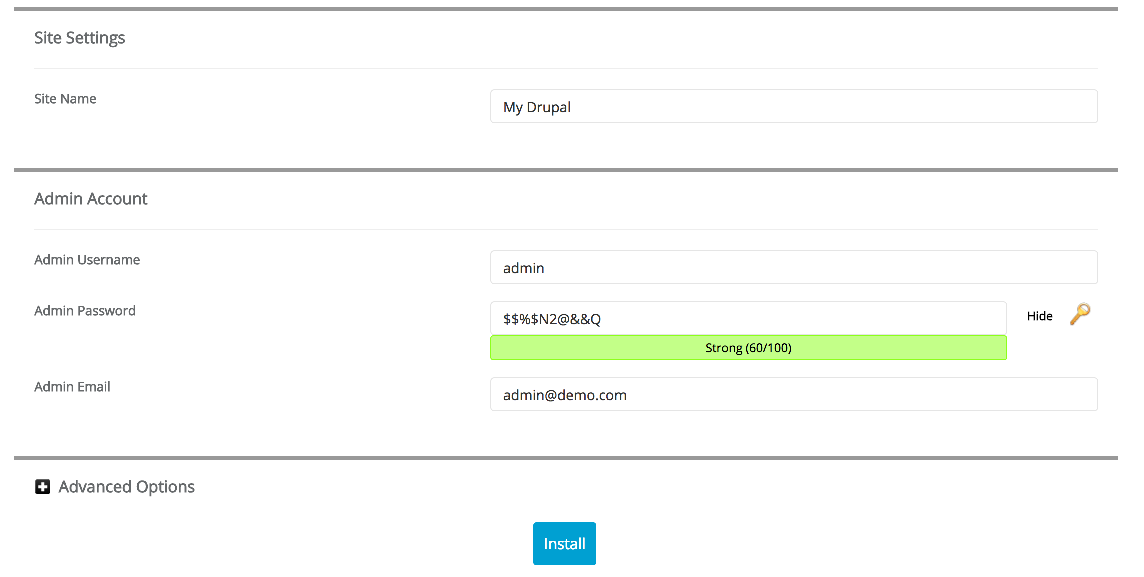
Scroll down to Site Settings and enter your Site Name. You can change this later from the Drupal admin panel.
-
Enter your chosen admin Username, Password, and Email address.
Use a strong, unique password for the admin account. Softaculous can generate one for you.
- Click Install at the bottom of the page.
Softaculous will set up the files and database automatically. This usually takes under a minute.
Accessing your new Drupal site
Once the installation is complete, Softaculous shows you two links - one to the front end of your site and one to the admin panel. Click the admin panel link to log in and start configuring your site.
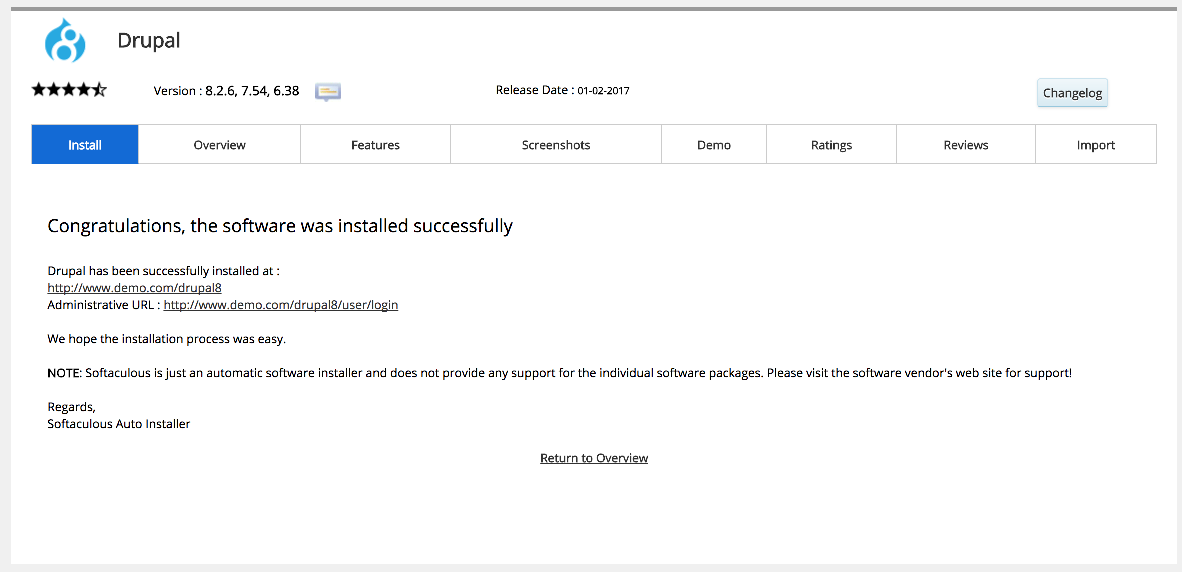
You can also find these links at any time by returning to Softaculous and clicking All Installations.