
On this page
How to set up LiteMage in cPanel
Enable LiteMage Cache in cPanel to unlock full-page caching for your Magento store.
LiteMage Cache is a full-page cache for Magento, built on top of LSCache and designed specifically for Magento stores. It uses ESI hole-punching to serve both public and private blocks from cache, making it one of the fastest caching solutions available for Magento.
LiteMage is available on all Kualo Magento hosting plans.
Enable LiteMage in cPanel
Before you can use LiteMage in your Magento store, you need to enable it in cPanel.
-
Go to Software > LiteSpeed Cache, or use the search bar and type
litespeed.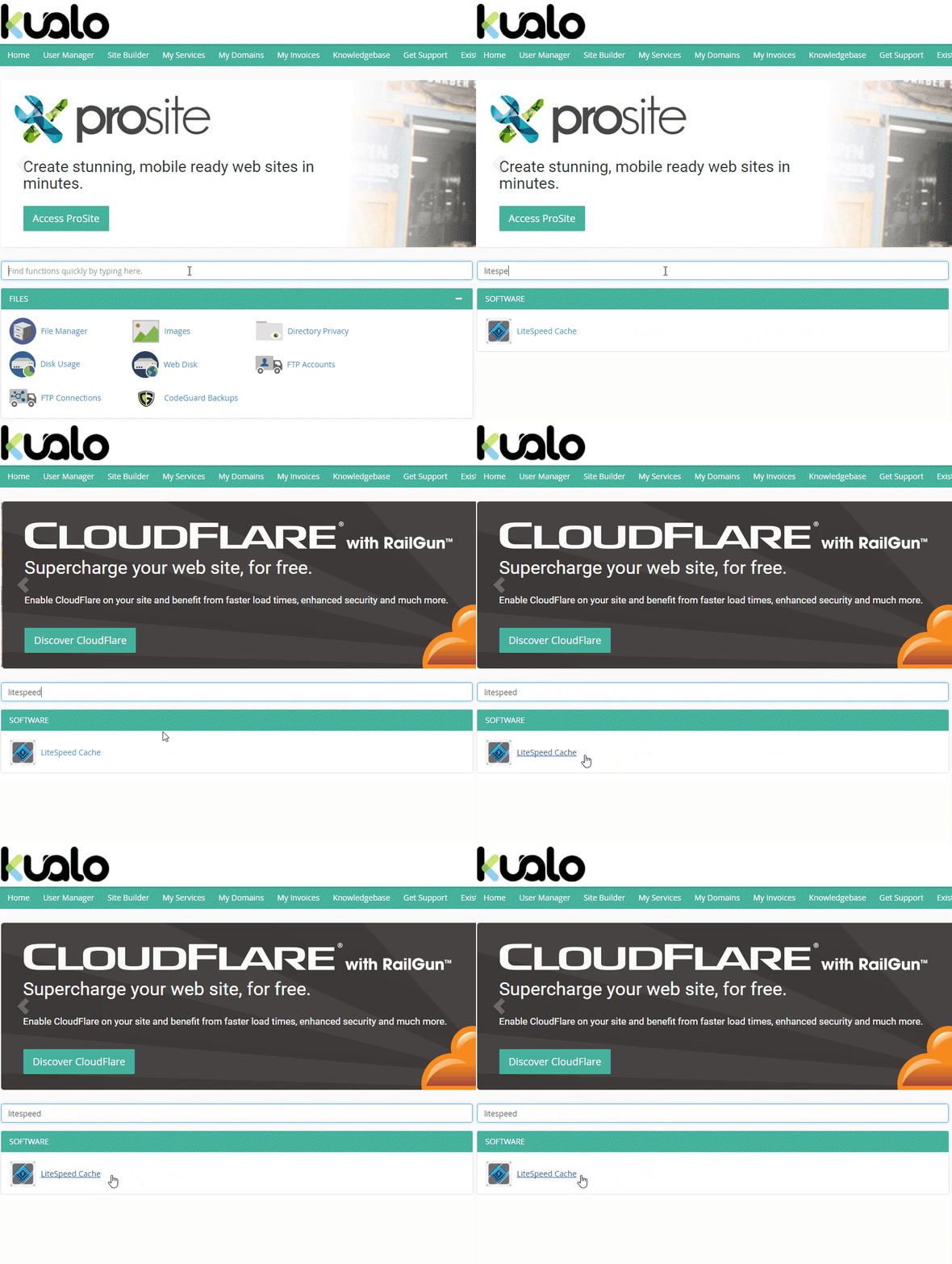
-
Click Enable LiteMage.
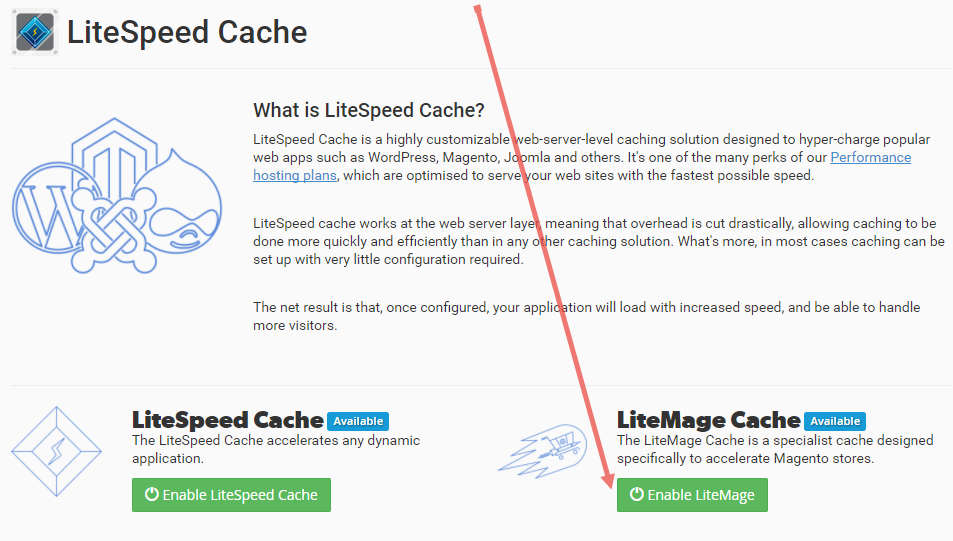
LiteSpeed Cache does not need to be separately enabled for LiteMage Cache to work.
Integrate LiteMage into Magento
Once LiteMage is enabled in cPanel, follow the relevant guide below to integrate it with your store:
- How to integrate LiteMage into Magento v1
- How to integrate LiteMage into Magento v2
Verify the performance improvement
Once LiteMage is integrated, you can use the Enable/Disable LiteMage toggle in cPanel to measure the difference it makes. The easiest way to do this is with your browser's developer tools.
- Right-click anywhere on your Magento store page and select Inspect (or similar, depending on your browser).
- Click the Network tab in the developer tools panel.
- Reload the page.
- Click the HTML document request and check the Response Headers for cache-related values.
You can compare the headers with LiteMage enabled and disabled to see the difference clearly.
LiteMage Cache enabled (click to enlarge):

LiteMage Cache disabled (click to enlarge):

If you need any help setting up LiteMage, contact us and we will be happy to assist.