
On this page
How to enable JavaScript / CSS merging and minifying in Magento 2
Enable JavaScript and CSS merging and minifying in Magento 2 to reduce page load times and improve your store's performance.
Enabling JavaScript and CSS merging and minifying in Magento 2 reduces the number of files your visitors download and the number of connections made to your server, resulting in a faster, more responsive store.

Enable JavaScript merging and minifying
- Log in to your Magento Admin Dashboard.
- Go to Stores > Settings > Configuration.
- In the left-hand menu, select Advanced > Developer.
- Expand the JavaScript Settings section.
- Set the following options to Yes:
- Merge JavaScript Files
- Enable JavaScript Bundling
- Minify JavaScript Files
- Click Save Config.
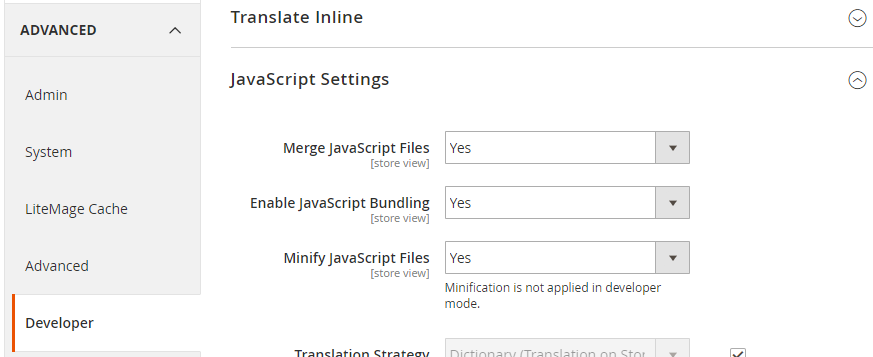
There are reports that Magento's built-in merge and minify features can occasionally slow down certain stores. Test your site's performance after enabling these settings and disable any option that has a negative effect.
Enable CSS merging and minifying
- On the same Advanced > Developer configuration page, expand the CSS Settings section.
- Set the following options to Yes:
- Merge CSS Files
- Minify CSS Files
- Click Save Config.
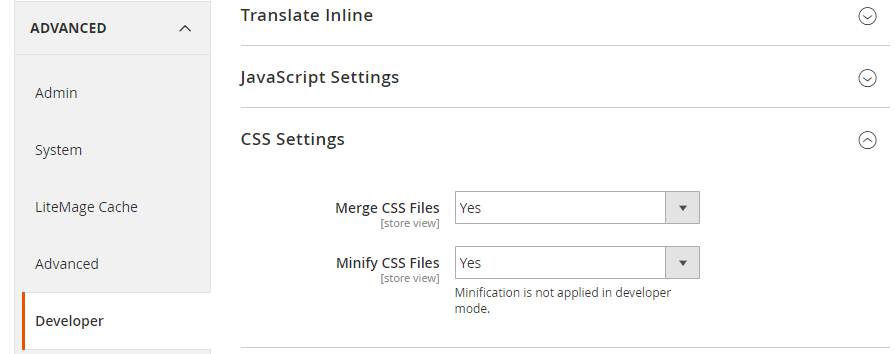
Flush the cache
After saving, Magento will prompt you to clear the cache. Click Cache Management in the notification bar and flush the cache to apply your changes.
Further optimisation with Cloudflare
As an alternative - or complement - to Magento's built-in tools, you can use Cloudflare to handle minification of JS, CSS, and HTML. This can be particularly useful if Magento's own merging causes issues on your store.
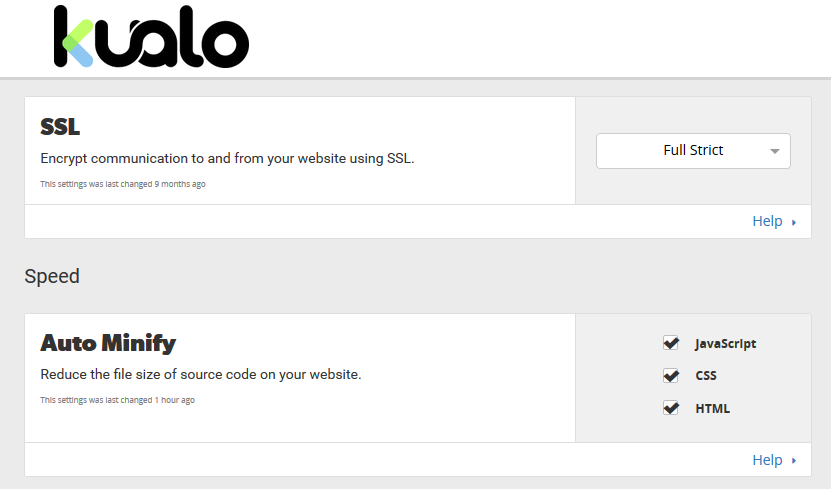
A common approach is to use Magento for merging and bundling, and let Cloudflare handle minification. Kualo is a Cloudflare optimised partner, so your site can also benefit from Cloudflare's CDN and Rocket Loader features.
Before and after comparison
The screenshots below show the difference in page load performance between a default Magento 2 store and one with merging and minifying enabled.
Before:

After:

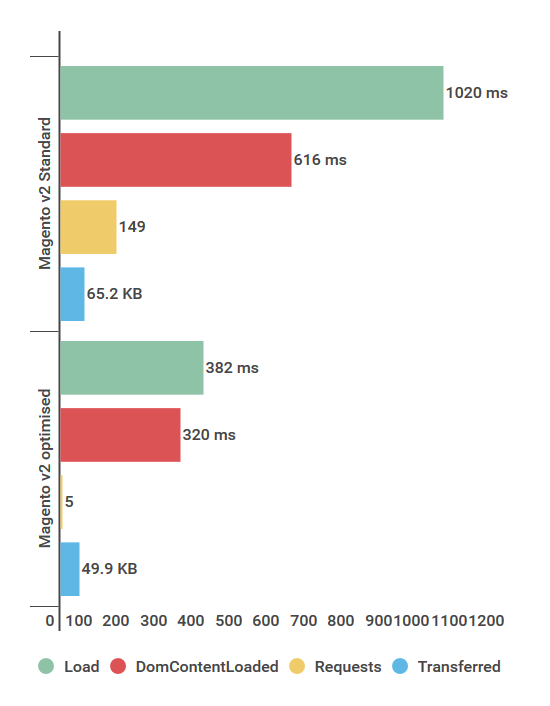
If you need any help with this, please contact us.