
On this page
How to integrate LiteSpeed Cache into Drupal 8
Enable LiteSpeed Cache in Drupal 8 by editing your .htaccess file, enabling the cache in cPanel, and installing the official module.
This guide walks you through integrating LiteSpeed Cache into a Drupal 8 site for improved speed and performance. You may also want to read our guide on integrating Redis in Drupal 8 for database and query caching.
Step 1 - edit your .htaccess file
Add the following lines to the very top of your site's .htaccess file:
<IfModule LiteSpeed>
CacheLookup on
</IfModule>
You can edit .htaccess over FTP or SSH, but the simplest method is via cPanel's File Manager. Navigate to the folder containing your Drupal files, then click the .htaccess file to edit it.
Step 2 - enable LiteSpeed Cache in cPanel
Make sure LiteSpeed Cache is enabled in cPanel under LiteSpeed Cache. See our guide on how to enable LiteSpeed Cache in cPanel if you have not done this yet.
Step 3 - install the LiteSpeed Cache module in Drupal
-
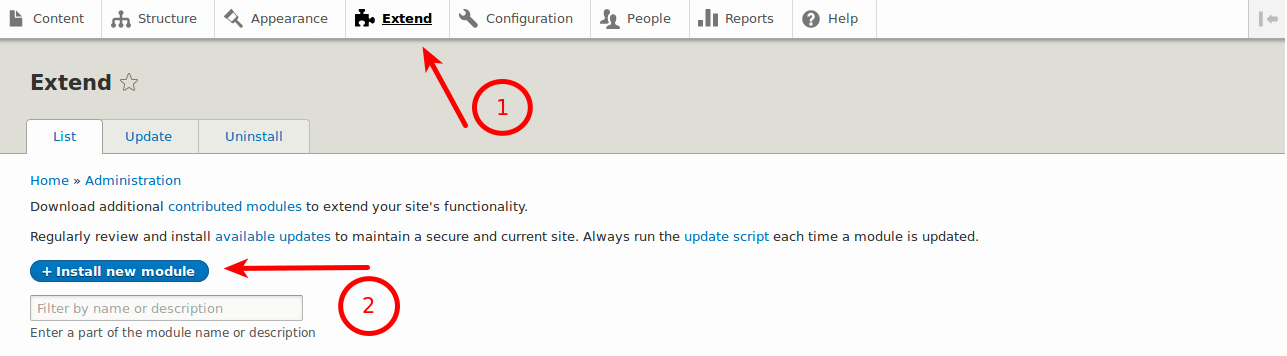
Log in to the Drupal admin area and go to Extend > Install new module.
-
In the Install from a URL field, paste the following URL for the official LiteSpeed Cache module:
https://github.com/litespeedtech/lscache-drupal/archive/master.zip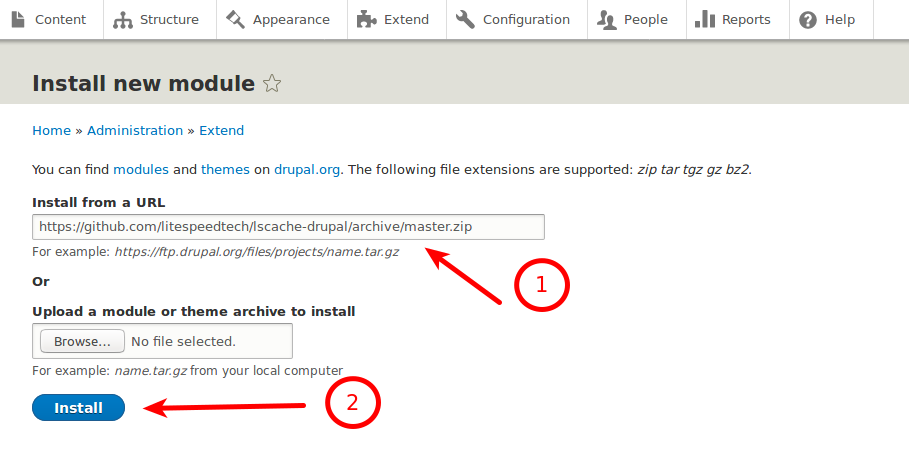
-
Click Install.
-
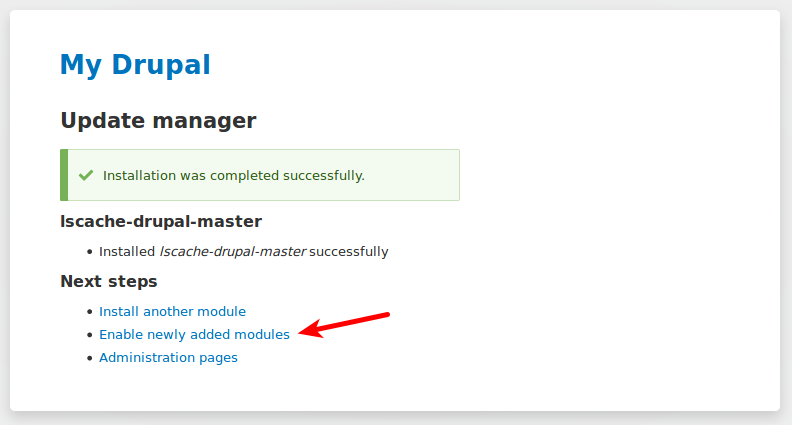
Once you see the "Installation was completed successfully" message, click Enable newly added modules.
-
On the next page, search for the LiteSpeed module, tick the box next to it, and click Install.
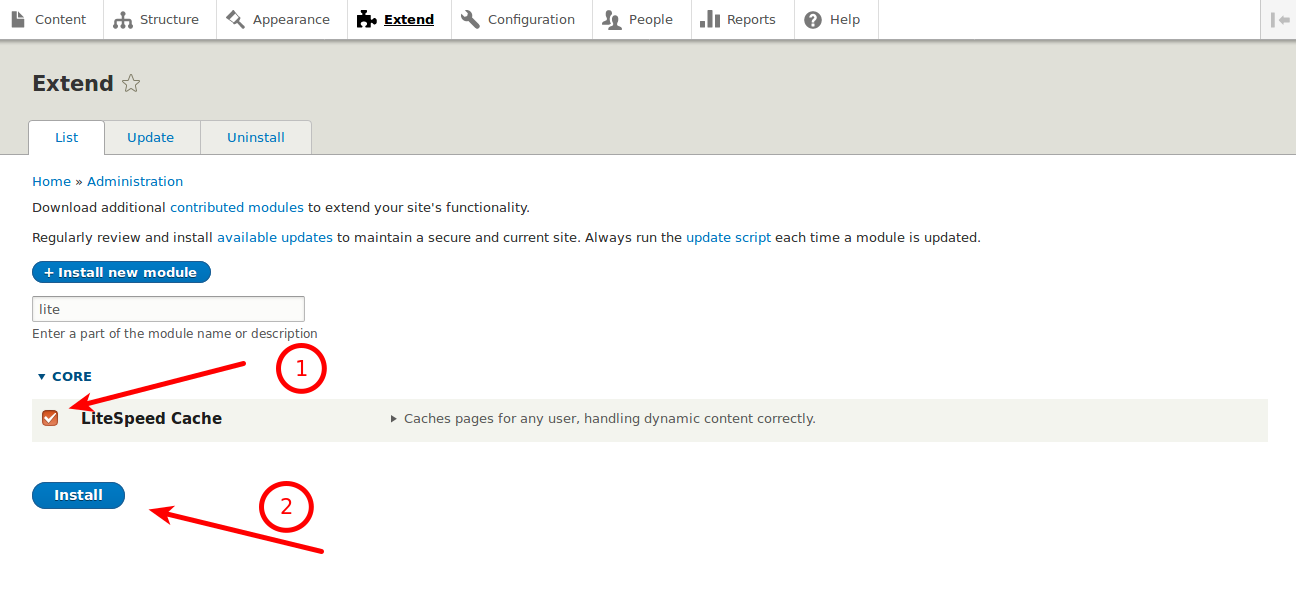
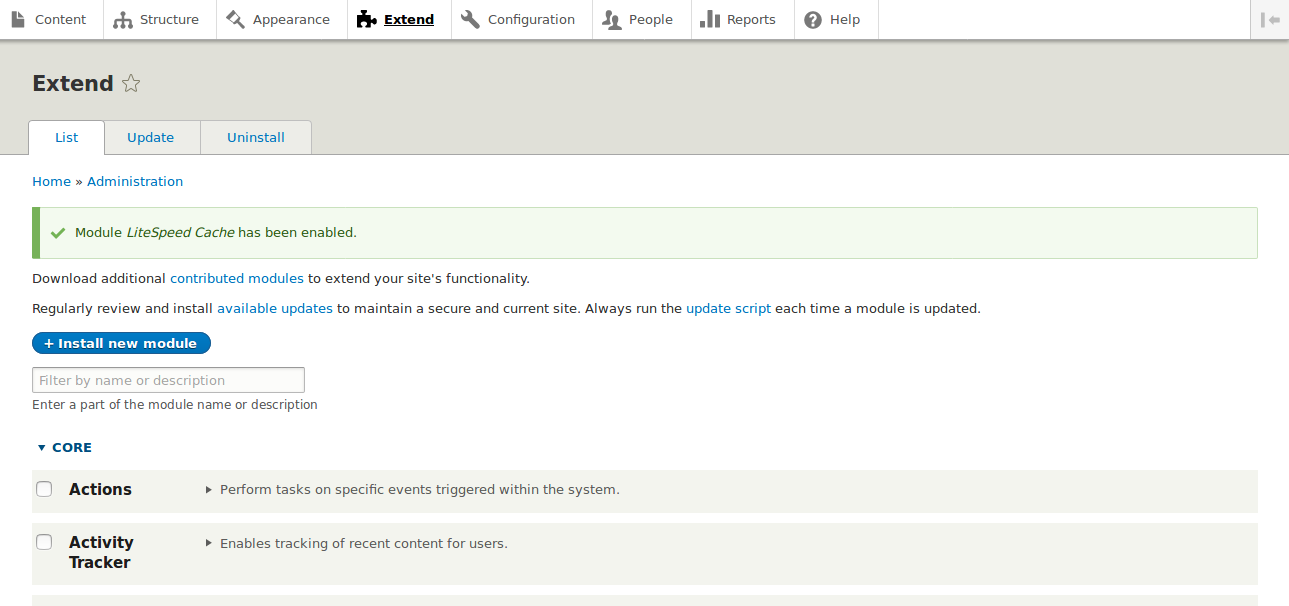
You should see a success message confirming the module is active.
Verifying that caching is working
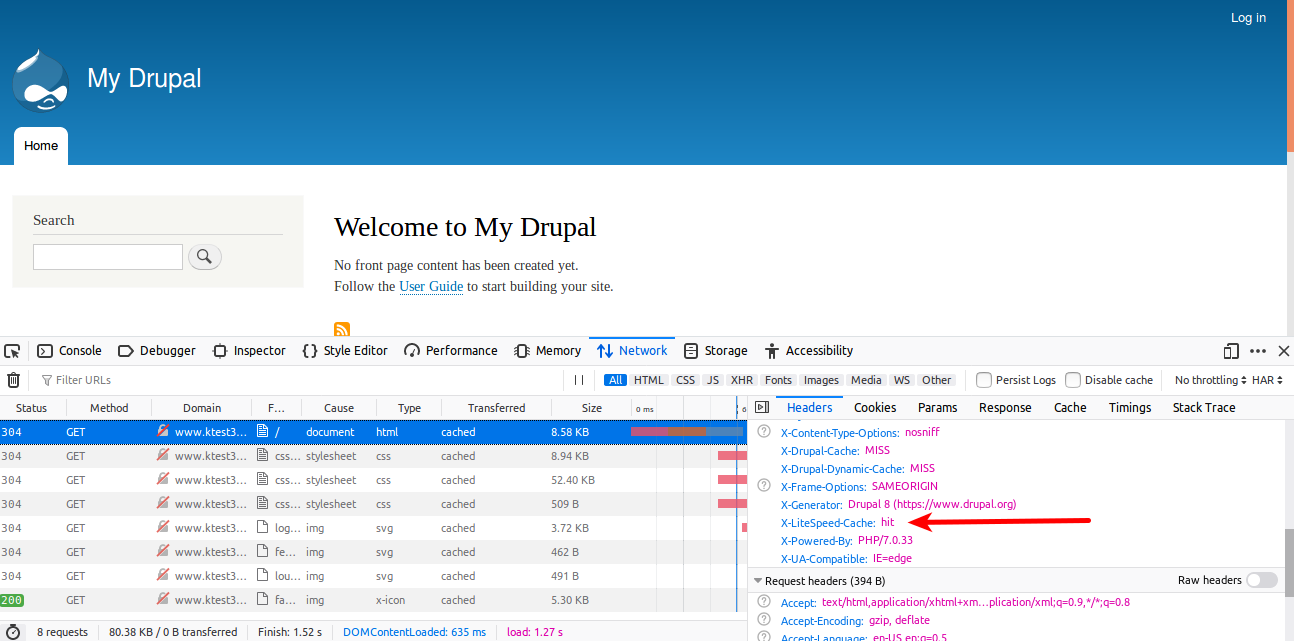
To confirm LiteSpeed Cache is active, open your browser's developer tools, go to the Network tab, and inspect the response headers for your site. You should see LiteSpeed-related cache headers in the response.
Configuring LiteSpeed Cache settings
To adjust advanced settings, go to Configuration > LSCache Settings in the Drupal admin area.
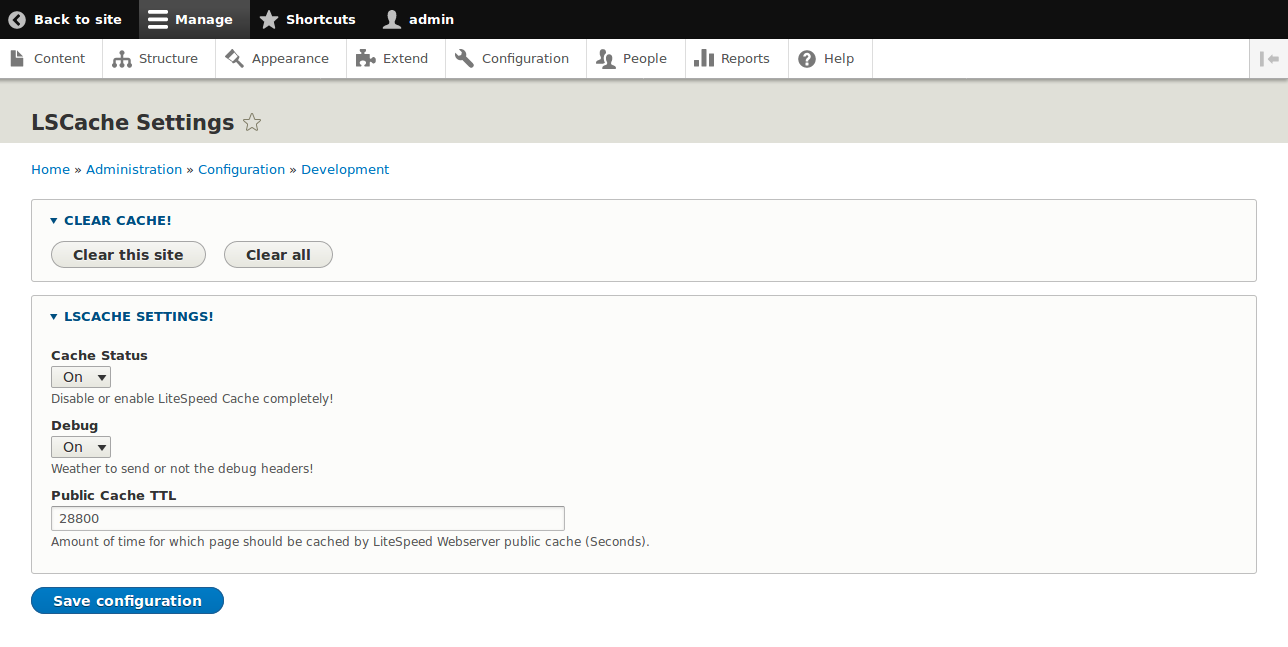
From here you can:
- Manually clear the cache
- Disable caching entirely
- Enable or disable debug mode
- Change the public cache TTL (the time in seconds before cached content expires automatically)