
On this page
CloudLinux overview: why use CloudLinux on your server?
CloudLinux is a specialised OS that isolates accounts, caps resource usage, and gives each site its own PHP version on shared servers.
CloudLinux is a specialised operating system built for multi-tenanted web hosting. It tackles common shared-server problems - noisy neighbours, security breaches between accounts, and PHP version conflicts - through three core features: CageFS, LVE, and PHP Manager.
What is CloudLinux?
CloudLinux is an operating system designed for stability and security in environments where many users share the same physical server. Unlike a standard Linux distribution, it isolates each user account at the kernel level, which improves both performance and security across the board. Kualo recommends CloudLinux as the OS for clients running their own managed servers.
Key features at a glance
| Feature | What it does |
|---|---|
| CageFS | Virtualised file system that isolates each user in their own environment |
| LVE (Lightweight Virtual Environment) | Sets per-account limits on CPU, memory, IO, and connections |
| PHP Manager | Lets each site choose its own PHP version, with hardened support for older releases |
CageFS: advanced user isolation and security
CageFS creates a virtualised file system for each user, effectively locking them inside their own environment. Each user gets a fully functional file system with the system files they need, but they cannot see or interact with any other user on the server.

Why CageFS is stronger than traditional measures
Some server administrators try to lock down environments using php.ini restrictions, but these are relatively easy to bypass and offer no protection for CGI scripts. CageFS works at a deeper level, making it far more robust.
In a standard Linux environment without CageFS, users can potentially read each other's files and discover other accounts on the server. CageFS removes that risk entirely.
What CageFS restricts
- Access to binaries: only safe, approved binaries are available to each user.
- Server configuration files: users cannot read Apache config files or similar.
- Other users: accounts cannot detect each other's usernames or presence.
- Process visibility: each user's view of
/procis limited to their own processes.
User experience inside CageFS
Despite the restrictions above, everything a legitimate user needs works normally. There is no need to modify scripts or work around missing features - CageFS is designed to be transparent to well-behaved applications.
LVE: tailored resource management
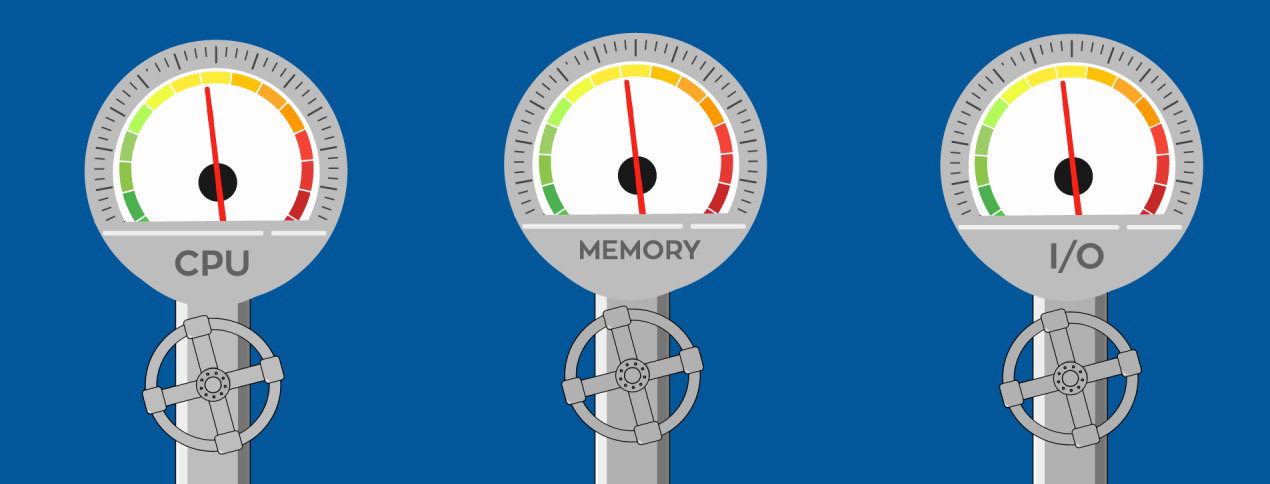
LVE technology lets you set hard limits on physical resources - CPU, IO, memory, process count, and concurrent connections - for each user account. It operates at the kernel level, which means limits are enforced reliably regardless of what the user's code does.
Solving the noisy neighbour problem
On a standard Linux server, one account can consume all available CPU or memory and bring down every other site on the machine. LVE prevents this by capping each account's resource usage, so a spike on one site does not affect anyone else.
Safe development environments
If you run both production and development sites on the same server, LVE lets you assign tighter resource limits to development accounts. Experimental or buggy code cannot destabilise your live sites.
Hosting packages and reseller use
Agencies and resellers can set resource limits on a per-user or per-package basis. This makes it straightforward to offer tiered hosting packages differentiated by CPU and memory allowances, not just disk space or email accounts.
What LVE Manager lets you do
- Set resource limits per individual account, including reseller accounts.
- Allow resellers to manage limits for their own end-users.
- Create and apply default resource packages.
- View historical resource usage per account.
- Identify accounts that are consistently hitting their limits.
- Offer higher-resource plans as an upsell to accounts that need more headroom.
For more details on configuring limits, see Setting LVE resource limits with CloudLinux Manager.
PHP Manager: version flexibility and performance
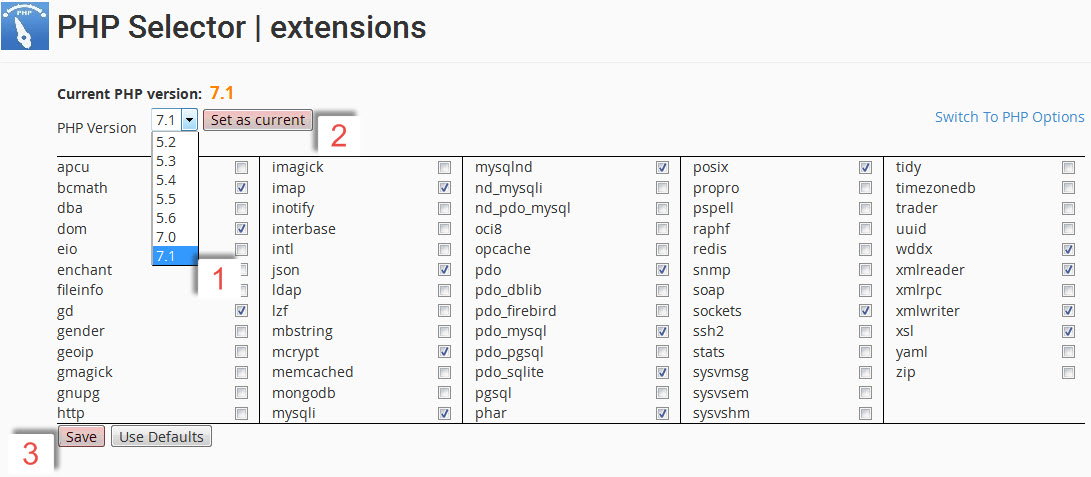
CloudLinux's PHP Manager gives each site on the server independent control over its PHP environment.
Version flexibility
- End-users can choose from multiple PHP versions and over 120 PHP extensions.
- Older, officially unsupported PHP versions are available in a hardened form, so you do not have to force customers to rewrite legacy applications before they are ready.
- Each site can run a different PHP version simultaneously on the same server.
Around 64.5% of PHP websites still run on unsupported PHP 7 versions. CloudLinux's hardened PHP lets you host these safely while you plan a migration path.
Faster PHP with LSAPI
CloudLinux uses LSAPI as its PHP handler, which is engineered specifically for high-performance PHP execution:
- Up to 20% faster than FastCGI.
- 50-75% faster than Apache with mod_php or nginx with PHP-FPM.
- Full suEXEC and chroot support for improved security.
- PHP configuration can be overridden per directory via
.htaccess, and different folders within a site can use different PHP versions.
For more details on using PHP Manager, see How to manage the PHP version in cPanel using the Select PHP Version tool.
Summary
CloudLinux combines user isolation (CageFS), resource controls (LVE), and flexible PHP management into a single OS layer. Whether you are running a small business site, managing client servers as an agency, or offering reseller hosting, these features make your server more stable, more secure, and easier to manage. If you have questions about CloudLinux on your Kualo server, our support team is happy to help.