
On this page
Enabling Python in cPanel
cPanel's Setup Python App tool lets you run Python applications, each with its own version, directory, domain, and modules - all from one place.
cPanel includes a built-in tool for running Python applications. You can create multiple apps, each with its own Python version, directory, domain or subdomain, and installed modules - all managed from one place.
Creating an application
-
Log in to cPanel.
-
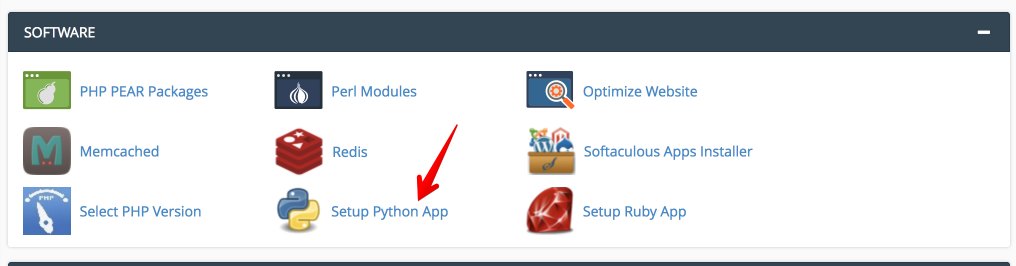
Click the Setup Python App icon.
-
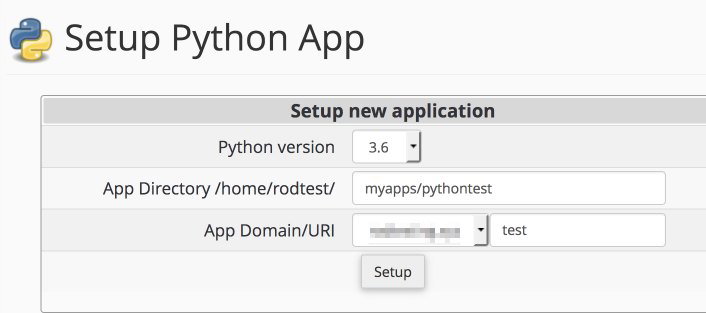
Under Setup new application, choose your Python version, set the application directory, and select the domain or subdomain. Click Setup when done.
-
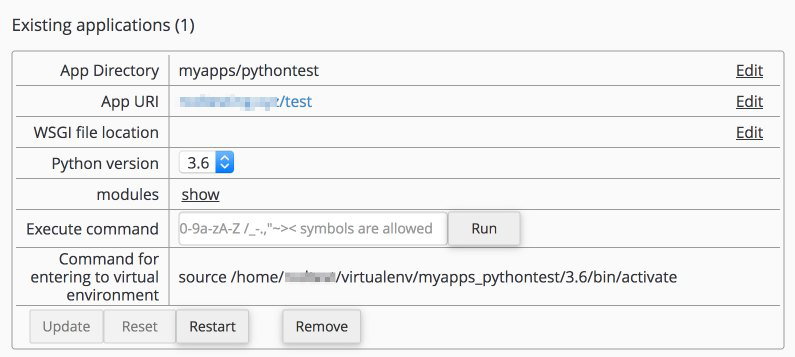
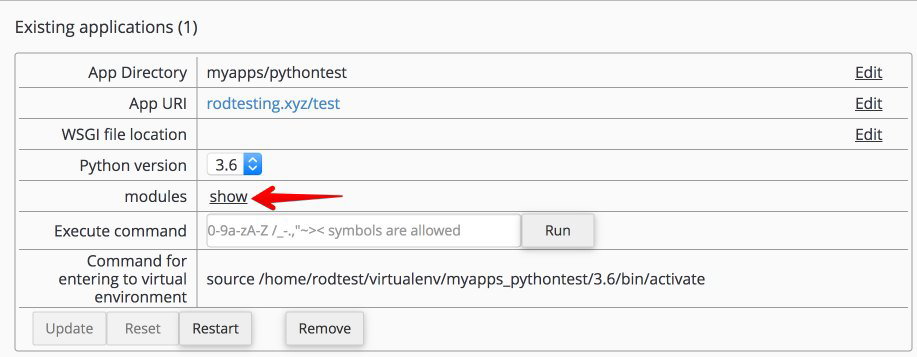
Once created, you will see a summary screen similar to the one below.
Updating and removing applications
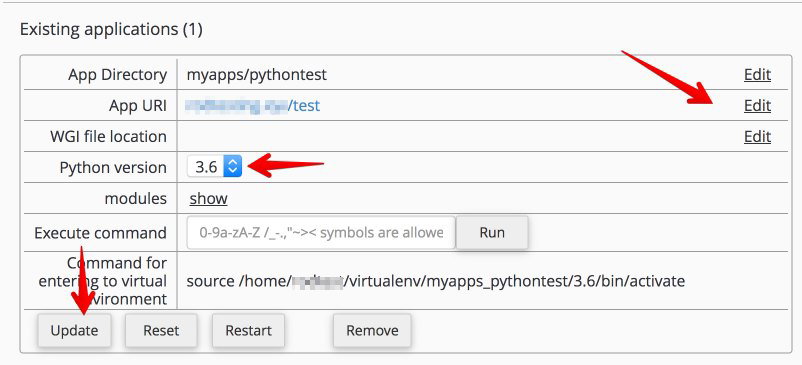
To change an existing application - for example, to update the Python version or change the application directory or URL - find it in the Existing applications section and make your edits.
Changes do not take effect until you click the Update button at the bottom of the application panel.
To remove an application, click the Remove button at the bottom of the same panel.
Installing modules
You can install Python modules either via SSH or through the cPanel interface. To use the interface, click the Show link next to Modules in the application panel.
-
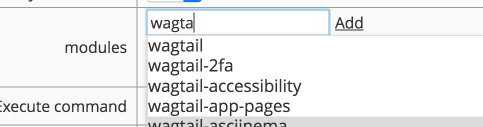
Type the name of the module you want to install.
-
Click the module name in the results list, then choose the version you want to install.

-
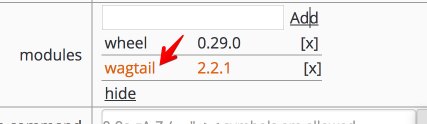
Click Add to add the module to your application.
-
Click Update to apply the changes.
For a more detailed walkthrough of deploying a Python application, see How to deploy a Python application.