
On this page
Sharing sensitive data using the Secure Vault
The Secure Vault lets you share sensitive credentials with Kualo's support team using strong encryption, without sending data in plain text or by email.
The Secure Vault is a tool built into our helpdesk that lets you share sensitive information - such as passwords, SSH keys and website logins - with our support team securely. Data is encrypted using 256-bit AES encryption with PBKDF2 key strengthening, so it is never transmitted or stored in plain text.
You have full control over any data you store: you can update it or delete it at any time.
Sharing secure data
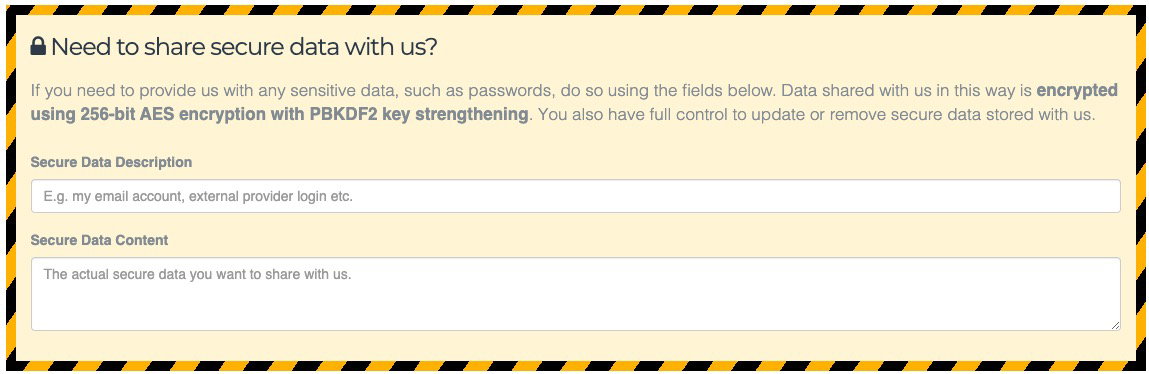
When you submit a new ticket, you will see dedicated fields for secure data alongside the main ticket form.
- Enter a description so our team knows what the data relates to - for example, "Domain registrar password".
- Enter the sensitive value itself in the secure data content field.
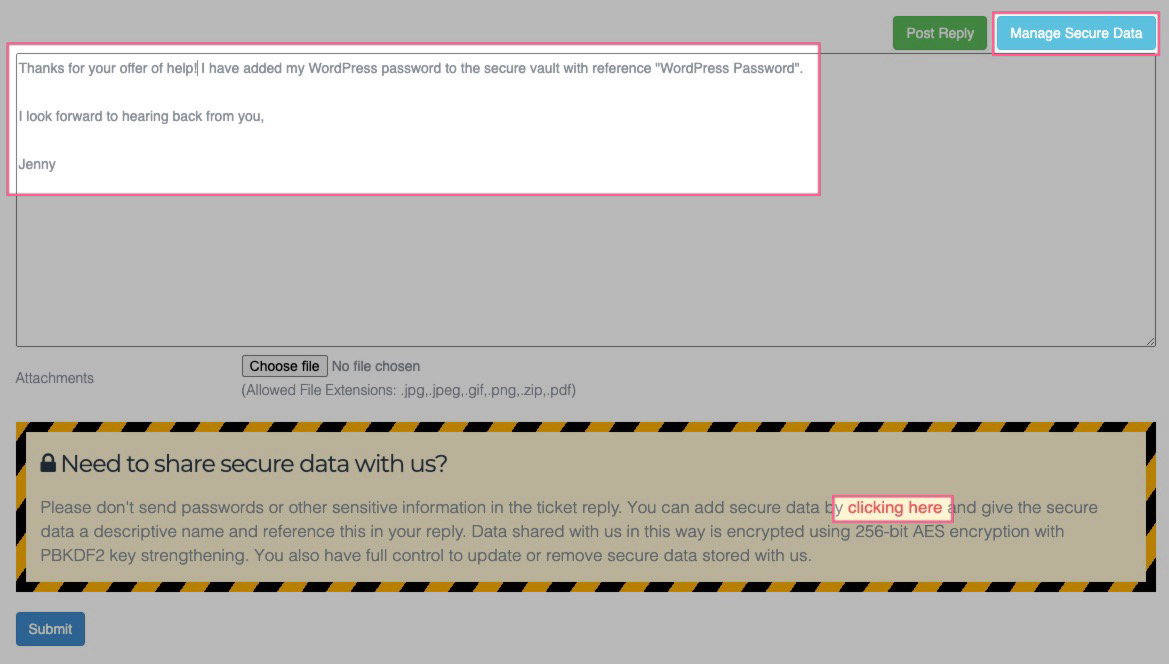
- In the body of your ticket, reference the description so our team knows to look for it.
If you are replying to an existing ticket, click the Manage Secure Data button in the reply form to add new items or update existing ones.
Accessing data shared with you
If our team shares secure data with you, we will include a reference to it in the ticket email. To retrieve it:
-
Open the ticket in the helpdesk and click the Manage Secure Data button.
-
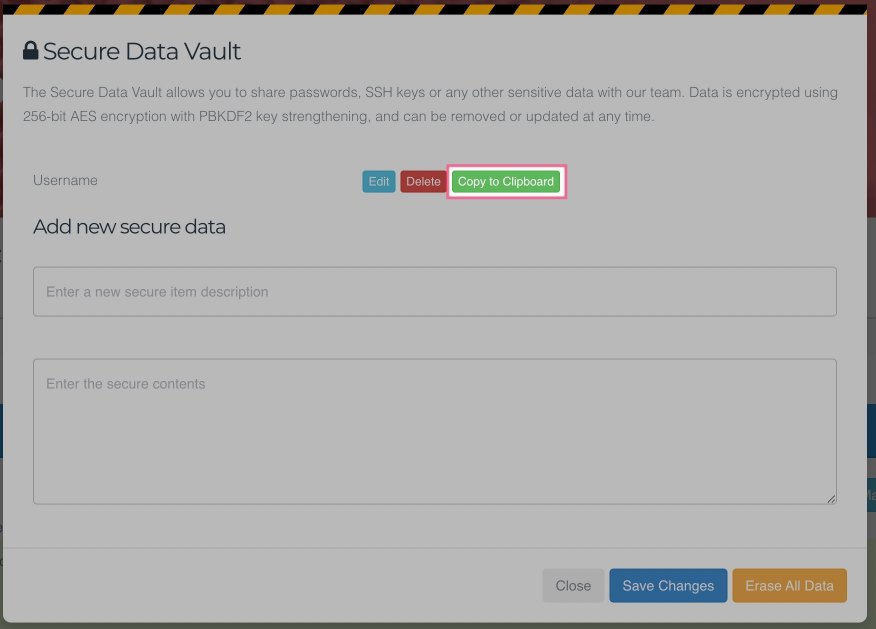
The Secure Vault panel will open, listing all items linked to that ticket. Click Copy to Clipboard next to any item to copy its value.
Editing stored data
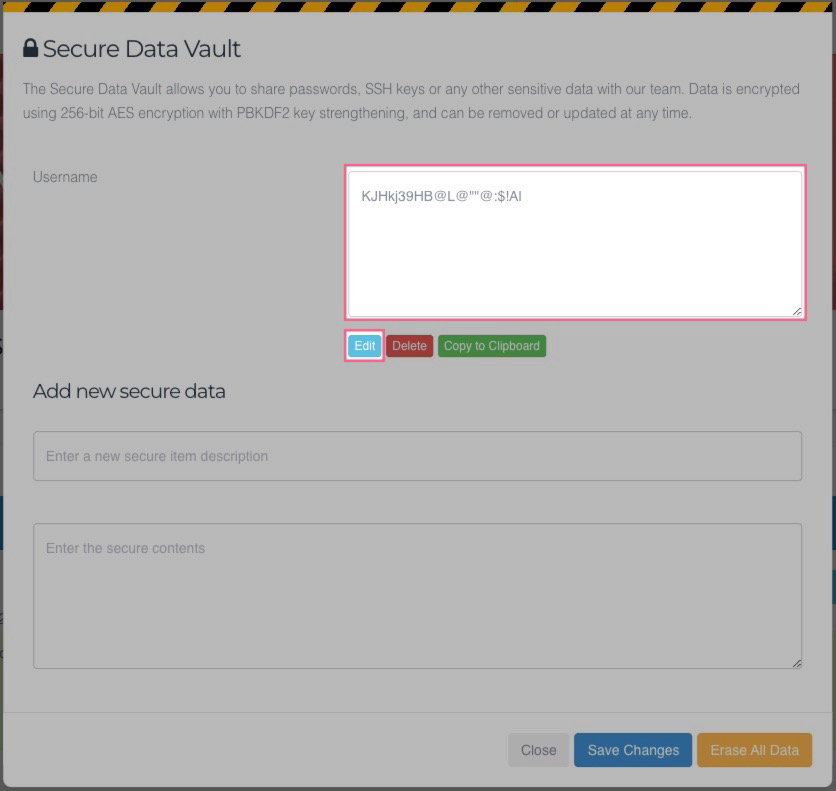
To update a stored item, click the Edit button next to it, make your changes, then click Save Changes. The vault will reload with the updated value.
Deleting stored data
To revoke our access to a specific item, click the Delete button next to it. To remove everything linked to a ticket at once, click Erase All Data. Both actions permanently delete the data.
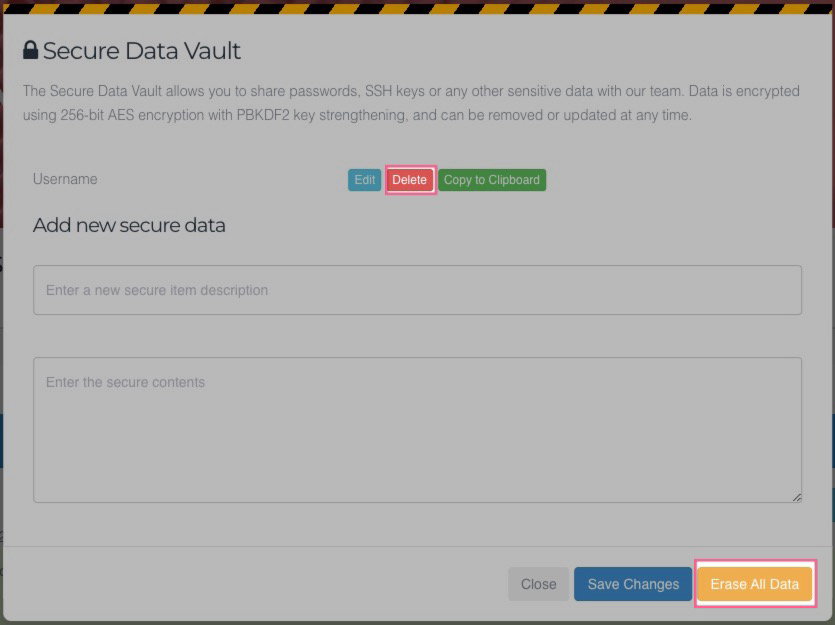
Once you delete an item, our team will no longer be able to access it. This cannot be undone.
Data retention
We automatically delete all secure data linked to a ticket within 30 days of that ticket being closed. You do not need to wait - you can delete your data at any time using the options above.